The iPhone Duo combines a $1,999 price tag with a new foldable design, so deciding whether to keep it is not a small choice. If buyer’s remorse arrives, Apple gives you a narrow window to send the phone back, but the details depend on where and when you bought it.
Charging also raises questions. The Duo supports wired charging at up to 60 watts and wireless charging at up to 25 watts, yet a much larger charger does not make the phone charge faster. Add in a growing list of iOS 27 features reserved for newer models, and the Duo becomes a phone with clear strengths and a few limits.
What to know before returning an iPhone Duo
For purchases made directly from Apple, returns are normally allowed within 14 days of receiving the phone. Apple can inspect the Duo to make sure it is still in good condition, and you need to include the cables, manuals, and adapters that came with it. Keep the box until you are sure about your decision.
Purchases from Apple’s online store may qualify for an extended holiday return period. In the US, Duos received between November 6 and December 25 can be returned through January 8. Phones financed through T-Mobile or Verizon do not qualify for that extension, though they still receive Apple’s standard return window. Outside the US, check with Apple and your carrier for similar policies.
For an online order, start from Apple’s Order Listings webpage. Open your Duo’s listing, click Start a Return, print the supplied courier label, and schedule a pickup or drop-off. Apple says credit and debit card refunds should arrive within five business days after the company receives the phone.
If a gift card or Apple Account balance helped pay for the Duo, that portion returns through the same method. Apple may issue a gift card instead if the amount going back to your Apple Account would exceed its limit.
A new carrier subscription needs separate attention. Returning the phone may not cancel a plan that began when you bought the Duo, so talk to your carrier if the sign-up was tied to the purchase. Third-party stores follow their own rules. Best Buy’s return window for “activatable devices” mirrors Apple’s, but carrier-contract purchases cannot receive its extended holiday return period, no matter which carrier you use. Best Buy also charges a $45 restocking fee.
Once these deadlines pass, the remaining ways to recover money are selling the phone or trading it in toward another device.
Charging the Duo without chasing huge wattage
Apple warns against third-party chargers that fail to meet safety standards, saying they could cause injury and even death. The Duo can use a powerful charger, but a 140-watt adapter is an upper limit the phone will never reach. Even the iPhone 18 Pro tops out at 52W.
USB Power Delivery once topped out at 100W. The newer range runs between 100W and 240W under Extended Power Range, or EPR, which adds 28V, 36V, and 48V options. Once a device enters EPR mode, it must send a “keep-alive” message every half second. If the charger does not receive it, the charger drops back to 5V.
An iPhone’s needs sit well below that threshold. The iPhone 17, 17 Pro, and 17 Pro Max reach 50 percent in about 20 minutes with a 40W or higher adapter. The iPhone Air and iPhone 17e need 20W to reach 50 percent in roughly half an hour. An iPhone 15 or 16, along with an older Lightning model such as the iPhone 14 using a USB-C to Lightning cable, needs an 18W or greater USB PD adapter for fast charging.
For the fastest charging on these phones, use a 60W adapter with Adjustable Voltage Supply and USB PD 3.2, plus a USB-C cable rated for 60W or more. A 140W or higher charger makes more sense for a high-performance laptop or several devices charging at once. Apple prints an adapter’s wattage on its top or bottom, and its 40W chargers carry the Dynamic Power Symbol.
On iOS 18 or later, a Slow Charger message appears on the Lock Screen and under Settings > Battery. iOS 26 also alerts you when an incompatible charger is connected but is not charging the iPhone.
Why the Duo can change how you use an iPhone
After a little under a month with the Duo, one user found that its trade-offs mattered less than expected. The foldable design changed how they interacted with apps, which apps they used, and how they organized and personalized the phone. Apple’s side-by-side mode is easy to use: drag an app to the left or right side of the screen and drop it into the target box.
That makes it practical to keep X open while reading the news, leave email or Slack beside other work, or scroll social media while watching something else. The Duo can also feel like an arguably heavier iPhone mini when closed. It fits into front and back pockets, can be covered with one hand, supports thumb typing, and lets you reach the top and bottom of the screen.
The small outer screen works well for quick texts, directions, and other short interactions. It is less suited to mindless scrolling. At home, unfolding the phone gives apps a larger workspace, and the user found themselves unfolding it to watch videos, shop, or actively use apps.
With the Duo closed, the preferred setup is a small screen showing widgets for weather, time, battery life, and other key information, with app icons limited to the dock. In mid-November, Apple said more than 200,000 apps were ready for the Duo. Netflix supports several viewing modes, including video on the closed outer display, a laptop orientation with large player controls, and tent mode.
The Duo can also replace a Kindle for some readers. Its matte inner screen has less glare and softer reflections than a glossy OLED display, though it is not an e-ink device. Do Not Disturb can reduce interruptions, while landscape mode lets the unfolded phone bend inward like a real book.
Cases, accessories, and iOS 27 limits
Opening the Duo one-handed makes it easy to drop, and repairs can be expensive. The dbrand Grip Case offers a grippy surface and drop protection while working with Qi2, MagSafe, and other magnetic accessories. The Dynamic Folio attaches magnetically and works with the Duo open or closed in landscape or portrait. Other options include Mous’s one-piece Aramid synthetic fiber case, Smartish’s reinforced Gripzilla, and the $20-for-a-two-pack Smartish Tuff Sheet Screen Protector.
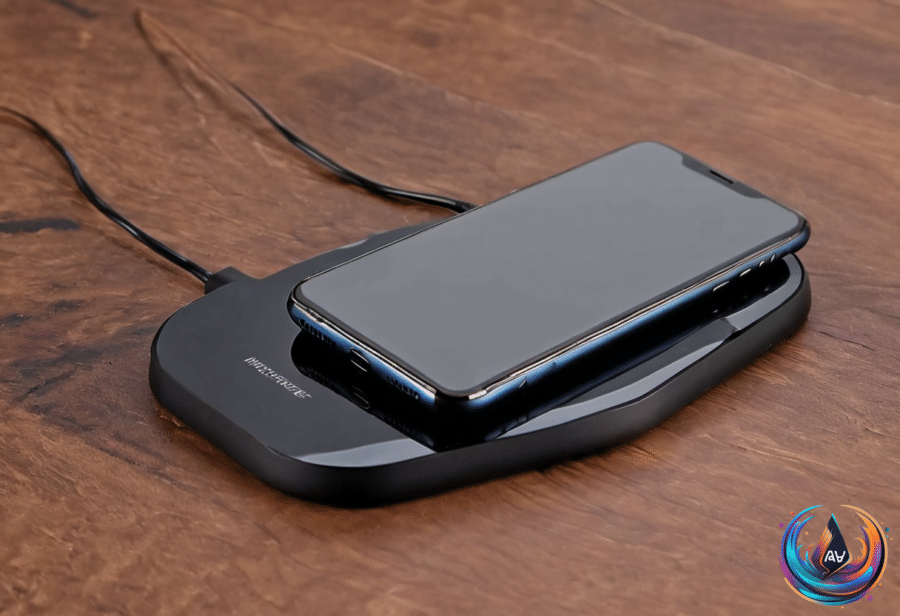
For charging, wired power at 60W requires USB PD 3.2 with Adjustable Voltage Supply rated at 60W or higher and a capable USB-C cable. Wireless charging at the full 25W requires Qi2 25W. Other chargers still work, but they charge more slowly. The Anker MagGo 2 Pro Power Bank adds Qi2 25W, 10,000 mAh of power, a kickstand, and an LED display.
iOS 27 adds features across many iPhones, but the most advanced tools remain limited to newer hardware. The core software reaches back to the iPhone 11 and the second- and third-generation SE models. The new Siri AI, which can use personal context from messages and emails, understand what is on screen, and research answers on the web, requires an iPhone 15 Pro or newer. The base iPhone 15, iPhone 15 Plus, and older iOS 27 devices miss out, with the EU and China still waiting for an official launch date.
Expressive voices and improved dictation require 12GB of RAM. Apple does not list RAM in its spec sheets, but those features work on the iPhone 17 Pro, 17 Pro Max, Air, 18 Pro, 18 Pro Max, and Duo. FaceTime Dual Capture requires an iPhone 17, iPhone Air, or newer, while manual aperture, shutter speed, and white balance controls work only on the newer Pro models. Not even the $2,000 iPhone Duo supports those manual camera controls.
Based on
- Want to return your iPhone Duo? Here’s what you should know — engadget.com
- Can You Safely Use A 140w Charger On An iPhone? — engadget.com
- A month with the iPhone Duo has changed how I use my phone | TechCrunch — techcrunch.com
- The Best iPhone Duo Cases and Accessories (2026) | WIRED — wired.com
- 5 Noteworthy iOS 27 Features You Can’t Get On Older iPhones — engadget.com