Two digital wallets can hold the same everyday essentials, yet the experience changes depending on the phone, watch, identity document, and security features involved. Google Wallet and Samsung Wallet both bring cards, passes, keys, and certain forms of ID onto mobile devices, but their differences become clear when you examine compatibility, payments, crypto assets, and privacy.
“Google Wallet is one of those apps that you quickly get used to having,” said Jack Whitcombe. That convenience comes with details worth understanding before replacing a physical wallet, especially when digital driver’s licenses enter the picture.
Similar wallets with different strengths
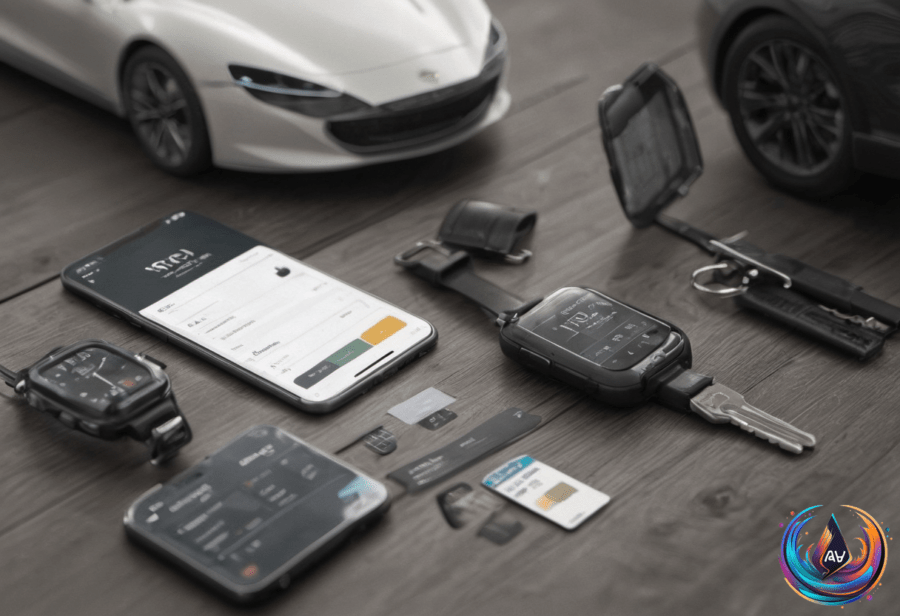
Samsung and Google wallets can store credit and debit cards, tickets, loyalty cards, membership cards, boarding passes, car keys, house keys, and certain forms of ID. Both services can also use a phone’s camera to upload physical passes, giving users a path to move existing cards and tickets into a digital collection.
Google Wallet adds several options for people who use multiple devices. It has a web version, works on other Android devices running Android 9 and above, and supports Wear OS 2.18 and above. Google Wallet can also sync passes across devices and pull tickets and passes from Gmail, connecting information that users may already have stored in their accounts.
Samsung Wallet takes a different route by linking digital asset services such as Coinbase and Samsung’s Blockchain Wallet. That gives Samsung users a way to manage crypto assets alongside cards, passes, keys, and other wallet content.
Wearables create another split. Google Wallet can pay on Samsung Galaxy watches, but Google Wallet cannot be used on Pixel phones because of device exclusivity. The result is a wallet experience shaped not only by the operating system, but also by the specific device involved.
Digital IDs expose the biggest compatibility gap
The clearest difference appears in digital driver’s licenses and other digital IDs. Samsung Wallet is compatible with digital IDs for 8 states, while Google Wallet recognizes digital IDs in 11 states and Puerto Rico.
Five locations recognize Google but not Samsung: California, Montana, New Mexico, Ohio, and Puerto Rico. West Virginia takes the opposite position, recognizing Samsung but not Google Wallet. That list can make the choice straightforward for residents who want to add an eligible ID to a phone.
Adding a digital ID to Google Wallet requires a compatible device, NFC, a screen lock, and an eligible ID from a supported country. Most problems involve device compatibility, NFC, or verification steps, so the process depends on more than simply owning a supported phone.
Digital driver’s licenses are not just pictures of plastic cards. “Putting your driver’s license in a digital wallet doesn’t mean storing a picture of the plastic card on your phone,” said Novak Božović. Instead, an mDL contains digitally signed information that a compatible reader can verify.
That structure can reduce the amount of information shared. A digital ID might confirm only whether someone is over 21 instead of exposing details found on a physical license. Apple and Google encrypt driver’s license and ID data stored on devices, adding protection to the information held by the wallet.
Security, payments, and privacy decide the final choice
Samsung Wallet may hold a slight security advantage through integration with KNOX, which offers hardware-level security. Both digital wallets generally provide similar levels of data encryption, but Samsung has an edge in security and crypto management because of its KNOX integration and digital asset connections.
Google Wallet contactless payments depend on a few key settings. NFC must be enabled, the phone must meet security requirements such as Google Play Protect certification and screen lock protection, and the phone case must not block the antenna. Card setup must also be complete.
Google Wallet can make contactless payments without opening the app by using the default card. When payments fail, the cause may be a disabled NFC setting, a blocked antenna, an incomplete card setup, or a phone that does not meet the required security conditions.
“Most problems with Google Wallet only need a quick settings change, but you might need to check with your bank that your card is ready to work with it,” said Jack Whitcombe.
Privacy questions become more complex when digital IDs leave the phone. Digital IDs can use device retrieval or server retrieval. With server retrieval, the issuer may learn when or where an ID is used, a concern expressed by the Center for Democracy & Technology and the American Civil Liberties Union.
In 2025, the AAMVA prohibited server retrieval for digital IDs, and the current AAMVA guidelines published in July 2026 continue that prohibition. Even so, organizations can retain digital ID information after it is shared, and privacy protections vary by location.
Security also matters when a phone disappears. A lost phone containing a digital driver’s license needs biometric security or a screen lock to block unauthorized access. Apple Wallet requires biometric security to add a digital ID, while Google Wallet requires screen lock protection. Remote options through Find My or a Google account can erase or remove digital IDs from lost devices.
The choice between Google Wallet and Samsung Wallet now reaches beyond payment terminals. Google brings broader digital ID recognition, web access, cross-device syncing, and Gmail integration, while Samsung counters with KNOX security and crypto management. As digital IDs move forward under AAMVA guidelines, device compatibility, privacy controls, and the rules of each location will shape which wallet fits best.
Based on