CarPlay is getting a major upgrade with iOS 27, but the biggest features come with a hardware cutoff. The update is available for the iPhone 11 and later, yet Siri AI requires an iPhone 15 Pro or an iPhone 16 or later.
That means the iPhone 14 and other older models can receive the update without supporting every new capability. Since CarPlay runs entirely on the iPhone, the phone must have the hardware required to power Siri AI inside the car.
A More Complete CarPlay Experience
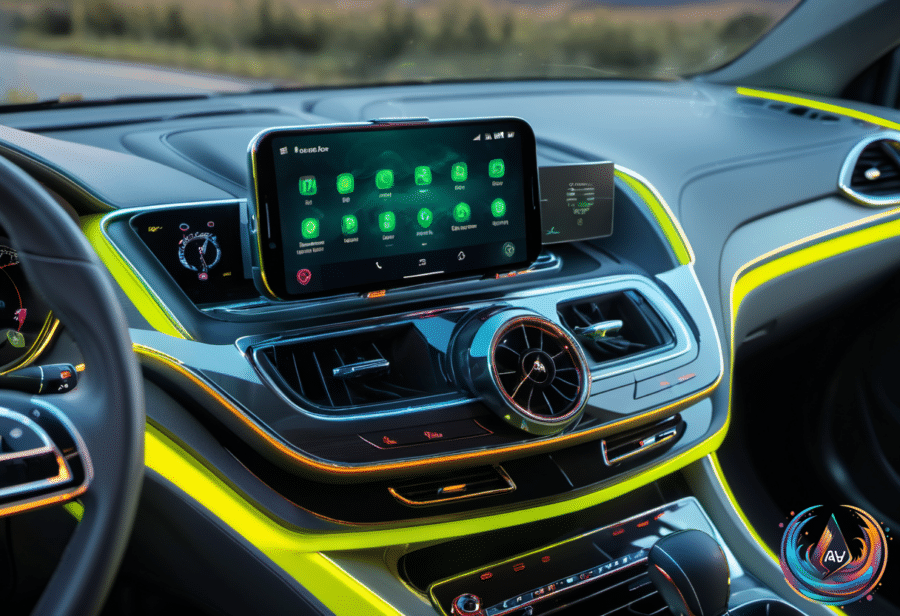
CarPlay has spent years connecting drivers with audio services such as Apple Music and Spotify. With iOS 27, Apple is expanding the experience beyond that audio-focused foundation, adding new controls, smarter assistance, and stronger links between apps and vehicles.
The Now Playing screen now includes a progress bar and a mini-player, giving drivers more control over what is playing without moving away from the main CarPlay experience. These changes bring key playback information into view and make the entertainment screen more useful during a drive.
Video apps can also become part of CarPlay, but there is an important condition: support requires vehicle manufacturer support. The feature is not available through the iPhone alone, so the vehicle must support video apps before drivers can use them through CarPlay.
Apps can now share route data with vehicles in CarPlay with iOS 27. That creates a closer connection between the phone, navigation tools, and the vehicle, giving route information a more direct path into the driving experience.
- The Now Playing screen adds a progress bar.
- A mini-player brings playback controls into view.
- Video apps require vehicle manufacturer support.
- Apps can share route data with vehicles.
- Wireless connections and GPS location reporting become more reliable.
The iPhone Hardware Cutoff Matters
Apple claims that CarPlay has become much more reliable in iOS 27, with more consistent wireless connections and more accurate GPS location reporting. Those changes affect the basic experience, but Siri AI creates the clearest dividing line between iPhone models.
Siri AI can answer questions and use personal context in CarPlay with iOS 27. You can only take advantage of these features if you have an iPhone compatible with Siri AI, which means an iPhone 15 Pro or an iPhone 16 or later.
An iPhone 14 does not support the new Siri AI in CarPlay with iOS 27. The update remains available for the iPhone 11 and later, but older iPhones do not get the new features. That makes the difference between receiving iOS 27 and accessing its headline capabilities especially important.
Siri AI also is not available in the European Union due to local regulations. Even owners of supported iPhones face that regional limit, so the full CarPlay experience depends on both the device and location.
Why CarPlay Can Heat Up Your Phone
CarPlay and Android Auto can place a heavy load on a phone, especially when navigation, music, podcasts, and background processes run together. Wireless versions use Bluetooth, Wi-Fi, and cellular radios at the same time, consuming more power and raising the phone’s temperature.
Environmental conditions add another challenge. Bright sun can heat a phone mounted near the windshield, while cold weather can create problems when a vent mount sits in front of strong heat. As one warning puts it, a windshield mount can be a bad idea during a Texas Hill Country drive in July, while a vent mount can be problematic during a frigid Chicago winter with the heater at full blast.
Charging adds another source of heat. Wireless charging generates more waste heat than wired charging, so switching to USB may help bring temperatures under control. The heat created by Qi or MagSafe is not inherently problematic, but wired charging can reduce the extra burden when the phone already handles navigation, media, and wireless connections.
Avoid charging mid-drive unless necessary, and prefer USB over wireless charging to reduce heat. Adjusting the air-conditioning or heating level, along with changing where the phone sits, can also help control its temperature.
If the phone starts to overheat, the problem can make the driving experience worse. Rebooting the phone periodically can clear system caches and restart system processes, improving performance efficiency and helping prevent overheating when you are back on foot.
iOS 27 pushes CarPlay toward a more capable role in the car, combining richer playback controls, route sharing, stronger reliability, and Siri AI. The next step for drivers is simple: check the iPhone model, understand the regional limits, and manage heat before the phone becomes the weakest link in the journey.
Based on