The Lenovo Googlebook 15 makes a strong first impression. Its hardware feels premium, its screen is excellent, and its Android phone connections are meant to make the laptop easier to use. But Googlebook OS still has growing pains, which keeps this polished machine from becoming an easy recommendation for everyone.
Sam Rutherford’s review gives the Lenovo Googlebook 15 a 7.9 / 10 rating. The central verdict is simple: “Lenovo’s hardware is great, but Googlebook OS still needs some polishing.” For die-hard Android fans, that trade-off may be worth accepting for the extra connection between phone and laptop. Other users may want to wait for a more mature version of the operating system.
A premium laptop with a standout screen
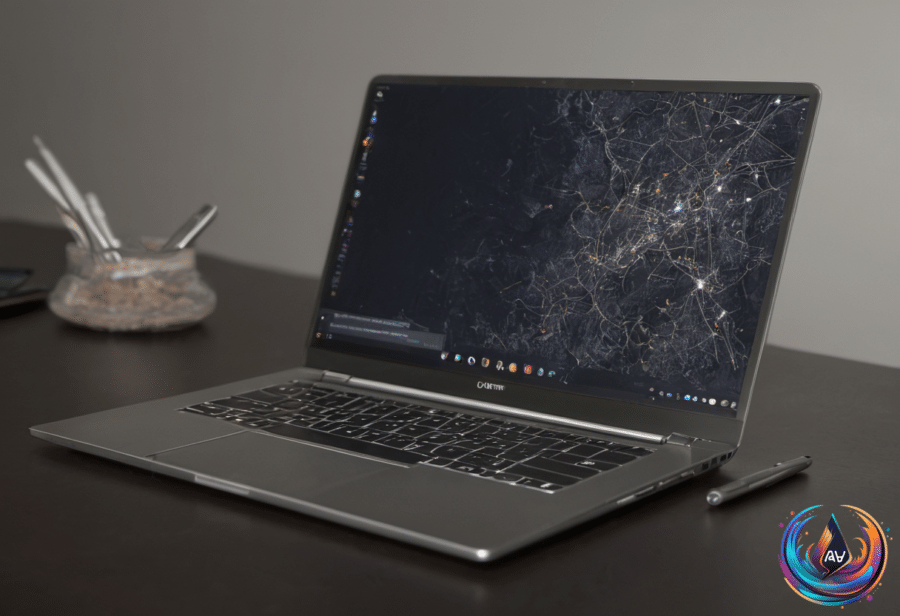
Lenovo has done an excellent job with the Googlebook 15’s physical design. The laptop has a 15.3-inch OLED display with a 120Hz refresh rate, typical brightness of 500 nits, and HDR True Black 1000 certification. Those specifications give the screen a strong role in the experience, whether you are handling regular computer tasks or using mobile apps.
The chassis combines plastic and carbon fiber, with magnesium-aluminum alloy in areas such as the lid for extra strength and lightness. Lenovo covers the system in a “silk-touch” finish that feels like unglazed porcelain and helps reduce the appearance of fingerprints. Despite its larger screen, the Googlebook 15 weighs 2.85 pounds, less than the 3-pound 14-inch MacBook Pro.
The rest of the hardware matches that careful design. Punchy up-firing quad speakers with Dolby Atmos sit beside the keyboard, while the port selection includes 2x USB-C, 1 USB-A, HDMI, and 3.5mm audio. A massive haptic touchpad gives the laptop plenty of room for navigation, and the keyboard has enough bounce to make typing pleasant.
Small touches help the Googlebook 15 stand apart. The Google key makes operating-system shortcuts easier to reach, while the built-in camera includes a physical shutter, facial recognition, and a separate fingerprint sensor. The lid also carries the Googlebook lightbar, which changes color based on what the laptop is doing.
In normal use, the lightbar’s LEDs are white. During charging, red means the battery is under 20 percent, while yellow represents 20 to 59 percent. Startup and conversations with Gemini trigger special animations across several colors. The idea is distinctive, though the lightbar has one clear limitation: you usually do not interact with a Googlebook while its lid is closed.
Strong performance, limited software
Google requires every participating Googlebook system to include at least 16GB of RAM. That means basic productivity work should not run into the memory limits found on some budget machines. Combined with an Intel Core Ultra 5 325 chip and 256GB of base storage, the Googlebook 15 is a capable system for core computing needs.
The strange part is that the laptop can have more power than its software can use. Googlebook OS encourages users to install the same kind of mobile apps they use on a phone, but many of those apps have not been optimized for this hardware. Photoshop shows the problem clearly: the version available through the Google Play Store is the mobile edition rather than the full desktop app users would normally expect.
That gap reflects the challenge of launching a new operating system. Google is trying to combine the best features of Android and Chrome OS into PCs that are smarter, easier to use, and more mobile-friendly than earlier systems. The goal is ambitious, but first-generation software brings problems that premium hardware cannot solve on its own.
Rutherford described the design and hardware as good enough to make him “a little bit annoyed that Lenovo hasn’t made a Windows equivalent.” That says a lot about the machine’s appeal. The Googlebook 15 feels like a laptop that could be excellent once Googlebook OS catches up.
What to do with an old Chromebook
An older Chromebook does not have to become useless when a new Googlebook arrives. Even an out-of-date model may still have a perfectly serviceable screen, and Duet can turn it into a second monitor for a PC or Mac. Duet requires a small subscription fee, but it can mirror or extend the main display.
The screen can also become a digital photo frame. Load the photos you want, set the display so it never turns off automatically, and open an image or slideshow in fullscreen mode. This gives the old Chromebook a clear purpose without requiring another device.
Smart home control is another practical option. You can access Google Home through a browser or the Android app, or use the Chromebook to monitor Home Assistant running on a PC or Raspberry Pi. Because the Home Assistant interface runs in a browser, even an old Chromebook can serve as a dedicated control screen, possibly with a touchscreen, for the entire smart home.
A more advanced route is running Home Assistant directly on the Chromebook. That requires installing Linux and then installing the Home Assistant app, so it takes more work, but it removes the need for a second device. Chrultrabook and MrChromebox offer guides for turning a Chromebook into a Linux machine, though their processes are not beginner friendly.
Linux also opens the door to other uses. An old Chromebook can act as a file server, stream data to other devices, or run Plex or Jellyfin as a media server. It can become a retro gaming machine through Batocera, a Linux app that runs emulators, including many that work on low-powered Chromebook hardware. Emulators are legal, but using them to run pirated games is not.
If replacing the operating system feels like too much, Linux on ChromeOS, also called Crostini, provides access to a Linux virtual machine. It is intended for Linux developer tools, but other apps can run inside it. The trade-off is that a virtual machine places more demands on the machine, and performance and compatibility can be limited on older devices.
Why the Yoga 9n matters for future laptops
The Lenovo Yoga 9n shows another direction for premium laptops. It is a pricey 16-inch 2-in-1 convertible with an OLED display, a stylus, and an RTX Spark Arm-based processor with a beefy integrated GPU and lots of unified memory. The Yoga can work as a clamshell laptop, fold into tent mode, or become a tablet in landscape or portrait orientation.
Its stylus supports note-taking and drawing on the screen, but it can also work on the haptic trackpad for a Wacom-like experience without covering the display with your hand. The magnetic stylus attaches to the lid on its own or inside its case, although Lenovo relies on USB-C charging rather than charging it while attached.
That design has raised expectations for a possible touchscreen MacBook Pro. Antonio G. Di Benedetto expects Apple Pencil support and hopes it would work on the trackpad too. He also wants the pencil to attach to the laptop for convenience and wireless charging, as on the iPad Pro.
Di Benedetto does not expect Apple to make a standard convertible laptop after all this time, but hints in macOS 27 point to an update called Golden Gate that could make touch controls feel more natural than tapping at interfaces built for a mouse cursor. A touch-enabled MacBook Pro would need to justify its price, especially after Apple’s past design mistakes and the current strength of its MacBooks.
The Googlebook 15, the old Chromebook, and the Yoga 9n all point to the same lesson: hardware can open new possibilities, but software decides whether those possibilities feel finished. Lenovo’s laptop already has the screen, weight, ports, speakers, and input options to impress. Googlebook OS now needs to match them.
Based on
- Lenovo Googlebook 15 review: Your Android phone’s new best friend — engadget.com
- Don’t Throw Away Your Old Chromebook (Even If You’re Getting A Googlebook) — engadget.com
- Chromebook Archive for October 2017 – Page 1 | The Verge — theverge.com
- I hope Apple’s touchscreen MacBook takes some lessons from this Lenovo laptop | The Verge — theverge.com