Your Apple Watch can reveal its battery health in a couple of clicks and taps, but that small menu opens the door to much more. Battery capacity, charging habits, emergency tools, heart monitoring, medication reminders, sleep tracking, and notification controls all shape how useful the watch becomes.
At 50 hours of normal use on a single charge and 84 hours in low power mode, the Apple Watch Ultra 4 offers eye-popping battery life. Still, lithium-ion batteries weaken as they age, bringing less time between charging sessions, lower overall capacity, and worse performance.
Find Battery Health Before Charging Becomes a Problem
Checking the battery status is simple: go to Settings > Battery > Battery Health. The screen shows maximum battery capacity and lets you activate optimized battery charging, giving you a clear view of how much power the watch can hold compared with when the battery was new.
A lower capacity will likely mean fewer hours of use before the next charge. Once the battery’s maximum capacity dips below 80%, a trip to the Genius Bar might be needed. Even if you never check the settings menu, the Apple Watch will alert you when the battery requires service.
Apple says every model starting with the Series 5, SE, and Ultra includes software that reduces the risk of poor performance as the battery ages. Optimized battery charging is supported on models as old as the Series 6, Apple Watch SE, and the first Ultra.
When optimized charging is active, the watch learns your typical charging habits and delays charging beyond 80%. It keeps the battery between 75% and 80% until the time it expects you to remove the watch, with the goal of reaching a full charge at the right moment.
You can also protect battery life by turning on Low Power Mode, which deactivates oxygen monitoring, the always-on display, and other background features. During a run or walk, Power Saving Mode under the Workout section in the iPhone’s Apple Watch app can reduce battery use by disabling the heart rate sensor, though health metrics might become inaccurate.
Wake on Wrist Raise is another option to adjust. Press the Digital Crown, open Settings > Display & Brightness, scroll to Wake, and turn the feature on or off. Theater Mode offers a temporary alternative by preventing the screen from turning on when you move or raise your wrist.
Turn the Watch Into a Personal Safety Network
The Apple Watch can support independent living without making anyone look vulnerable. Stand and movement reminders, fitness tracking, and the step counter encourage more activity, while health tools add another layer of awareness.
Fall Detection matters because over one in four people aged 65 or older fall unexpectedly each year, and 319,000 older people are hospitalized for hip fractures after a fall every year. In 2023, 26% of US adults aged 65 or older lived alone, according to Pew Research.
Fall Detection turns on automatically if you tell the Health app you are 55 or older. When the watch detects that you remain immobile after a fall, an alert asks whether you fell. If you request help, do not answer, or remain immobile, the system calls emergency services.
To turn it on manually, open Emergency SOS on your iPhone and toggle the feature on. On the Apple Watch, open Settings > SOS, turn Fall Detection on, select Always On, and confirm. Crash Detection works in a similar way after a car crash on recent Apple Watch models; activate it by opening Emergency SOS and turning Call After Serious Crash on.
Emergency SOS contacts emergency services when something goes wrong. Press and hold the side button, then drag the Emergency Call slider or keep holding the button until the call is made. This requires a cellular watch with an active plan, Wi-Fi calling, or the paired iPhone nearby.
Medical ID and Emergency Contacts live in the Health app on your iPhone. Tap your profile picture, select Medical ID, tap Edit, enter your details, and add trusted contacts. Keep allergies and conditions up to date so medics who find your Apple Watch can review the information.
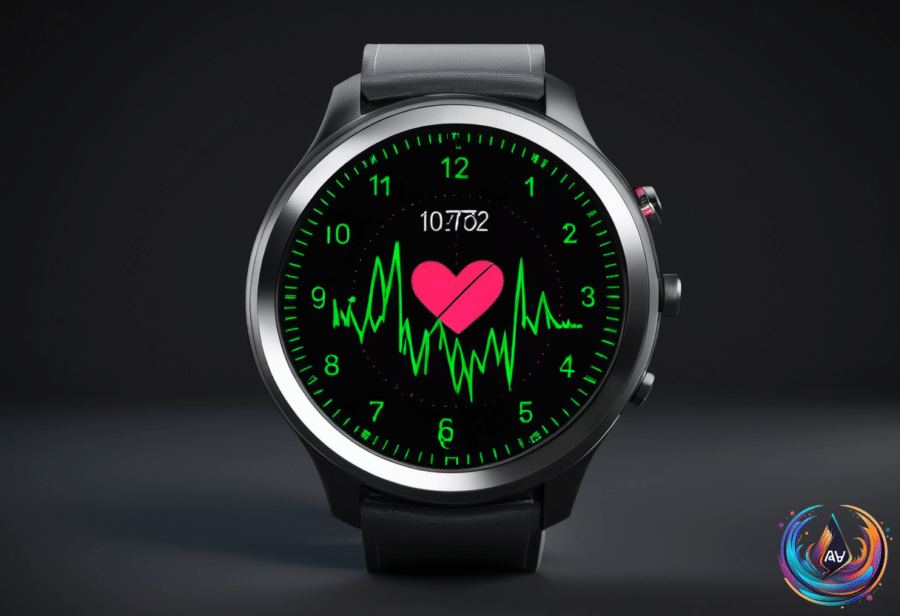
Heart features add another layer of monitoring. The watch uses green and infrared LED lights on its back to measure heart rate automatically, and it can warn you when your heart rises above 120bpm or falls below 40bpm. The ECG app takes a reading in thirty seconds when you hold your wrist steady and touch the Digital Crown.
Apple Watch cannot identify heart attacks, but it can monitor overall heart health and help identify atrial fibrillation. It also shares information with the Health app, where you can find a VO2 Max reading that assesses overall cardio fitness. Open Settings > Heart to enable the available heart features.
Control Alerts, Reuse Old Watches, and Choose Your Next One
Medication Reminders can tap your wrist and send a notification when it is time for a dose. In the Health app, go to Browse > Medications > Add Medication, search for the medicine, set a schedule, and tap Done. You can create a medication compliance log to share with a doctor.
The sleep tracker can flag potential sleep apnea for medical investigation. Open Sleep on the Apple Watch or in the Health app, turn on Track Sleep with Apple Watch, then go to Browse > Respiratory > Sleep Apnea Notifications.
A small red dot at the top of the screen means unread notifications are waiting. Press and hold the watch face to open Notification Center, then swipe down, turn the Digital Crown, tap notifications to read them, or swipe left and tap the X button to delete them. Clear All removes every unread notification at once.
You can mute notifications from the Apple Watch app on your iPhone by opening Notifications and switching off Notifications Indicator. Individual apps can also be muted for an hour or turned off completely. Apps with custom settings can send alerts to Notification Center without making the Watch alert you.
An old smartwatch can still become a dedicated AI tool, note-taking device, child monitoring tool, or sleep tracker. On Apple Watch, raise your wrist and say “Hey Siri,” press and hold the Digital Crown, or say “Hey Siri,” then “Record a voice memo.” The Wrist AI app adds ChatGPT or Gemini functionality, though its free tier allows only a small number of chats daily.
If selling makes more sense, use eBay, Greenbuyback, Best Buy, or Apple Trade In. Before selling or trading, unpair the watch and wipe it; unpairing erases an Apple Watch, while Wear OS devices require account sign-out and a factory reset.
OnePlus watches offer another path, with the OnePlus Watch 4 delivering five days in smart mode and up to two weeks in power saver mode. The OnePlus Watch 3 reached 80% charge in 30 minutes, compared with 50% for the Apple Watch Series 10 and 36% for the Samsung Galaxy Watch Ultra.
OnePlus watches use bright AMOLED screens, Google apps, and Wear OS, but they lack cellular support and work only with Android phones. US models lack ECG trackers because OnePlus did not get the required FDA approval, while older OnePlus Watch 2 models also lack fall detection.
Whether you keep an aging Apple Watch, repurpose it, or compare it with OnePlus, the first move is clear: check the battery health. That small setting can reveal when the watch needs care, while its safety and health tools show why keeping it ready matters.
Based on
- Checking your Apple Watch’s battery health is easier than you think — engadget.com
- Every Senior With An Apple Watch Should Set Up These 5 Health Alerts — engadget.com
- Here’s What The Red Dot On Your Apple Watch Means And How To Clear It — engadget.com
- 5 Unexpected Uses For Your Old Smartwatch — engadget.com
- The Pros And Cons Of Using OnePlus Smartwatches — engadget.com