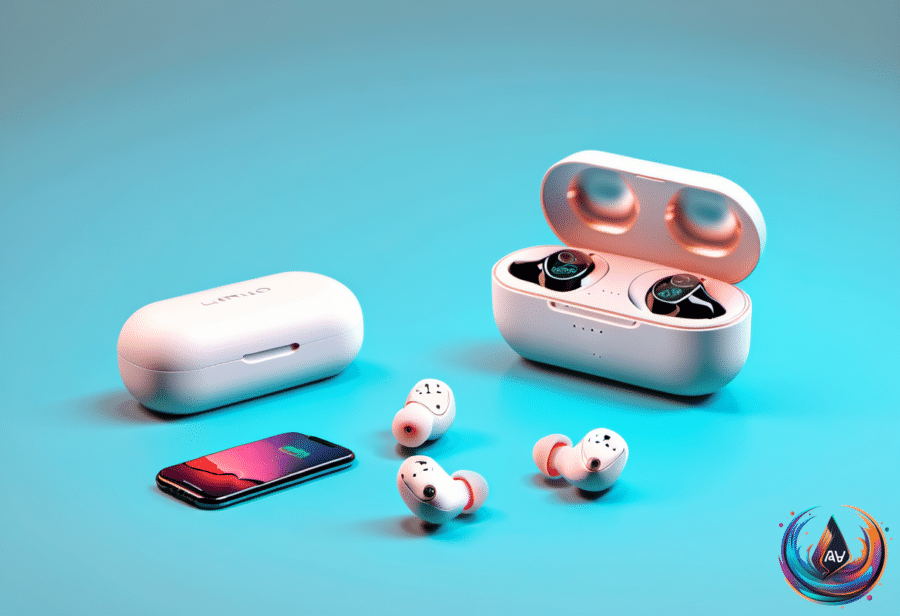
AirPods batteries do not last forever. Apple gives estimates for listening time, but no official figure says when the earbuds will stop working completely; with sensible care, they can last for years before their reduced capacity becomes the main complaint.
Battery life depends on the model. AirPods 5 provide up to four hours of listening with Active Noise Cancellation turned on, or up to 20 hours with the charging case. The wireless charging case adds an extra hour to the earbuds and two extra hours to the case total.
AirPods Pro 3 stretch that figure to eight hours on a single charge with ANC enabled and up to 24 hours with the case. That makes them the better option for long conference calls or transatlantic flights, assuming your ears and attention survive either one.
AirPods Max 2 sit in a different category, offering up to 20 hours on a single charge. Except for AirPods Max, AirPods recharge only inside their case, while the headphones charge directly.
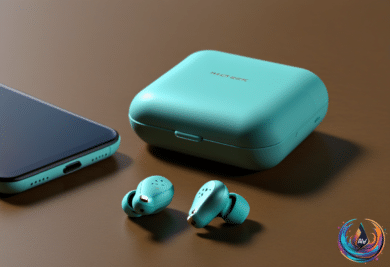
A five-minute charge gives the earbuds an extra hour of battery life, and the same quick-charge benefit applies to AirPods 5. Cases charge through USB-C or Lightning, depending on the model; some wireless charging cases also work with MagSafe, Qi, or an Apple Watch charger. AirPods 4 and newer models do not include a charging cable.
Charging habits that protect battery life
Apple’s Optimized Battery Charging learns your daily routine and waits for the right time to finish charging, often overnight. The feature is usually enabled by default and aims to reduce battery wear, but wireless charging can produce more heat, so leaving AirPods on a wireless charger all night may shorten battery life.
To check the feature, connect the AirPods to an iPhone and open Settings > AirPods > Battery. Charging Notifications live in the same area and can remind you when the battery is low or fully charged; these settings can also be enabled on an Apple Watch.
Estimates put useful battery capacity at about two to three years with good care. That does not mean the AirPods become useless on a specific day — they usually continue working for years, though they may no longer sound brand-new. You will likely replace them before they stop functioning completely.
If battery performance is the only serious problem, replacement can make more sense than buying new AirPods. Apple does not open AirPods like an iPhone or iPad; it recycles the old earbuds and supplies new ones at a lower price per earbud. For most AirPods, that costs $49 per earbud, or $98 for both, compared with $249 for new AirPods Pro.
AirPods Max battery replacement costs $79, compared with $549 for new headphones. AppleCare may cover a free replacement when a battery falls below 80 percent of its original capacity, and a battery failure during the warranty period qualifies for a free replacement.
Independent repair shops can replace AirPods batteries by cutting them open and gluing them back together. That may save money, but the earbuds will not look as good as new and will lose their water and sweat resistance. Apple can also fix other problems for a fee.
Old AirPods can become backup earbuds or a gift for someone else. Apple does not offer trade-in credit, though Back Market offers buyback payments, while eBay and Facebook Marketplace may pay more through a direct sale. If the earbuds are dead and not worth repairing, Apple recycles them for free and provides a prepaid shipping label in certain regions — no cash, but no lithium-ion batteries in the trash.
Chirps, noise cancellation, and firmware
A low battery is the most common reason AirPods make sounds, and opening the case near the paired phone can confirm the battery level. Chirps can also come from power fluctuations, Bluetooth problems, switched-off Bluetooth, or accidentally rubbing the earbuds together.
AirPods Pro 2 and AirPods Pro 3 include a clinical-grade Hearing Aid feature. Apple says they may “periodically play a quiet chime when they’re in their charging case” to keep the microphones and speakers “operating at their best” for hearing test results. Find My can trigger louder sounds, while water damage, dirt, or poor-fitting AirPods Pro tips can cause piercing feedback.
AirPods Pro models include multiple silicone tip sizes, but third-party tips may help if none creates a proper seal. An Apple Store can inspect the device. To stop charging-case chirps, open the case, go to Settings on the connected device, select the AirPods, open Audio & Routing, and turn off “Enable Charging Case Sounds.”
ANC uses microphones to capture outside sound and generate “anti-noise.” It works best against steady low sounds such as a fan, while Transparency modes let outside sound in so you can hear things such as sirens. Adaptive Audio tries to split the difference by blocking much of the background noise while allowing important sounds through, based on “the changing noise conditions in your environment.”
Adaptive Audio requires Apple’s H2 chip or better and works on AirPods 5, AirPods 4 with ANC, AirPods Pro 2 and 3, and AirPods Max 2. Conversation Awareness detects when you start talking and lowers media volume; if it misbehaves, press and hold an earbud stem or disable it.
Use Control Center on an iPhone or iPad, then press and hold the volume slider to reach Adaptive Audio and Conversation Awareness. On a Mac, open Control Center and choose Sound > the AirPods name. Adaptive Audio is not a substitute for hearing protection against jackhammers, and Transparency or no headphones remains the safer choice when awareness matters.
Firmware updates can fix bugs, improve reliability, and add features such as Custom EQ, Live Translation, studio-quality audio recording, and remote camera control. Apple delivers updates automatically rather than offering a direct install button; some updates require the latest iOS or macOS, including the iOS 27 update tied to Custom EQ.
Update the connected iPhone, iPad, or Mac through Settings > General > Software Update. Then keep Bluetooth and Wi-Fi on, place the AirPods in their case, close the lid, plug the case into power, and wait about 30 minutes. Updates will not download over 4G or 5G.
Check the firmware version in the AirPods menu on an iPhone or iPad, or in System Settings > Bluetooth on a Mac. If the number differs from Apple’s AirPods firmware page, the update may still be pending; without an Apple device, an Apple Store or Apple Authorized Service Provider can update them.
Based on
- How long can you expect your Apple AirPods to last? — engadget.com
- Don’t Throw Away Your Old AirPods — Do This Instead — engadget.com
- Your Apple AirPods’ Chirping Noise Doesn’t Just Mean Low Battery — engadget.com
- What’s The Difference Between AirPods’ Noise Cancellation And Adaptive Audio Modes? — engadget.com
- You Can Easily Update Your AirPods Firmware In Just A Few Simple Steps — engadget.com