PC maintenance has an expiration problem. Coolant breaks down, cleaning alcohol absorbs moisture, routers cook themselves, and processors outlast most upgrade plans. The trick is knowing which warning deserves action and which one deserves less panic.
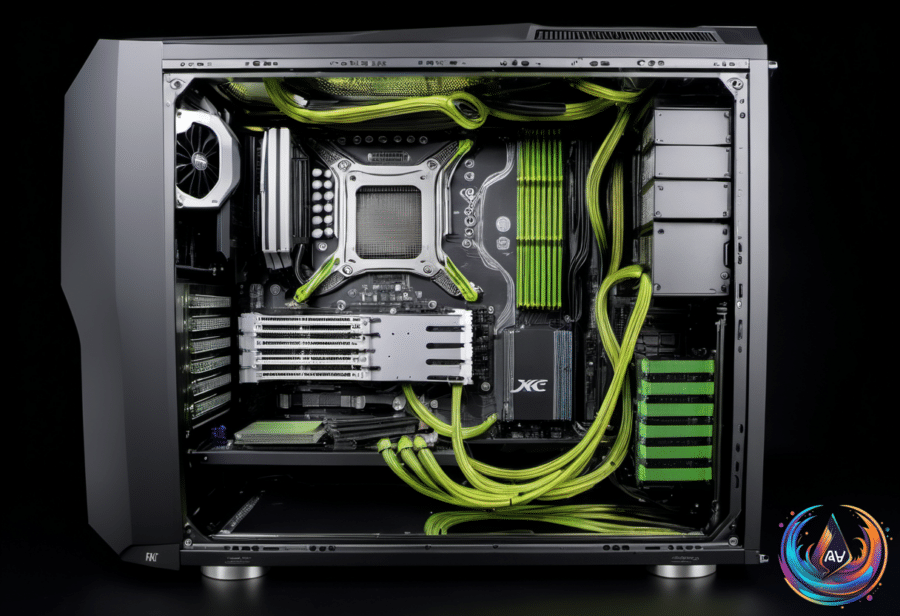
Liquid-cooled PCs move stored water around hot components, carry heat to the radiator, and release it there. That loop needs maintenance because coolant does not last forever. Its corrosion inhibitor gets consumed under active strain, its lubricating qualities decline, and algae or other particulates can develop over time.
Once the inhibitor is gone, the liquid can corrode the mechanical parts inside the system. Reduced lubrication can hurt the pump motor, while buildup can clog the loop and slow its performance. Colorful pigments and other aesthetic additives make that problem more likely, because extra material gives the liquid more ways to become troublesome.
Plan to replace coolant at least once a year, possibly twice. Semi-transparent coolant deserves a replacement every six months because its extra pigment can clog the system faster; plain coolant can follow an annual schedule if the loop shows no warning signs.
Inspect the tubes, reservoir, and water block for murky color, haze, grime, or algae. A sharp, sustained CPU temperature spike can also mean the coolant has finished its useful service. No, a miniature ecosystem will not appear in the pipes overnight—provided the loop receives regular attention.
Heat Ages Hardware Before Time Does
Processors have no manufacturer-listed lifespan, yet a CPU can remain functional for a decade or more after installation. In practice, users are more likely to replace one because new games or programs demand more performance than because the chip simply decides to stop working.
The most common point of CPU failure is when the processor is still new, since manufacturing can produce faulty units. For an older CPU, freezing without a clear reason, failing to boot, and random restarts can signal trouble, although other hardware can cause the same symptoms. Identifying the CPU as the culprit is difficult—and rare enough to make guesswork a poor repair strategy.
Under normal conditions, CPU usage should stay below 20 percent, with higher activity during gaming and other demanding tasks. Constant usage near the upper limit may justify an upgrade, while usage at 90 percent or more becomes more concerning when GPU usage remains low.
Heat remains the bigger long-term enemy because it degrades every component. Proper airflow, correctly installed fans, and regular dust removal help protect the system; HWiNFO can monitor temperatures. A CPU above 60 degrees Celsius under normal load or above 80 degrees during intensive tasks deserves investigation, though the right limits vary by CPU and manufacturer guidance.
Thermal paste can last five years or more before losing effectiveness. Overclocking beyond the manufacturer’s recommendations can shorten CPU life, while power surges and faulty power supplies pose a more likely threat than a processor simply going bad with age.
Old Cleaning Alcohol Is Not a Free Pass
Isopropyl alcohol reaches peak quality for about three years after manufacture, depending on the brand, but it does not instantly become useless on that date. A bottle sitting a decade past its prime is another matter, especially near sensitive computer parts.
For electronics, the useful concentration range is between 90 and 99 percent. These mixtures contain less water and evaporate faster, but isopropyl alcohol is hygroscopic: even with the cap closed, it can draw in water through tiny gaps and become diluted over time. The liquid can eventually reach an equilibrium of about 65 percent alcohol and 35 percent water.
That added moisture raises the risk of using old alcohol inside a PC. Isopropyl alcohol can cloud acrylic and polycarbonate, dull painted, printed, or glossy finishes, and dry rubber seals and gaskets. Screen coatings also require manufacturer approval before alcohol touches them. Compressed air and a microfiber cloth handle many jobs better, while dust filters can be rinsed with water if they dry thoroughly.
Routers Need Airflow Too
Routers warm up during normal use because they contain processors, memory, wireless radios, and power-management modules. Modern models increasingly use system-on-chip designs, such as Broadcom’s BCM6765 SoC, and devices transmitting thousands of megabits per second place more demand on their CPUs.
A router that feels uncomfortably hot and also suffers connection problems, speed changes, freezes, or shutdowns may be throttling its CPU to control temperature. Wi-Fi bands may switch and lose effective range, while cooling the device can restore performance only until the heat returns. Prolonged overheating can damage internal components and make the router unusable.
Move the router into a well-ventilated area, away from direct sunlight, closed spaces, clutter, computers, and consoles. Clean clogged vents, update the firmware, and inspect the power adapter if heat continues. An adapter with the wrong rating or a fault can push more current than the router can handle; replacing it with one rated for the device may solve the problem. If those steps fail, the router itself may be ready for replacement.
Finally, treat bottleneck calculators as planning tools, not courtroom evidence. They compare a selected CPU and GPU at 1080p, 1440p, or 2160p and may show a score around ten percent or less when both components suit the target. A higher percentage marks a mismatch, but the result comes from spec sheets rather than real system behavior.
A CPU at 100 percent while the GPU idles points toward a CPU bottleneck, while a GPU near 95 percent can indicate a graphics limit, with symptoms such as stutters, screen tearing, low frame rates, or inconsistent performance. Calculators miss drivers, background apps, game behavior, and hardware differences—including why a Ryzen 9 7950X may not match X3D Ryzen chips in gaming, or why an Intel GPU may struggle with an older DX11 application that Nvidia or AMD cards handle well.
Use monitoring software for diagnosis and calculators for build planning. A percentage cannot explain the whole machine—an inconvenient truth, but a useful one.
Based on
- Can PC coolant expire? Here’s how long it can last — engadget.com
- How Long Should A PC Processor Actually Last? — engadget.com
- Cleaning Your PC With Expired Isopropyl Alcohol Can Be Risky — Here’s Why — engadget.com
- Is Your Router Overheating? Here’s How To Keep It Cool And Working Safely — engadget.com
- How A Bottleneck Calculator For Your GPU And CPU Works — engadget.com