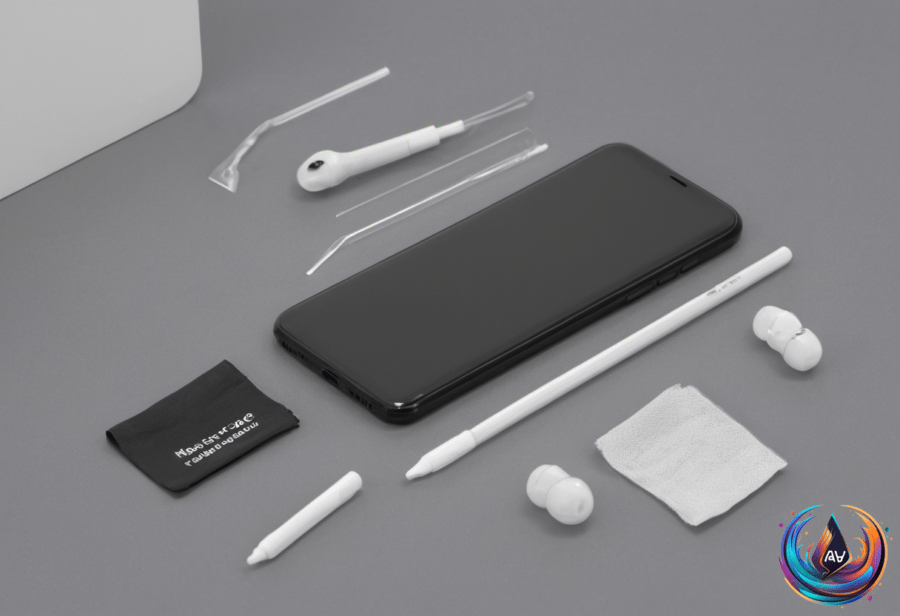
Your smartphone may be the last thing you touch before bed and the first thing you hold in the morning. That daily contact leaves it covered in dirt, oils, and germs, and the average smartphone is 10 times dirtier than a toilet seat.
Cleaning it sounds simple, but the wrong product can damage the screen for good. Windex, compressed air, hydrogen peroxide, and bleach contain harsh chemicals or use pressure that can harm your phone. These products can strip away the oleophobic coating that helps keep fingerprints and skin oils from sticking to the display.
The safest approach uses a lint-free microfiber cloth, soapy water, or a 70 percent isopropyl alcohol solution. The cloth should be damp, not wet. That small difference matters because liquid placed directly on the phone can reach openings around the screen, buttons, and ports, leading to water damage even if the device is waterproof.
How to Clean a Phone Without Damaging It
Start by powering off the phone and removing its case. Never clean the device while it is plugged in. Moisture and electricity create an avoidable risk, so give the phone a dry surface and enough space to clean it without a charging cable attached.
Spray alcohol onto the microfiber cloth, not directly onto the device. Wipe the screen and the rest of the exterior with gentle passes, taking care around the camera lenses and side button. Moisture should stay away from openings such as the USB-C port, where liquid can enter the phone.
Rough fabric and paper towels can leave tiny scratches because their fibers are abrasive at a microscopic level. Those marks can become more visible with repeated cleaning. A soft microfiber cloth protects the surface while lifting dirt and fingerprints.
Alcohol wipes can help sanitize a phone, but repeated use can gradually break down the oleophobic coating, even at the recommended 70 percent concentration. The goal is regular care without scrubbing the device with alcohol every time it shows a fingerprint.
A weekly phone cleaning, along with daily wipe-downs, keeps the routine manageable. Daily cleaning can focus on the outside of the phone, while a more careful weekly pass reaches areas around the camera lenses, buttons, and case.
Do Not Forget the Case and Accessories
A phone case touches the device every day, so it can be as dirty as the phone or dirtier. Silicone and plastic cases can be cleaned with soapy water or alcohol wipes. Leather cases need a damp cloth with mild soap instead.
Clean the case separately after removing it from the phone, and let it dry before putting it back on. Applying cleaning liquid directly to the phone or allowing moisture to collect inside the case can cause water damage.
Chargers and cables also deserve attention because they travel with the phone and collect dirt. Cleaning these accessories along with the phone creates a more complete routine instead of leaving the parts that touch the device dirty.
Smartwatches can gather dirt on the underside, especially when someone wears one around the clock. Removable fabric bands can be washed or replaced, and their cleaning method depends on the material. Earbuds should be cleaned at least once a month.
Portable UV sanitizers from Phonesoap or Homedics can kill bacteria and viruses on gadgets. These devices can hold compact items such as earbuds, smartwatches, keys, and credit cards.
Cleaning Secondhand Devices and Larger Tech
Used tech can look clean while hiding bugs or caked-on gunk. Unplug and turn off secondhand gadgets before cleaning them, then wipe them down with a soft microfiber cloth.
Avoid liquid cleaners containing chlorine, peroxides, solvents, or ammonia. Specialized tech cleaning solutions from Whoosh! and Tech2Clean are safe for screens, and Tech2Clean solutions are safe to use on any surface.
Compressed air has a specific use here: removing trapped dust from ports and vents on devices with small crevices. It should not replace careful surface cleaning on a smartphone screen.
For stuck-on dirt, a soft cotton swab with a tiny amount of alcohol can remove caked-on gunk. Use only a small amount and keep liquid away from ports, buttons, and other openings.
A laptop needs a deep cleaning every three to six months. TV screens and monitors should be cleaned every two to four weeks. These schedules, along with weekly phone cleaning and monthly earbud care, offer a simple way to keep everyday tech cleaner without wearing down its surfaces.
Based on