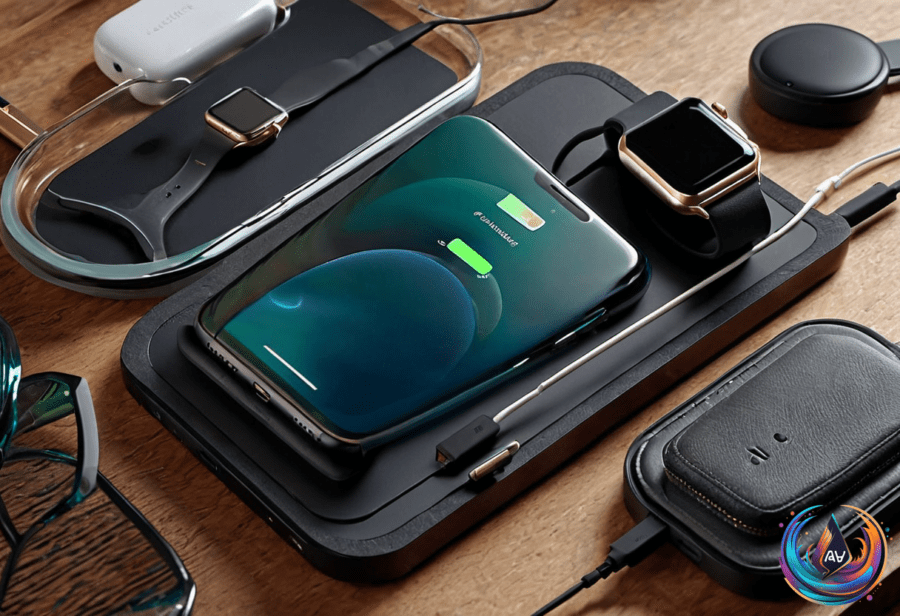
Wireless charging is everywhere now, but it wasn’t always this way. The journey started back in 2009 with the Palm Pre, the first phone to use a magnetic charging stand to line up its coils. That was just the beginning. Fast forward to 2012, Nokia shook things up by launching the Lumia 920, the first phone to support the Wireless Power Consortium’s Qi standard. This set the stage for wireless charging to become a mainstream feature.
Apple supercharged the trend with MagSafe on the iPhone 12, making wireless charging more efficient and user-friendly. But here’s the catch: wireless charging still has its quirks, especially when it comes to your phone case. Not every case plays nice with wireless charging, and that’s where things get interesting.
Why Some Cases Kill Wireless Charging
Wireless charging isn’t as clean as plugging in a cable. It leaks energy and creates heat. The power travels through your phone’s backplate and the case, which can trap heat and slow down charging. If your case is too thick, it can block the signals or cause your phone to overheat.
Metal cases are a no-go. They block wireless charging entirely. Magnets can also mess with the charging process if they’re placed wrong. Accessories like PopSockets can block the charging coils and interfere with alignment. Even magnetic rings, like those on the OhSnap! Snap Grip, can loosen over time and cause charging issues.
If you want MagSafe or Qi2 charging, your case needs a Qi2 magnetic charging ring built in. This ensures perfect alignment with the charger and maximizes charging speed. The top wireless charging speed today hits 25W, but only with proper coil alignment and compatible cases.
Charging Habits That Protect Your Battery
Worried about using your phone while it charges? Don’t be. Using your phone during charging slows the process but doesn’t damage the battery—unless it causes overheating. Phones have smart protections that stop charging at 100 percent and optimize battery life over time.
Most modern phones support bypass charging. This means they divert power to run apps instead of charging the battery when you’re actively using the device. This protects the battery from heat damage. For example, the Sony Xperia 1 II, released in 2020, supports bypass charging. Apple iPhones, however, do not support this feature.
Leaving your phone plugged in overnight won’t overcharge it. The phone’s internal protections handle that. But for the longest battery life, it’s best to keep your charge between 20 and 80 percent.
The Comeback of Removable Batteries
Remember when swapping your phone’s battery was easy? Just pop off the back cover and replace it. That’s almost gone now. Phones today focus on thin, sealed designs with premium materials. But a few rugged or ethical brands still offer removable batteries. The Samsung Galaxy XCover 7 Pro has a swappable 4,350mAh battery, and the Fairphone 6’s battery is held in place with just five screws.
A big shakeup is coming. Starting February 2027, the European Union will require phones and tablets sold in member countries to have removable batteries. The rule defines removable as a battery that can be removed with common tools like screwdrivers—no special tricks or adhesives allowed.
Some devices might get exemptions if they meet strict conditions like water resistance or battery capacity retention. Apple’s iPhone 15 and newer models, for example, are designed to keep 80 percent of battery capacity after 1,000 full charge cycles. These protections highlight how far battery technology has come, even as removable batteries fade away.
What This Means for You
Choosing the right phone case is now more important than ever if you want smooth wireless charging. Avoid thick, metal, or magnetically incompatible cases. Look for cases with Qi2 magnetic rings if you want the full MagSafe or Qi2 experience. Use your phone while charging without fear, but watch out for heat buildup.
The shift toward non-removable batteries is being challenged by new regulations. Soon you might see a new wave of phones that bring back easier battery swaps without sacrificing durability or performance.
Wireless charging is evolving, but the basics remain clear. The right case and smart charging habits keep your phone powered up and your battery healthy. Stay tuned—wireless charging is just getting started!
Based on
- What type of phone case is best for wireless charging? — engadget.com
- How To Stop Your Phone From Overheating In The Car — engadget.com
- Best Android Charger: Wireless, Portable, Cable (2026) | WIRED — wired.com
- Can Using Your Phone While Charging Affect Its Battery Life? — engadget.com
- Why Smartphone Makers Stopped Using Removable Batteries, And Why They’re Making A Comeback — engadget.com