Remote work has no single shape.
Ars Technica has leaned into remote working since its beginnings in 1998, when it established itself without a single central office. That arrangement makes for a simple commute and, as the publication puts it, little risk of getting stuck in traffic.
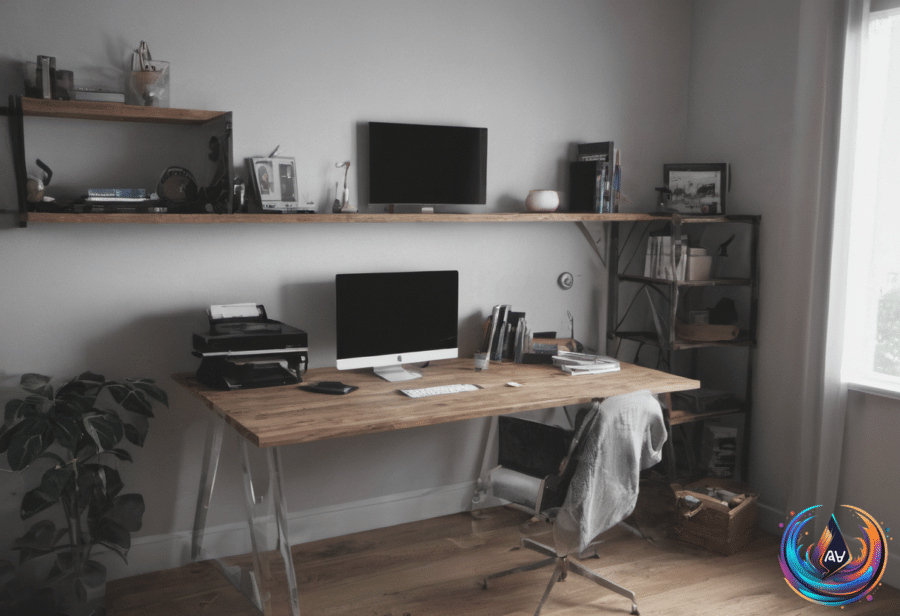
As Ars staffers step away from their desks for a few days with family and friends, the home-office feature offers a look at where the work happens. The rooms are tucked into basements, dens, spare bedrooms, apartment corners, and lofts, with setups ranging from minimalist “here’s my laptop and monitor” arrangements to “I really like collecting things.”
The result runs from tasteful to “please explain yourself.” That is not a criticism so much as an accurate description of what happens when a workspace has time to accumulate equipment, hobbies, repairs, and one more thing that might become useful someday.
Small spaces and carefully chosen clutter
Jeremy Hsu works from a small corner of his residence, a practical response to living in a New York apartment. He sometimes decamps to local cafes or coworking spaces, but his home station keeps the essentials within reach.
His monitor sits on a stack of several books, while a Lekvey Ergonomic Mouse and Logitech K380 keyboard plug into the work laptop. Hsu sometimes uses the built-in Macbook Air keyboard, and his personal Apple M4 Macbook Air usually sits to the side rather than taking center stage.
The rest of the setup stays compact. Hsu uses an old, battered pair of Sennheiser HD 518 headphones for music during the work day, along with a simple standing desk and a choice between a simple wooden chair from Ikea and a more ergonomic chair.
Then come the details that turn a desk into someone’s desk: a painted dinosaur sculpture, two versions of the Spot It! Matching game, and a pair of Powerblock dumbbells tucked underneath. Minimalism, apparently, has room for dinosaurs and exercise equipment.
Nick Indge’s workspace takes the opposite route. He has a desk across from a workbench that was already in the house, plus labeled drawers full of PC parts, tools, and cables accumulated over decades.
His current PC is an AceMagic W1 mini PC running Fedora, while a Blackview Intel N150 running Windows handles audio recording. Because PipeWire is fussy, the two machines connect to his inputs and monitors through a KVM, letting him switch between them at the press of a button.
When the office becomes a workshop
Indge’s monitors are mismatched thrift finds: one HP and one Sansui. An old Samsung LCD television cost $10 at a thrift store and now serves as a third monitor for watching PC streams, with an Onn Android box connected too—though it rarely earns its keep.
Below the television sits a Lenovo ThinkSmart View, a repurposed B2B video-conference gadget modded to run LineageOS. It handles smart-home controls and tracks solar production during the day, giving a discarded business device a second job.
The room also includes a Flashforge 5M printer, while the pegboard wall holds tools, Mega Man figures, and about 10 years’ worth of convention badges. The back closet is the scary part: old consoles, spare drives, boards, and parts for every project Indge will get to “eventually.”
His chair is a Dowinx gaming chair grabbed on a Slickdeals whim, and the rug-patterned Dude mousepad “really ties the desk together, man.” Indge described the space as a “basement hobbit hole,” which is a fair warning that the equipment list is not the whole story.
Ryan Whitwam occupies a different corner of the Ars setup as something of an outlier: he uses Windows most days and is no great lover of Windows 11. His custom machine was built in early 2024 with a Raptor Lake Core i7 that did not fall victim to the overvolting bug, plus an RTX 4070 Ti.
Whitwam prefers building his own PC for gaming and work because repairs and upgrades are easier that way. He hopes all the parts last a very long time—a sensible ambition when the desk is built around hardware you chose piece by piece.
The primary monitor at the bottom is an Alienware ultrawide OLED. Between Hsu’s apartment-corner restraint, Indge’s basement workshop, and Whitwam’s custom Windows machine, the feature makes one point without needing a productivity sermon: remote work adapts to the person, the room, and whatever equipment refuses to leave.
Based on
- From minimalist to maximalist: Ars staffers show off their home offices — arstechnica.com
- From minimalist to maximalist: Ars staffers show off their home offices | Page 2 | Ars OpenForum — arstechnica.com
- A triple-screen portable monitor means more pixels—and more bulk | Page 2 | Ars OpenForum — arstechnica.com
- Category: Staff – Ars Technica — arstechnica.com
- Science has a home here at Ars—please help keep it that way – Ars Technica — arstechnica.com