Internet speed and bandwidth are not the same thing. ISPs sell bandwidth as “speed,” using both terms interchangeably, which makes a basic connection question sound like a vocabulary test with a monthly bill attached.
Both measurements use megabits per second (Mbps) and gigabits per second (Gbps). Internet speed describes the amount of data your network sends and receives at any given moment, while bandwidth describes the theoretical maximum capacity your connection can carry each second.
Think of bandwidth as the ceiling and speed as what reaches the room. Your speed can approach the bandwidth, but it cannot pass it. A speed test measures throughput—the rate at which data reaches your device at that moment—not the fixed capacity of the connection.
Bandwidth is not something you test. Your internet plan and connection type determine it, with fiber generally offering the highest bandwidth and DSL and traditional satellite services offering the least.
Speed tests measure performance, not capacity
A connection advertised at 100 Mbps may deliver less than 100 Mbps at a given moment. That result reflects throughput, which can never exceed the connection’s bandwidth. If a test shows 75 Mbps on a 100 Mbps connection, the test is measuring current performance rather than changing the plan’s maximum capacity.
Latency adds another part to the story. It measures how long data takes to travel from your device to a server and back, using milliseconds (ms). Lower latency, also called ping, matters most for online gaming and video calls, where delay can be more irritating than a slower transfer speed.
Fiber internet generally offers lower latency than traditional satellite internet, and a wired connection has less delay than satellite internet. That means a higher-bandwidth plan is not always the answer when internet use feels sluggish—bandwidth may not be the problem.
The slowest link in the chain sets the speed you see. That link can be the internet plan, a port, a network adapter, an Ethernet cable, or the distance between devices. Upgrading one part cannot make the entire connection move faster when another part remains behind.
Ethernet cable categories have limits
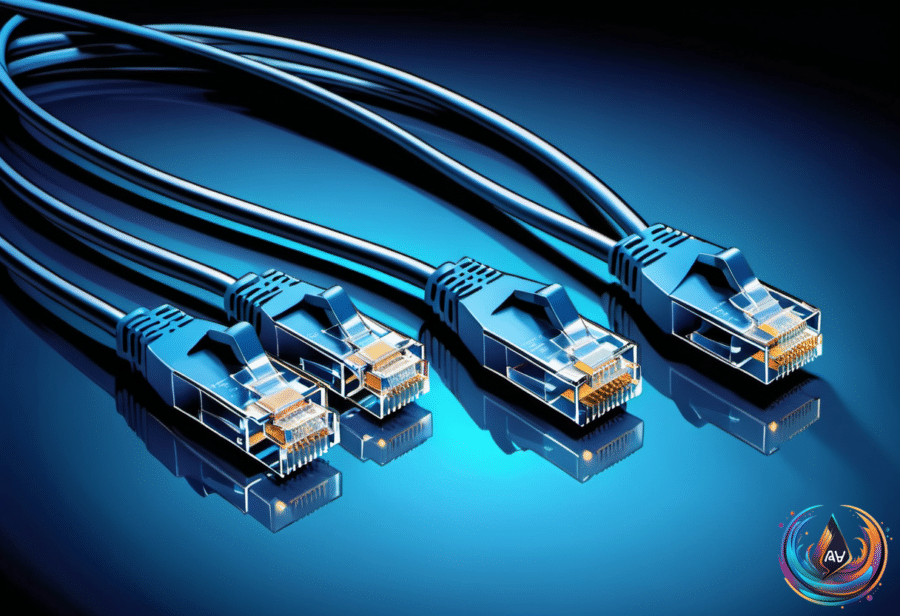
Hardware at both ends and the cable between them limit an Ethernet connection. Connecting two 1GbE devices with a cable rated above 1Gbps still produces a 1Gbps link because the devices negotiate according to the capabilities at both ends.
As Husain Parvez puts it, “Even with a cable rated for more than 1Gbps, connecting two 1GbE (Gigabit Ethernet) devices still tops out at a 1Gbps link, since Ethernet devices negotiate based on the capabilities at both ends.” A faster cable cannot bully slower hardware into changing its limits.
Cat5e can support more than 1Gbps, including 2.5Gbps and 5Gbps Ethernet over existing cabling. Cat6 can support 10Gbps over shorter distances, including up to 37 meters depending on interference. Cat6A supports 10Gbps over 100 meters and is rated to 500 MHz.
Cat8 supports 25Gbps and 40Gbps over a maximum of 30 meters. Cat7 is recognized under ISO standards but not by the Telecommunications Industry Association (TIA), which complicates the cabling standards. There are no IEEE Ethernet applications that require Category 7 or 7A cabling.
That makes cable upgrades less exciting than their packaging suggests. Replacing Cat6 with Cat7 will not increase speed when the hardware limits the connection. “The most expensive Ethernet cable isn’t necessarily the fastest one for your setup,” Parvez says.
For most home networks, Cat6 remains the practical choice. Parvez calls it “the best option for most home networks,” because it supports the needed speeds without solving a problem that the hardware may not have.
The useful question is not simply how fast a plan or cable sounds. Check the bandwidth supplied by the plan, the throughput shown by a speed test, the latency measured in milliseconds, and the limits of every device, port, adapter, cable, and distance in the chain. The fastest label wins only on paper.
Based on