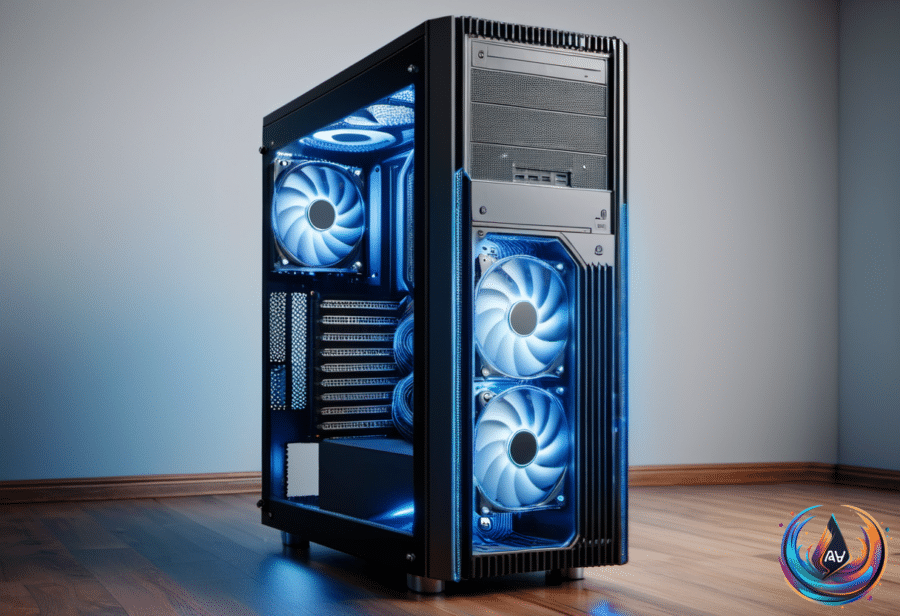
The floor is a bad home for your PC. Setting up a new computer tower there can trigger temperature spikes and thermal issues, especially when dust, carpet fibers, pet hair, skin cells, and pollen gather around the case. Gabriela Vătu’s warning, dated Sept. 27, 2026 9:30 am EST, boils down to a simple point: placement affects both performance and lifespan.
Floors collect more debris than desks or shelves, giving dust a direct path into the PC. Once inside, that dust can coat components, insulate heatsinks, and block airflow, forcing fans to work harder as the system tries to move heat away.
That extra heat creates a chain reaction. High temperatures can cause thermal throttling, which reduces system performance when the PC limits itself to control heat. Dust buildup and restricted airflow can also make fans spin louder and wear out faster — a poor soundtrack for a machine that is meant to last.
Heat, Dust, and the Cost of Bad Placement
Temperature problems do not stop at performance. Consistently high temperatures accelerate capacitor wear and thermal paste breakdown, shortening the PC’s lifespan. A well-built PC can last six to eight years, but improper placement can reduce that lifespan; a system that should last six to eight years could fail in half that time.
The wall behind the tower matters too. Pushing the PC too close to a wall can block intake and exhaust paths, trapping heat inside the case instead of allowing airflow through the system. A tower can sit on the floor and still face trouble if furniture or a wall restricts the space around it.
This makes clearance part of the setup, not an afterthought. Placing the PC on a hard, non-carpeted floor with proper clearance from walls and furniture improves airflow and removes the carpet from the immediate equation. It does not remove every source of dust, but it addresses two clear problems: debris and blocked air paths.
How to Make Floor Placement Less Risky
If placing the PC on the floor is unavoidable, elevate it on a stand or wheeled cart. Raising the tower can reduce dust intake while also creating space beneath it, and a wheeled cart can make access easier when the case needs attention.
That attention still matters. Regular cleaning, including dusting and opening the case for maintenance, prolongs PC lifespan by addressing the buildup that coats components, insulates heatsinks, and blocks airflow. The goal is not glamorous: keep the case clear, keep air moving, and keep the tower away from carpet when possible.
A desk or shelf offers a better placement option because floors collect more debris. But the real rule is broader than “never use the floor.” Give the PC clearance, avoid carpet, elevate the case when needed, and clean it on a regular schedule.
Computers rarely announce that their placement has become a problem. They run hotter, throttle performance, make fans louder, and wear through components until the damage becomes difficult to ignore. The floor may be convenient, but convenience is a poor cooling system.