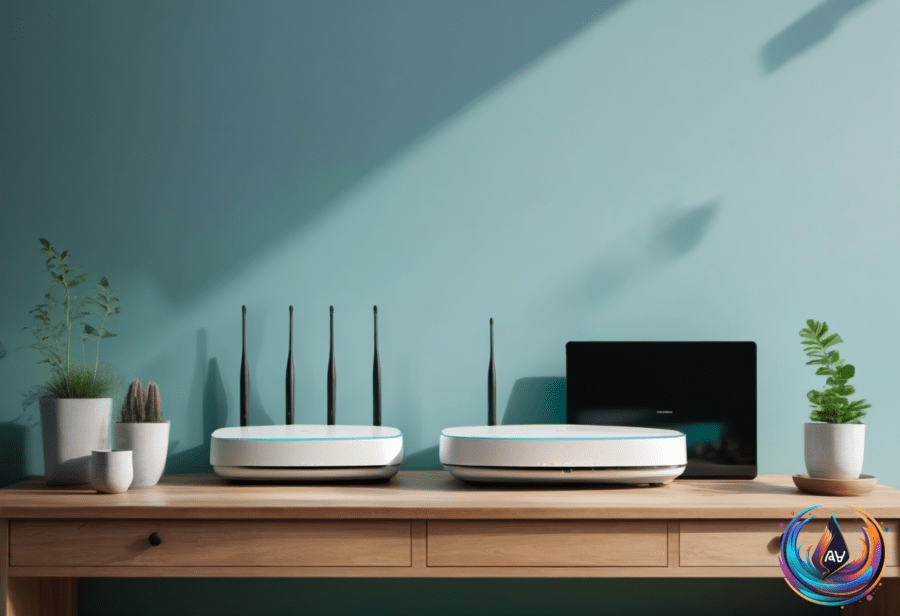
Adding a second router can sound like an easy way to improve Wi-Fi, especially when a kit includes one. But in most homes, two routers are not the best answer. One device should handle the routing, while another device extends the same network when extra coverage is the real goal.
That question matters for Starlink Mini users because the Starlink Mini X kit includes a second router called the Router Mini. The Starlink Mini already combines a small satellite dish and a Wi-Fi router in one compact unit, so the extra hardware is useful in some homes but unnecessary in others.
Why Two Routers Can Create Problems
Most homes only need one device doing the actual routing. When a second router runs in normal router mode behind the first, it creates another private network. This setup is known as double NAT, and it separates devices behind the second router from devices connected to the first.
Double NAT has no major effect on network performance for most cases, so it does not automatically make the connection slower. The trouble appears with tasks that depend on connections reaching a particular device, including online gaming, port forwarding, and UPnP. Running two private networks can also make it harder for devices to find each other.
That means a second router may work, but it can add network complications without solving the problem you actually have. If the goal is to place Wi-Fi in a weak-signal area, a mesh Wi-Fi system offers a cleaner answer because it is built to extend one network throughout a home.
Better Ways to Extend One Network
Many routers include an access point, or AP, mode. In this setting, the second router acts as a Wi-Fi connection point while the primary router continues managing the network. The second device does not create another private network, which helps connected devices remain part of the same system.
AP mode also changes what the second router does. Most routers disable features such as the firewall and IP sharing in this mode because the main router handles those jobs. That arrangement is useful when you already have another router but want to avoid the complications of normal router mode.
There is another detail to check when using your own router with equipment from an internet provider. Connecting your router to an ISP gateway does not automatically stop that gateway from routing traffic. The result can be double NAT unless the gateway supports bridge mode.
Bridge mode stops the gateway from acting as a router and leaves your own router in charge of the network. If you want your own router or mesh system to control the network, check whether the ISP gateway supports bridge mode before setting everything up.
What the Starlink Mini X Router Adds
The Starlink Mini’s built-in Wi-Fi supports Wi-Fi 5, covers up to 1,200 square feet, and supports 128 devices at the same time. That may be enough when the dish’s internal router reaches phones, laptops, and other devices without trouble.
Starlink’s integrated Wi-Fi 5 connectivity is designed to let a phone or laptop connect to the portable Starlink without problems. In that situation, the Router Mini is not a must-have. Buying or using the second router adds little if the built-in Wi-Fi already reaches the places where devices are used.
The Router Mini offers more capacity and a newer wireless standard. It supports Wi-Fi 6, covers up to 1,300 square feet, and supports up to 235 devices. It can also join the integrated Wi-Fi in mesh mode, either wirelessly or through an Ethernet connection.
That mesh option matters because a clear view of the sky does not guarantee strong Wi-Fi throughout the home. Starlink dishes need a clear line of sight with satellites, and trees, buildings, or hills can block the satellite connection. But even with good satellite access, the dish’s internal router may not reach every device well.
The Starlink Mini’s all-in-one design saves space, but it does not fit every layout. The Router Mini can improve Wi-Fi coverage when obstacles interfere with the signal, while also allowing the Wi-Fi network to sit apart from the satellite dish. That gives the setup more flexibility without requiring two separate private networks.
The simple rule is this: use one router for routing, and use mesh or AP mode when you need more coverage. For Starlink Mini subscribers, the Router Mini is useful when the built-in Wi-Fi falls short, but it is unnecessary when the existing signal already reaches every device without trouble.
Based on