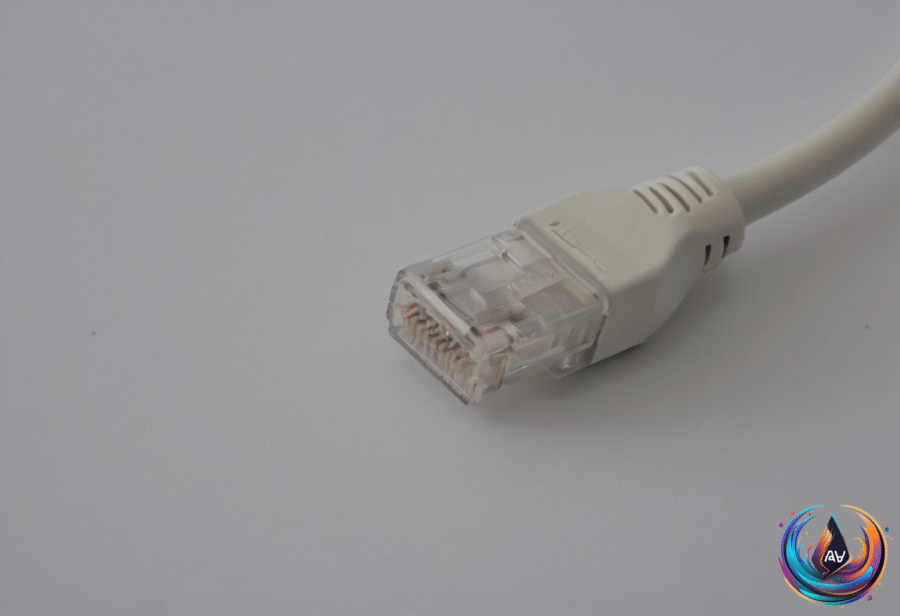
Wi-Fi is not a replacement for Ethernet. Wireless networks have improved, but Ethernet still has a place in home networks because the two connection types handle speed, distance, and interference differently. The sensible setup is often not a choice between them, but a network that uses both.
Wi-Fi signals suffer from overhead in managing their connections, especially when many devices are sharing the limited bandwidth at once. Signals also degrade over distance and can face interference from obstacles and other wireless devices, so the connection available in one part of a home may not match the connection in another.
Wi-Fi standards have moved forward in stages. Wi-Fi 5 started rolling out in 2013, while Wi-Fi 6 arrived in 2020-2021 alongside Wi-Fi 6E. Wi-Fi 7 uses the 6GHz band in addition to other improvements, adding a faster option with the lowest effective range.
Where Ethernet Still Makes Sense
Wi-Fi 6 and Wi-Fi 7 can achieve gigabit speeds comparable to Ethernet, so wireless is no longer automatically the slower option. That does not erase the effects of distance, obstacles, interference, or shared bandwidth—the physics department remains stubborn.
A dual-band router operates at both 2.4GHz and 5GHz. A tri-band router can mean two 5GHz bands, or it can mean 2.4GHz, 5GHz, and 6GHz, depending on the model. Those labels describe the available bands, not a promise that every connected device will reach the same speed.
Ethernet offers a direct wired connection, but its speed depends on more than the cable itself. Gigabit Ethernet utilizes all four twisted pairs of wires inside the cable, while a 100 Mbps LAN port on a router or a limited USB Ethernet adapter will limit connection speed regardless of cable quality.
A damaged wire or loose connector can disrupt an Ethernet connection or cause it to fall back to slower speeds. Swapping cables and checking port specifications can help identify faulty Ethernet cables, which is more useful than blaming the router on instinct.
To measure real throughput between two wired computers, you can use iPerf3. That test focuses on the connection between the computers, helping separate Ethernet performance from the speed supplied by an internet service.
Speed Numbers Need Translation
Internet download and upload speeds use megabits per second, written as Mbps. The FCC threshold for broadband internet speed is 100 Mbps, while the median download speed for American households in August 2026 was 307 Mbps and the median upload speed was 63 Mbps.
Those numbers do not describe file sizes in the same unit. Mbps measures bits per second, while MB/s measures bytes per second; to convert Mbps to MBps, divide by eight.
That distinction prevents a common misunderstanding when comparing an internet plan with a file transfer. A connection measured at 100 Mbps does not translate to 100 megabytes per second, because bytes contain eight bits.
Ethernet cables can sometimes get stuck in ports and require careful removal techniques. Ethernet ports do not have emergency ejection buttons, and pulling a cable with brute force can damage the connector or pins.
The practical answer is to keep both options available. Wi-Fi provides access across the home and benefits from newer standards, while Ethernet avoids wireless overhead and signal problems for connections that need a direct link. Check the router port, adapter, cable, and measured throughput before deciding that any single component is responsible for the network’s speed.
Based on