Grok now lives inside Google Workspace. SpaceXAI released a free add-on in July 2026 that puts Musk’s chatbot inside Google Docs, Sheets, and Slides through a side panel. The setup takes a few clicks, but the permissions deserve more attention than the installation screen suggests.
Grok appears beside the file rather than opening in a separate tab, in the same spot where Google’s Gemini panel sits. Install the add-on once from the Google Workspace Marketplace, and that installation covers all three Workspace editors.
To begin, open the Marketplace listing, click Install, choose the Google account you want to use, and click Continue. You can also install it from inside Docs, Sheets, or Slides by choosing Extensions > Add-ons > Get add-ons, while Workspace administrators can deploy it across an entire organization.
How to open and use Grok
After installation, open any document, spreadsheet, or presentation and select Extensions > Grok > Open Grok. Grok then asks you to choose Get Started and sign in; once authenticated, it is available across all three Workspace apps.
In Google Docs, Grok can write directly onto the page and turn rough notes into a draft with proper headings and lists. Its changes appear as visible revisions in Google Docs version history, so edits remain ordinary document changes rather than disappearing into an inscrutable automation cloud.
With its connectors switched on, Grok can pull context from recent emails or files in Google Drive. In Google Slides, it can build a presentation from an outline, add slides that match an existing theme, and research a topic from the Web or X.
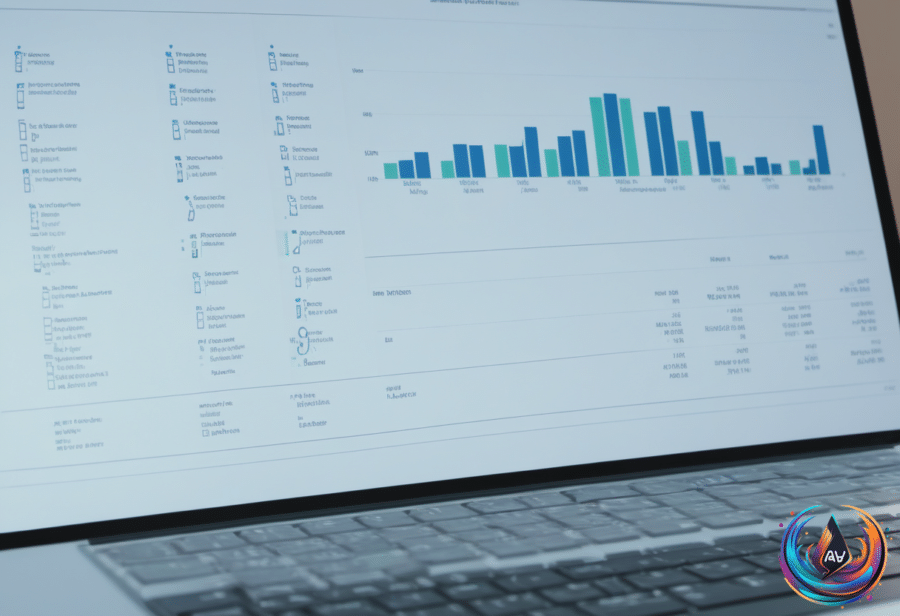
Google Sheets gets the most spreadsheet-shaped treatment. Grok can read the ranges you select, answer with citations, point to specific cells, write formulas into the formula bar, and insert charts.
It can also rerun scenarios when you change an assumption, with each modification implemented as an ordinary edit that can be undone later. SpaceXAI’s use cases page includes examples that can serve as prompts, which may help users move past the classic “make this better” instruction that tells an AI almost nothing.
The permission trade-off
Clicking Continue opens Google’s permission screens, and the requested access is broad. Grok asks to see, edit, create, and delete all Google Docs files and every Slides presentation in the account, even when the installation starts inside one individual file.
Its Sheets access is narrower: Grok can access only spreadsheets where the add-on has been installed. Its overall Drive access covers files used with Grok, and the add-on also requests permission to connect to an external service so Grok can send what it reads to SpaceXAI.
That scope does not make the add-on unusable, but it does make the account choice important. The convenient side panel is not the same thing as keeping every file sealed inside Google Workspace.
The Workspace release also arrives beside a separate problem for Grok Bot users. SpaceXSI, which includes Elon Musk’s rocket firm, its AI work, and the social network X, introduced Grok Bot in August as “AI teammates you can give real work to.”
Grok Bot can browse websites, draft emails, process invoices, and work across apps and websites, but users have complained about hitting usage limits and losing access before their allocation resets. In response to one complaint from a user with four days left before a weekly maximum reset, Musk wrote on X, “The cost of serving Grok Bot was unsustainably high relative to revenue.”
Grok Bot is available only to people who pay for SpaceXSI’s AI tools. OpenAI has restricted Dots to users with more expensive accounts, while Meta’s Muse has a free tier — because apparently even artificial employees need a pricing strategy.
For Workspace users, the practical question is simpler: whether the ability to transform notes, spreadsheets, and outlines inside familiar files justifies the permissions required. Grok makes the workflow compact. The access request makes the decision less so.
Based on
- How to set up SpaceXAI’s Grok in Google Workspace (and what it can do) — engadget.com
- Elon Musk cuts users off from ‘Grok Bot’ AI assistant amid worry over cost of personal artificial intelligence | The Independent — independent.co.uk
- Windows PowerToys Can Automate Some Of Your More Tedious PC Tasks — engadget.com
- Grok Bot is growing fast—but Elon Musk says its costs are ‘unsustainably high’ compared to revenue | Fortune — fortune.com
- How To Use Gboard To Boost Productivity On Your Android Phone — engadget.com