Navigation does not need to be exciting. Google Maps stands out because its clean interface, clear directions, and useful location details remove much of the stress from everyday driving—especially for older drivers and anyone who dislikes guessing when to leave.
Google Maps is less flashy than Waze, and that is the point. It avoids constant pop-ups and alerts, presents the route without turning the screen into a carnival, and likely already sits on an Android phone; if it does not, drivers can download it from the Google Play Store or Apple’s App Store.
The app handles the tedious work behind a trip by tracking time, traffic, and routes. Its color-coded traffic display marks clear roads in green, slower sections in yellow, and heavy congestion in red, giving drivers a useful picture before they pull away from the curb.
Once the car is moving, Google Maps provides turn-by-turn voice directions without requiring drivers to stare at the screen. It announces upcoming turns, street names, and remaining distance, then recalculates the route if a turn is missed. Offline map downloads add another layer of confidence on rural roads or inside parking garages, though they cannot provide traffic updates without an internet connection.
Useful information without the visual clutter
Google Maps does more than guide drivers from one address to another. It can find the nearest gas station, suggest a restaurant that is not too busy, show reviews and menu details, and even indicate when a business is packed before someone makes the trip.
That extra information matters because a navigation app should reduce decisions, not create more of them. Google Maps also works for walking and public transportation, showing which bus to take, how many stops to ride, and how far to walk after getting off. Waze may offer crowdsourced, real-time incident alerts, but it is less useful when exploring a new city on foot.
Accessibility tools require a little setup. In Google Maps, tapping the profile picture and opening Settings > App & Display enables an option that emphasizes accessibility information, including wheelchair-accessible entrances, seating, and parking when viewing a place.
Android Auto gives Google Maps the stronger drive
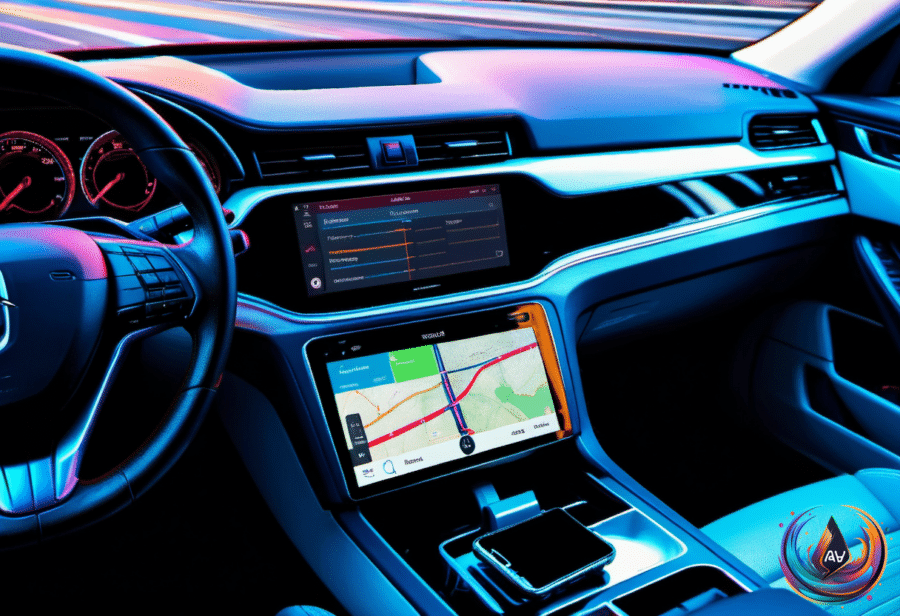
Google Maps is available through both Android Auto and Apple CarPlay, but the experience is not identical. Tests using the same car, infotainment screen, searches, route changes, and navigation tasks found that both systems offered a speedometer, lane guidance, incident reporting, alternative routes, and controls for avoiding tolls, highways, and ferries.
Android Auto pulled ahead in the details that matter during a drive. Gemini was easier to invoke without touching the screen, route changes felt quicker, and the system could find a fuel stop, locate a pharmacy, add stops, refine results, and show alternative routes through a continuing conversation. CarPlay handled those requests after Gemini opened, but the test found it slower; Gemini also hung on a loading screen and failed to connect once.
Android Auto kept zoom controls within easy reach, and pinch-to-zoom worked directly. CarPlay required a separate map-control mode, where pinch-to-zoom did not work in the test. Android Auto also displayed a Home shortcut with live ETA and distance, while its Recent section could show visited locations and suggestions based on recent Maps searches.
Fuel-efficient routing appeared on both systems, but Android Auto explained the recommendation better by marking the most fuel-efficient option and showing estimated fuel savings. On supported Android Auto vehicles, Google Maps can also estimate battery consumption using vehicle details, traffic, road elevation, and weather, then suggest charging stops, estimate the battery level at arrival, and include charging time in the ETA.
That battery-aware system covers more than 350 EV models from over 15 brands in the US. Google did not mention a comparable CarPlay rollout, and Google Maps on iPhone does not include charging stops in its energy-efficient EV routes. One small CarPlay advantage remains: its Automatic, Day, and Night color-scheme controls are easier to reach from the car screen.
The quieter feature coming to Android Auto
Android Auto version 18.0.664204 also revealed a hidden Work Mode tile. The tile displayed a briefcase icon in the app drawer, but tapping it did nothing, and Google has not said when the feature might arrive or whether it will pause notifications or launch work apps.
The idea is simple enough: a Work Profile keeps employer-managed apps separate from personal apps and data on an employee-owned phone. A future dashboard switch could silence work alerts on the drive home while leaving personal calls and navigation alone—an overdue concept in a world where every commute apparently doubles as a meeting room.
For now, people with a Work Profile can pause work apps through the Work tab in the app drawer or, on supported devices, a work tile in Quick Settings. Pausing stops work apps and notifications without affecting personal apps, though Android Auto restricts app capabilities while driving and employers control which apps remain available. Microsoft says Teams supports audio calls and meetings through Android Auto, but not when Teams is installed inside a managed Work Profile; Google Meet can show an active Work Profile call on the dashboard, while upcoming meetings and call history will not appear.
Google Maps already succeeds without Work Mode because its core promise is less ambitious and more useful: clear routes, calm presentation, and enough information to make the next decision obvious. For older drivers, that restraint is not a missing feature. It is the feature.
Based on
- This GPS navigation app should be the go-to for older drivers — engadget.com
- 6 Google Maps Features That Work Better On Android Auto Vs. CarPlay — engadget.com
- Android Auto Could Upset Your Work-Life Balance With Its Next Update — engadget.com
- How To Make Your Older Android Phones Last Longer — engadget.com
- Your Phone’s Apps Could Have More Permissions Than They Need – Here’s How To Check — engadget.com