Samsung is preparing a major shift in how Galaxy phones collect, organize, and retrieve personal activity. One UI 9.5 is set to bring a Galaxy AI-powered Memory app, Google account syncing for Samsung Gallery, and a beta program that has already appeared on Samsung’s update servers.
The most intriguing change is Memory, an app designed to turn scattered phone activity into a searchable personal archive. Samsung is taking a page out of Pixel’s playbook, but the result could become a powerful new layer inside the Galaxy experience.
Memory Wants To Remember Everything That Matters
Memory is said to work in a similar fashion to Google’s Pixel Screenshots. Instead of leaving screenshots, voice notes, links, and text scattered across different apps, the feature can pull them together in one place and help you find them later.
Onboarding screens indicate that Memory will use AI to generate titles, content summaries, and tags. It can also group related pieces of information into collections and provide context, turning individual scraps of activity into a more useful record of what happened on your device.
That organization could reach beyond simple screenshots. The app can reportedly detect a webpage inside a screenshot and grab the link for you, saving you from searching through an image or returning to the original app. You will also be able to manually add items, import content from another app through the share sheet, and paste links or text directly into Memory.
Voice notes may become part of the archive too, since Memory appears to include a way to record them inside the app. You should also be able to reorganize and delete items, change titles created by the AI, and mark content as a favorite.
Samsung also appears to be preparing controls for how Memory handles its AI processing. Screenshots show an option to process Memory’s AI duties entirely on the device, and users who do not want the feature can disable it. As of now, it remains unclear whether Memory will be opt-in or opt-out.
Samsung’s Collection app is only available in the Chinese market, so Memory could give Galaxy users in other markets a new way to manage this kind of personal archive. A beta for One UI 9.5 is expected to arrive soon, while the full version will likely launch with the Galaxy S27 lineup in early 2027.
Samsung Gallery Opens A New Route To Google Storage
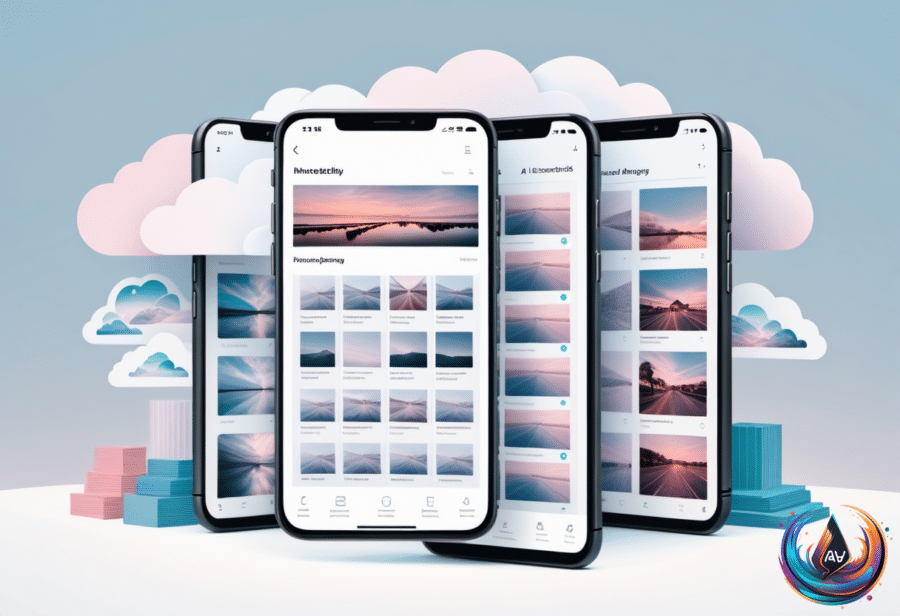
One UI 9.5 is not the only Samsung software story gaining momentum. Samsung Gallery now syncs with a Google account to back up photos and videos, giving Galaxy users another option beyond Google Photos.
Samsung ended Gallery’s Microsoft OneDrive integration in September, and this new Google connection changes the backup path for the native Gallery app. In the past, users who wanted to store photos and videos in Google storage had to use Google Photos instead of, or alongside, Samsung Gallery. Now they can remain inside Gallery if they prefer.
The feature is currently available only on select Galaxy devices running One UI 9, Samsung’s latest custom Android interface. Samsung says the rollout will reach more devices in phases. To enable it, tap the Cloud icon in Gallery, or open Gallery Settings and switch on Sync photos and videos.
Once media syncs to a Google account, you can access it in Gallery on another Samsung Galaxy device. Sign into the same account on that device, enable sync there, and you will see previews of the synced photos and videos. To retrieve the original files, select them and download them.
The settings also include a Free up space option. It deletes original files from the device while keeping thumbnails visible in Gallery, allowing you to browse the collection without storing every original file locally.
Google storage limits still matter. Each Google account includes 5GB of free storage by default, and that amount can expand to 15GB if you verify a valid phone number. Because the storage is shared across Google services, extra room requires Google One: $2 per month for 100GB or $3 for 200GB.
One UI 9.5 Beta Signals A Galaxy S27 Launch Window
A One UI 9.5 beta build for the Galaxy S26 Ultra has appeared on Samsung’s Korean and US update servers. Samsung has not announced the beta or a launch date, but the appearance of firmware version S948BXXU6ZZK3 points to testing already underway.
The build is for the Galaxy S26 Ultra only. Enthusiast site SammyGuru also expects the S25 series, Z Fold 8, and Z Flip 8 to receive the beta. A carrier-purchased Galaxy S26 may miss the program, since the One UI 8.5 beta was available only for unlocked phones in the US.
Samsung opened the One UI 8.5 beta on December 8, 2025, for the Galaxy S25, S25+, and S25 Ultra. Owners in Poland and India waited until the second beta build on December 22. Samsung later launched One UI 8.5 on the Galaxy S26 at its February 2026 Unpacked event, released a beta for more devices in late March, and rolled out the One UI 9.0 beta on May 13. The stable version arrived with the Galaxy Z Fold 8 and Z Flip 8 on July 22, alongside Google’s Android 17 release.
One UI 9.5 remains based on Android 17. SammyFans has penciled in early December for the beta, while SamMobile expects registrations could open in November. The final version is expected with the Galaxy S27 lineup in early 2027, though Samsung has not announced a date for the S27 Unpacked event.
When registration opens, eligible users will need a Samsung account and the Samsung Members app, available through the Galaxy Store or Google Play. The program is expected to cover Germany, India, Poland, South Korea, the UK, and the US, provided users own a supported phone.
Testing will follow Samsung’s usual process: open Samsung Members, select the One UI 9.5 banner or beta card, choose Registration for One UI Beta Program, then visit Settings > Software update > Download and install. Samsung rolls builds out gradually, and beta software can corrupt data, so users should update their apps and back up their phones to a computer with Smart Switch first.
If problems appear, testers can report them through Samsung Members > Participated Beta test > Beta feedback > Send feedback. Withdrawing from the program does not remove the beta build; a Smart Switch downgrade wipes everything created during testing. Users who stay enrolled will receive the finished One UI 9.5 as a normal update when Samsung releases it.
One UI 9.5 is shaping up as more than a routine interface refresh. Memory targets the way people lose useful information inside their phones, while Gallery sync connects Samsung’s native photo experience to Google storage. With beta firmware already visible and a Galaxy S27 launch ahead, Samsung is turning its next software release into a serious answer to Pixel’s AI-first approach.
Based on
- Samsung is taking a page out of Pixel’s playbook with One UI 9.5 — engadget.com
- Samsung Gallery Now Syncs With Google To Back Up Your Photos — engadget.com
- Samsung One UI 9.5 Beta May Be Coming Soon: Here’s How To Sign Up For The Program — engadget.com
- Should You Make The Switch To Google Pixel From Samsung Galaxy? — engadget.com
- Samsung One UI Removed The All Apps Button, But You Can Easily Get It Back — engadget.com