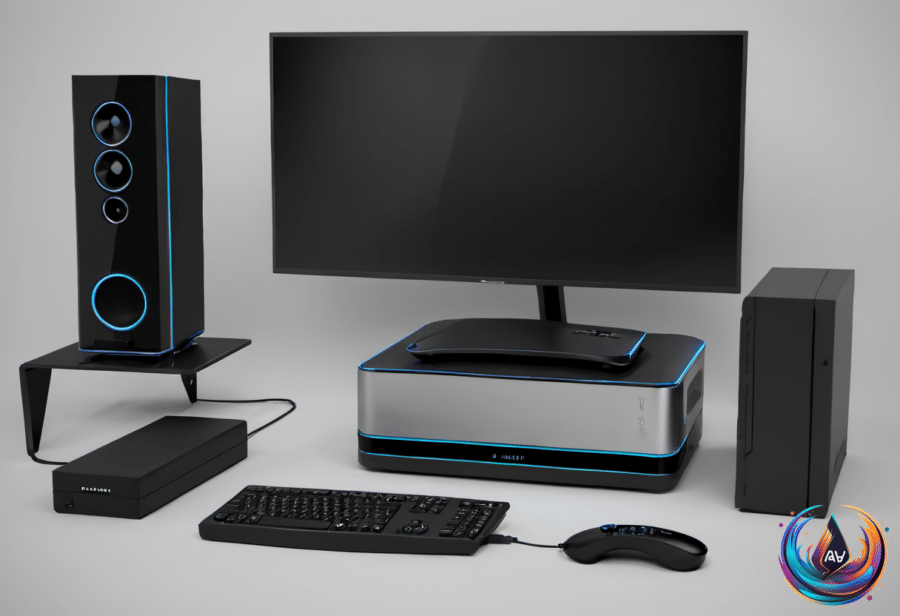
Building or upgrading a PC does not feel as thrilling as it once did, especially with the AI takeover. But if RAMageddon has left a bitter taste in your mouth, that old mini PC sitting in a closet or drawer may still have plenty to offer.
It will not get magically faster, but replacing it has gotten expensive. An older mini PC can become a retro gaming console, media center, network storage box, digital jukebox, smart home server, or dedicated AI coding workstation. Some projects need only free software, while others call for extra hardware and patience.
Turn It Into Entertainment Hardware
1. Build a retro gaming console. Your old mini PC may not handle the latest AAA games, but it could make a great machine for classic titles. Batocera is a free, Linux-based operating system that turns the computer into a dedicated console for Nintendo, Sega, and PlayStation classics.
Getting started is fairly easy. Download Batocera’s PC image, flash it onto a USB stick, and boot the mini PC from that drive. This lets you test the operating system without replacing Windows. You may need to disable Secure Boot or enroll Batocera’s signing key, and if Windows uses BitLocker, make sure you have your recovery key before changing those settings.
Once Batocera runs, connect the mini PC to your TV through HDMI, pair a compatible controller, and add your legally acquired games. The system arranges everything in a console-style interface, so you can browse your library without a keyboard. Many older mini PCs can handle 8-bit and 16-bit games, while PlayStation 2 and GameCube titles may challenge the hardware.
Steam’s Big Picture Mode offers another way to play compatible PC games on a TV if the machine is powerful enough. A controller cannot make up for an outdated processor and integrated graphics, though, so performance will depend on the mini PC’s hardware.
2. Create a home media center. An old mini PC can become a dedicated home for your movie and music collection. Plug it into a TV, install Kodi, and you have a media center for browsing and playing stored content locally.
Plex and Jellyfin can stream files to compatible TVs, phones, and tablets across your home network. A video played in its native format typically uses less processing power than one converted for an incompatible device. That conversion, called transcoding, can strain older processors, especially with 4K content.
Local streaming remains free. Plex requires a Plex Pass or Remote Watch Pass for remote personal video streaming on affected apps unless the server owner already has Plex Pass. Jellyfin does not charge for remote streaming, but you have to set it up yourself.
Put the Mini PC to Work Around the House
3. Use it as network storage. Attach an external SSD or hard drive and use software such as OpenMediaVault to share files across your home network. This gives family photos, documents, and backups a central home without relying on paid cloud storage.
A NAS still brings costs and responsibilities. You need to consider the drives, electricity, and occasional maintenance, and buying extra drives could be costly while storage prices remain high. A NAS can hold backups, but it should not be the only place you keep anything important. One dusty hard drive containing all your family photos is not a good backup plan.
4. Make a digital jukebox. At a party, passing a phone around whenever someone wants to add a song can get tedious. Pair the mini PC with a touchscreen and speakers, and you have the foundation for a music station in a living room or home bar.
Jukiora can turn a Windows mini PC into a music station with album art and a touchscreen interface for browsing songs. TouchGroove offers another option, letting guests queue songs from their phones through a QR code. Everyone can add to the playlist without passing one phone around.
Neither app includes a music collection, so you will need your own library. Both Jukiora and TouchGroove offer seven-day free trials followed by a one-time purchase. If you do not already own a touchscreen, that can raise the price.
5. Run a smart home server. A mini PC can stay ready for a self-hosted smart home server. That makes use of the small computer’s low power draw and keeps it available whenever the home needs it.
One example involves keeping two mini PCs tucked away: one running a self-hosted smart home server and another serving media from a personal collection. A media server may need to be ready at a moment’s notice, since nobody wants to wait several minutes for a movie to load. Media can also be streamed from the mini PC over the internet when you are away from home.
6. Use it for AI coding work. The mini PC can also serve as a dedicated AI coding workstation. The available facts do not promise that every old model will handle every task, so the processor, memory, storage, and graphics hardware still matter. This is one of the projects that may take patience, especially when the machine is no longer suited to demanding modern software.
Power, Age, and Practical Limits
Mini PCs consume little power, especially when they are not running a performance-hungry application. Idle power depends on the processor, memory, and storage, but a mini PC can draw between 10W and 15W from the wall. Adding SSDs and especially hard drives can raise that number by a few watts.
A mini PC averaging about 10 watts at idle uses just over 87 kilowatt hours annually. At an average residential US electricity rate of $0.18 per kWh, keeping it powered around the clock costs about $16 a year. Demanding tasks will push the true cost higher.
For short breaks, sleep lets you resume within seconds and keep your programs open. Sleep mode uses about one to four watts, while a full shutdown closes open applications and lets you unplug the machine. Hibernation offers a middle ground by saving open programs to disk before powering down, though it takes longer to resume than sleep.
Old hardware rarely becomes truly useless. Most parts keep working until they physically break, but compatibility gaps and rising software demands can make them obsolete for modern use. An old mini PC may not run today’s demanding games or bloated websites well, yet it can still handle focused jobs that give it a second life.
Based on
- 6 handy ways you can use your old mini PC — engadget.com
- Does Old Computer Hardware Ever Become Truly Useless? — engadget.com
- Sleep Vs. Shutdown: When To Use These Modes On Your Mini PC — engadget.com
- Building Your Own Mini PC Is Harder Than You Would Think — engadget.com
- Don’t Throw Away Your Old TV – Here’s What To Do Instead — engadget.com