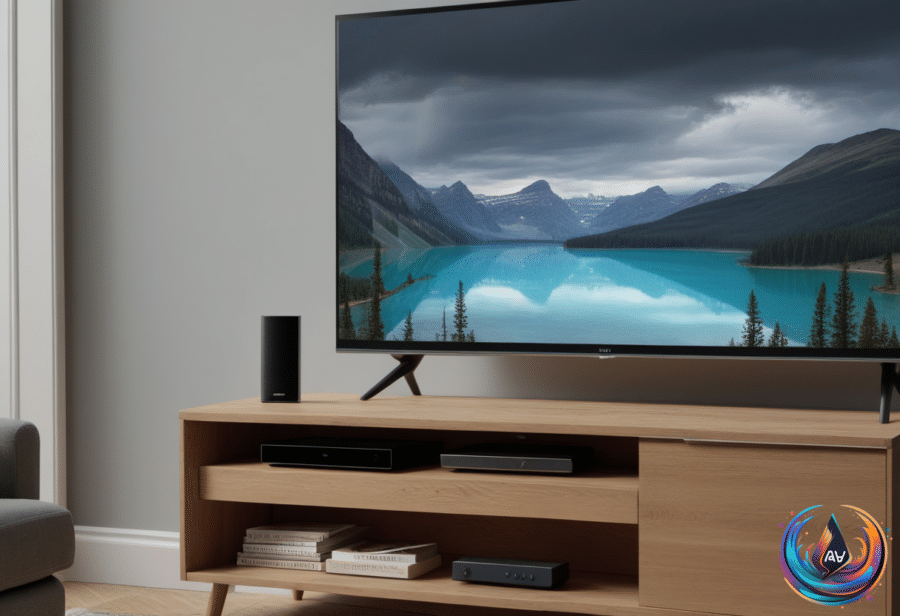
A factory reset starts your Vizio TV from scratch. That can clear corrupt files and forgotten settings, but it also erases nearly everything you configured—and may not solve the problem.
Vizio TVs run Vizio OS, the company’s proprietary software. Walmart bought Vizio in 2024, while Canadian Walmarts remain out of the loop for whatever reason. Vizio OS also bucks the trend of budget smart TV brands choosing Roku OS, Fire TV, or Google TV.
The reason is presumed to be control: Walmart gains more influence over data collection, ad revenue, and recommended content. That makes the software choice more than a menu preference, especially when resetting the television wipes out the settings that shape how you use it.
What a Vizio factory reset removes
A factory reset returns the TV to the state in which it shipped. Your picture and audio settings disappear, along with the channel lineup, parental controls, and account logins.
You will also need to redownload apps and software updates, then reconfigure smart home integrations. Setting everything up again can take a while, which is a poor reward if the original fault came from failing hardware or one troublesome app.
There is no guarantee the reset will fix anything. It should help when corrupt files or settings you do not remember changing cause the trouble, but glitches can come from hardware or individual apps instead. In those cases, you land back at square one with fewer settings than before.
The reset process also gives you no way to choose a specific app or Vizio OS version. If a faulty update causes the issue, you cannot work around it by installing an older version; you can only do without the offending app if that is the problem.
Before taking that step, reboot or power-cycle the television. Turn it off, unplug it for at least 30 seconds, then plug it back in. That is not guaranteed to fix anything, but it is a better first move than erasing the entire setup.
Smart TV upgrades, apps, and privacy checks
You do not need a new television to access smart features. A regular TV with a suitable HDMI port can work with a streaming stick, such as an Amazon Fire TV Stick, by plugging the device into the port and switching the TV to that input.
You will need to log in to your streaming services, but the hardware is close to plug-and-play. Streaming sticks or hubs can cost as little as $30, while a cheap smart TV can reach $150 at the lower end. Smart TVs still have an advantage for streaming services and self-hosted media servers such as Plex because they do not require an extra device.
For a new smart TV, Roku and Samsung offer accessibility options for people with hearing loss or low vision. Samsung smart TVs usually include Netflix, YouTube, Disney+, Prime Video, and Apple TV, though available apps vary by region. Samsung has also publicly banned some smart TV apps, because apparently even app stores need locked doors.
To add an app on a Samsung TV, open the home screen, select the search bar, and type the app’s name. If it does not appear, the app may not be available in your region or supported by Samsung. After installation, add it to the home screen; if you skip that step, press and hold the app in the apps menu and choose the option to add it.
You can rearrange apps by selecting one on the home screen and holding the select button to open the menu. Choose the move setting, then slide the app left or right. Older models may use the down key to open that menu, and the same menu can remove an app from the home screen or delete it.
Most modern smart TVs lack cameras, but checking is sensible. Sony TVs support the proprietary Bravia Cam, while older Samsung F-series sets feature integrated camera units. Find the model number on the TV label or in system information, then check the manufacturer’s documentation for the word “camera.” Video-call support alone proves nothing because the TV may accept an external camera.
If the specifications confirm a built-in camera, inspect the top edge for a tiny lens or rectangular breaks where a camera can retract. Used TVs may also include detachable accessories mounted above the screen. A physical shutter, such as the one on Sony’s Bravia Cam, can block the lens; otherwise, cover it with something opaque without blocking nearby sensors or ventilation openings.
Camera controls and app permissions are separate from viewing-data collection and microphone access. Automatic content recognition, or ACR, analyzes what plays on the TV to identify viewing activity. Covering the camera will not stop ACR or mute the microphone.
Internet-connected TVs remain vulnerable if the home network is compromised. The Informing Consumers about Smart Devices Act was still in the Senate in late October 2026, leaving privacy protections to measures such as the FTC Act and manufacturers’ word. Keep software updated, review camera permissions, and avoid third-party app controls.
Do not blame the TV when the router is overheating
Home routers generate heat during normal operation. Their processors, memory, wireless radios, and power-management modules work harder as they transmit thousands of megabits of data per second; modern systems may use a system-on-chip design such as Broadcom’s BCM6765 SoC.
A router should feel warm, not uncomfortable. Excess heat can cause connection problems, speed changes, freezes, shutdowns, and shorter Wi-Fi range as the CPU throttles itself to regulate temperature. Continued use can damage internal components and leave the device unusable.
Start with ventilation. Move the router into an open area, away from windows, direct sunlight, computers, and consoles. Do not place it inside a closed space or surround it with objects, and clean dust from its vents to preserve airflow.
Update the router’s firmware, then inspect the power adapter. A faulty adapter or one not rated for the router can deliver more current than its components can handle, creating excess heat and possible damage. Replace it with an adapter rated for the router. If ventilation, firmware, and the adapter do not solve the problem, the router itself may be ready for replacement.
Based on
- How to reset your Vizio TV back to factory settings — engadget.com
- The Easiest Way To Turn Your Regular TV Into A Smart TV — engadget.com
- How To Add And Rearrange Apps On Your Samsung Smart TV — engadget.com
- How To Tell If Your Smart TV Has A Camera (And How To Disable It) — engadget.com
- Is Your Router Overheating? Here’s How To Keep It Cool And Working Safely — engadget.com