Microsoft wants one laptop to do everything. The Surface Laptop Ultra comes close, combining developer-focused hardware, local AI tools, and gaming performance in one expensive package.
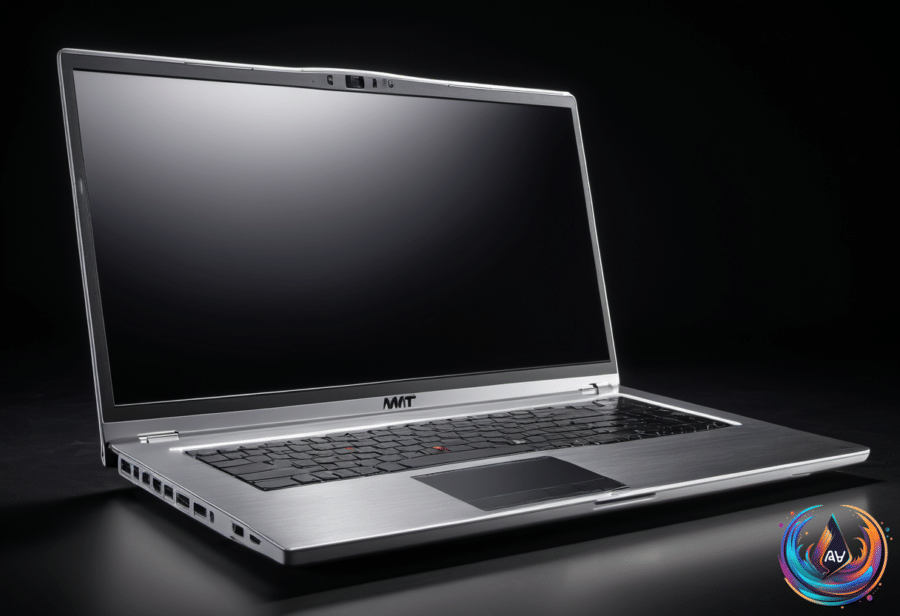
The machine has an all-aluminum body, a large haptic trackpad, and a high-end finish. Its 15-inch MicroLED display runs at up to 2,000 nits of peak HDR brightness, with 262 pixels per inch and a 3270 x 2180 resolution. The MacBook Pro peaks at 1,600 nits, so Microsoft has decided subtlety belongs to somebody else.
The display supports a strong specification sheet, but it is not flawless. It may feel slightly laggy or show ghosting, though changing the power settings can mitigate those problems. Rebooting the Surface Laptop Ultra is slow, which is not the kind of premium feature anyone requested.
A Developer Laptop With Serious Hardware
Microsoft designed the Surface Laptop Ultra for developers, and its port selection reflects that practical focus. The left side includes HDMI, two USB-C ports, and a headphone jack; the right side adds an SD card reader, USB-A, and another USB-C port.
The USB-C port on the right also supports Magnetic Connect, which works like the old Surface Connect. Bring the connector close and it snaps into place, then it can charge the laptop or charge other devices through the USB-C connector.
The large trackpad uses haptic feedback for clicks, drags, and window alignment in Windows 11. A front-facing 1080p camera supports Windows Hello face authentication and Windows Studio Effects, giving the laptop the expected tools for calls and sign-in without turning them into a marketing opera.
Battery reporting has one odd quirk. Unplugging the charger at 100 percent can make Windows report 97 percent battery life, while plugging it back in restores the display to 100 percent. Microsoft spokesperson Moses Nsereko said, “When it’s plugged in and the battery is full, the device pauses charging rather than constantly topping off, and resumes only once the level drops to 95 percent.”
The hardware options range from expensive to eye-watering. The top model costs $5,899 and includes a 20-core CPU co-designed by Nvidia and MediaTek, a 6,144-CUDA-core GPU, 128GB of unified memory, and a 1TB Gen 5 SSD. The base version costs $2,599 and has an 18-core CPU, a 5,120-CUDA-core GPU, and 24GB of unified memory.
Local AI Still Needs Patience
Microsoft prompts owners to choose an AI agent, with Hermes, OpenClaw, and Perplexity among the available options. Hermes and OpenClaw can use the Qwen3.8-27B model, but basic queries push the fans to full throttle and the GPU to 100 percent.
Hermes was asked to resize and convert photos. The task took minutes and made the fans buzz, turning a simple image job into a small argument with the cooling system.
OpenClaw received a larger assignment: build a smart home dashboard. After 30 minutes of spinning up fans and calling tools, it failed. That is not automation so much as a very expensive screensaver.
The base model’s 24GB of unified memory also limits how many local AI models owners can use. Local models currently work best for coding tasks, where they can provide privacy and run tasks offline, but the hardware does not turn every agent into a reliable autonomous developer.
Gaming gives the Surface Laptop Ultra a cleaner win over Apple’s MacBook Pro. The GPU supports DLSS, Frame Generation, and ray tracing, allowing the laptop to run more of the latest games than Apple’s machine.
Black Myth: Wukong averaged 70fps at native resolution with medium settings and DLSS performance mode. Cyberpunk 2077 averaged 66fps with the same settings, while Forza Horizon 6 reached an average of 57fps.
The Surface Laptop Ultra delivers a rare combination of developer hardware, local AI support, and serious gaming capability. Its display, ports, GPU, and high-end configuration make the design compelling, but local AI remains constrained by memory, heat, noise, and occasional failure. Microsoft mostly gets its one-machine promise right—provided the buyer can justify $2,599, or explain $5,899 to the accounting department.
Based on