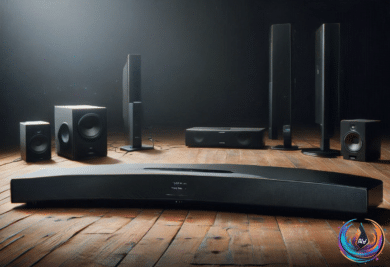
Your smart TV may get higher speeds over Wi-Fi than through Ethernet, but raw speed is only part of the story. When a movie freezes, drops quality, or starts buffering, the real culprit can be congestion, interference, an outdated router, or a cable that creates a local chokepoint.
So which connection should power your home theater? The answer depends on your layout, your network, and how much stability matters during streaming.
Wi-Fi Wins the Speed Test, Ethernet Wins Stability
Bandwidth matters when streaming movies and TV shows, but streaming services do not demand enormous speeds. Netflix and Disney+ typically recommend at least 5 Mbps for 1080p streaming. For 4K HDR content, that rises to 25Mbps or better, and 4K resolution is four times that of 1080p.
Subscriptions that include 4K HDR typically include Dolby Atmos too, even if the service delivers the compressed version. That makes a steady connection valuable, but it does not mean your television needs a multi-gigabit link. A 4K stream does not come anywhere near tapping the potential of a 500 Mbps or 1 Gbps Wi-Fi connection.
Many TVs now include at least Wi-Fi 6, which can exceed gigabit speeds with a compatible router in ideal conditions. Real-world speeds come in lower, and even a gigabit internet plan must be split among every connected device in your home. Even half a gigabit is enough for most households.
Older or cheaper TVs with Wi-Fi 5 also offer speeds that are more than sufficient for streaming. In fact, many TVs and streaming devices cannot use gigabit Ethernet at all because their jacks stop at 100Mbps. The gigabit option has existed for decades, so that limit is a cost-cutting measure, much like the HDMI 2.0 ports still found on many TVs after HDMI 2.1 had been around for the better part of a decade.
Ethernet’s major advantage is stability. A properly shielded Ethernet cable is effectively immune to range and interference issues inside the average home, while every Ethernet device gets its own lane instead of competing for wireless bands.
A Cat 6 cable can deliver 1Gbps speeds up to 100 meters (328 feet). A Wi-Fi signal will peter out well before that distance unless a mesh or extender system boosts it. When a wireless stream loses enough signal quality, an app may re-buffer the feed or downgrade to a lower quality level.
When Wiring Your TV Makes Sense
Ethernet is slow on TVs, but it does not have to compete with everything else using Wi-Fi bandwidth. That can make it useful when your home network is crowded or when evening congestion creates problems, such as a neighbor torrenting files during movie night.
Still, wiring a home theater is impractical in many homes. A 10-foot Cat 6 cable costs less than $10, but a router placed far from the television can leave cables snaking through the living room or across hallways. Concealing them can become a project that creates more trouble than it solves.
Flat Ethernet cables look like an easy answer because they bend around corners, run under doors, and hide beneath rugs. For the most reliable performance, round cables are the stronger choice.
Standard Ethernet cables use multiple wire pairs twisted together. That twisting prevents the signal in one pair from interfering with the others. Flat cables still contain twisted pairs, but they lay those pairs in a line, making them more vulnerable to interference between the pairs.
Round cables may also include extra shielding against interference from outside devices, a feature typically unavailable in flat cables. Manufacturers use thinner wire to keep flat cables thin, and thinner wire faces more resistance as electricity travels through it. Over a long distance, that can degrade the signal.
Flat cables are also more fragile. Bending any cable or repeatedly compressing it beneath a door can damage the wires inside, and the thinner wires in flat cables offer less protection. If you rent or need to pass a cable through a narrow space, a flat cable may be the only practical option. Over short distances without sharp bends, it can still do the job.
The best rule is simple: use Ethernet when it is convenient or when Wi-Fi creates serious reliability problems. If your wireless connection already works well, faster downloads and one fewer wire may be worth more than the extra stability of Ethernet.
The Router May Be the Real Upgrade
Fast internet at home involves more than the plan from your ISP. Your router controls what happens across the network, so understanding its ports and features can unlock better performance without chasing speed you do not need.
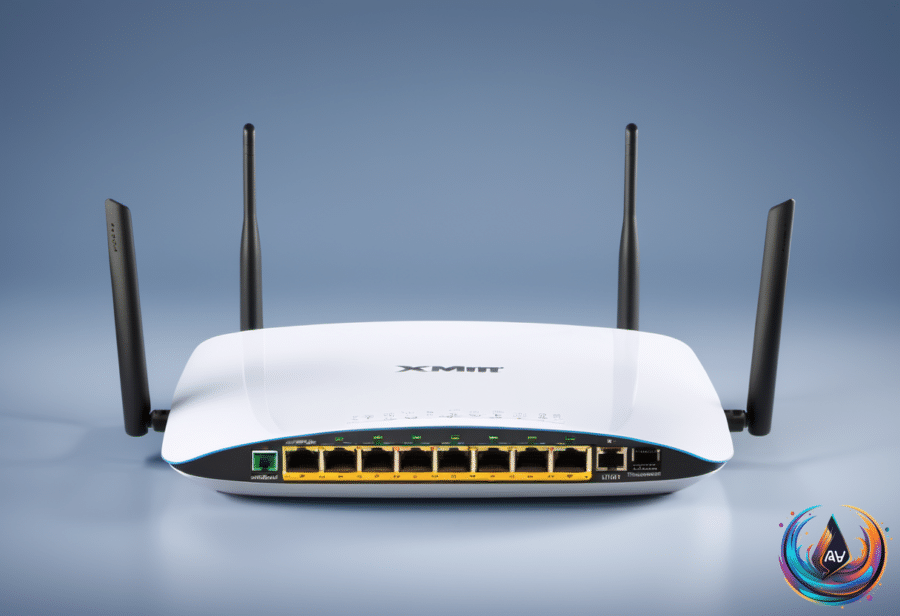
A standard Ethernet port, often marked LAN or left without a label, typically maxes out at 1 Gbps. A 2.5G port can provide speeds of up to 2.5 Gbps, and routers mark these ports with labels such as 2.5G or 2.5GbE. Some use a different color for these faster ports.
To use a 2.5 Gbps port, the router and connected device must both support 2.5 Gbps. You also need a compatible Ethernet cable, and Cat5e or anything newer can deliver 2.5Gbps speeds. An older standard becomes the bottleneck. For full internet performance, your plan must also reach at least 2.5 Gbps; otherwise, internet downloads and uploads remain capped at the ISP plan’s speed.
A faster local network still has value. Compatible devices can move data at the full 2.5 Gbps, including backups to a NAS. That speed helps with large file transfers and cloud backups, but it will not make Netflix smoother or improve online game performance unless the rest of the network is extremely busy.
For most people, multi-gig internet is a nice-to-have, with diminishing returns above 1 Gbps. Before paying for it, check whether your TV, computer, router, cable, and other devices can use the extra capacity.
It also helps to know what each networking box does. A modem translates signals from a cable or phone line into digital data your devices understand, then translates data back again. A router steers that data to individual devices over Wi-Fi or Ethernet, directs local traffic such as movies from a Plex server to a TV, and can protect the network with firewalls, user profiles, and guest networks.
A gateway combines a modem and router in one device, which keeps setup simple. Pure fiber connections replace the modem with an optical network terminal, or ONT, which serves the same practical role. Separate units are usually more advantageous, especially when you want more control.
Better Coverage Without Paying Forever
ISP equipment often provides a lowest-common-denominator setup for a modern home. It may offer Wi-Fi 6 but lack mesh coverage, advanced features, or the performance needed by newer phones, computers, home servers, and smart home accessories.
Wi-Fi 6 works well in many situations, while Wi-Fi 6E and Wi-Fi 7 add a faster 6GHz band alongside the usual 2.4 and 5GHz options. A top mesh system may be necessary to prevent dead zones or keep speeds consistent throughout a house.
Before upgrading, try the simple fixes. Put the router off the floor, in the open, and away from obstacles. If the TV cannot connect through Ethernet, connect another device, such as a laptop, by cable to free up wireless bands.
ISP mesh upgrades can add monthly fees without giving you ownership. AT&T’s All-Fi Pro includes Wi-Fi 7, mesh extenders, and equipment upgrades every 36 months for $25/month on top of the existing plan cost for customers outside the ultra-fast plans. That adds up to $300 in a year.
For less than two years of that rental cost, you could own a mesh system and take it to another ISP. Put the ISP equipment into bridge mode, connect your own router, and make the network fit your home instead of forcing your home to fit the equipment.
The smartest upgrade is not always the fastest connection. Start with stability, placement, coverage, and the devices you actually use, then spend on Ethernet, 2.5G, or mesh hardware only when the network gives you a clear reason.
Based on
- Your smart TV’s Wi-Fi is probably faster than its Ethernet, but speed isn’t everything — engadget.com
- What’s The Point Of The 2.5G Ethernet Port On Your Router? — engadget.com
- Flat Ethernet Cables Probably Aren’t The Answer To Your Home Networking Problem — engadget.com
- Router And Modem Or Gateway: What’s Actually In Your Home Network? — engadget.com