Your iPhone can take a clear moon photo, but the result depends less on fancy camera tricks than on controlling light, focus, and movement. The moon is bright against a dark sky, so your camera’s exposure system often tries to “brighten” the surrounding sky and leaves the lunar surface washed out.
That is why a moon photo can look like a glowing white dot. Even with AI algorithms, cameras cannot break the laws of physics when shooting a bright object at night. The good news is that a few settings can make a real difference, whether you are taking a photo, recording video, or watching for a darker sky during a new moon.
How to get more detail in an iPhone moon photo
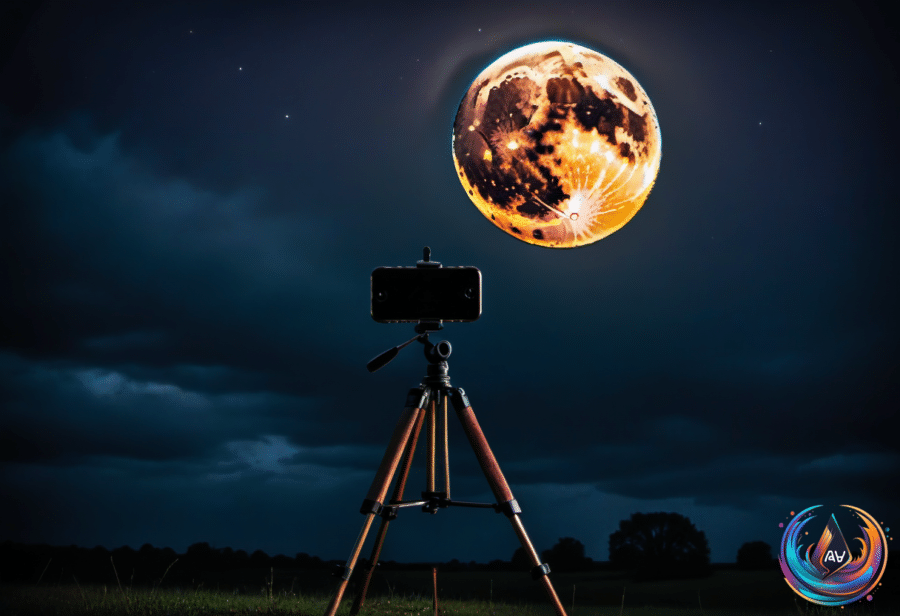
Start with stability. You can get a reasonable moon shot handheld, but a tripod gives you the best chance of keeping the image sharp. Any cheap tripod can work, including the Amazon Basics 64-inch model with a smartphone holder. Spending at least $20 gets you something more adjustable, such as the Amazon Basics 50-inch tripod.
A tripod can also help with long exposures, blurred waterfalls, traffic light trails, panoramas, hands-free TikTok-style recordings, and video calls. If you do not want to buy one, prop the iPhone against a book or coffee cup and use the camera’s three-second timer. You will find the timer among the six-dot menu options.
Zoom depends on the iPhone model. The iPhone 17 Pro and iPhone 18 Pro offer up to 8x “optical-quality” zoom and 40x digital zoom. The iPhone 15 Pro and iPhone 16 Pro provide 5x optical zoom and 25x digital zoom, while the standard iPhone 17 and iPhone 18 offer 4x optical and 10x digital zoom.
Recent iPhones let you adjust two separate exposure controls: “Exposure” and “brightness.” Open the six-dot menu, tap “Exposure,” and drag the slider to -2EV, which lets in the least light. This setting stays active during the photo session as long as you do not close the Camera app.
Next, tap and hold the moon for several seconds to lock autofocus and exposure. A “brightness” slider with a sun icon will appear. Slide it down to the desired level, usually close to the minimum. Both exposure and brightness need to sit at or near their lowest settings, or the moon will lose detail.
The reason this works is simple: when the iPhone tries to raise exposure, it may lower the shutter speed to 1/30th of a second or even slower. That makes handheld shots vulnerable to blur. The recently launched iPhone 18 Pro has manual controls for shutter speed and ISO, but older iPhones do not.
For video, switch the camera to “Video,” zoom in on the moon, and frame the shot. Recent Pro cameras allow up to 15x zoom in this mode. Set Exposure to -2EV, then tap and hold on the moon to lock focus.
Storage choices depend on what you shoot
A 2TB phone sounds useful, but most people do not need that much built-in storage. The iPhone 18 Pro starts at $1,199 with 256GB, while the 2TB model costs twice as much. The iPhone Duo costs $1,999 with 256GB and $3,199 with 2TB, a $1,200 premium that most users do not need.
For everyday use, 128GB or 256GB covers photos, apps, music, and an occasional downloaded episode. Photos can back up to the cloud, while streaming services reduce the need to store movies and shows. A power user or gamer may prefer 512GB, while professional creators should look at 1TB or 2TB models.
Serious video work changes the calculation. Apple says one minute of full-sensor ProRes RAW at 30 fps can use more than 10GB, while ProRes RAW HQ can use more than 15GB. A 10-minute take can approach or pass 100GB, and anything below 1TB becomes impractical when you need multiple takes.
RAW photos can be up to 10 times larger than compressed JPEG files. Video editors working on vlogs, documentaries, or short films also need room to edit without constant file management. Downloaded entertainment adds up too: one film can take 3GB to 4GB, and games can range from 20GB to 40GB, with a modest game library consuming a large part of a 256GB phone.
Cloud storage helps, but ProRes video cannot record directly to iCloud or similar services in real time. The footage must be captured locally before it can be uploaded or transferred, which matters in remote places or areas with poor connectivity.
Why the screen dims and how to protect your data
A dimming screen does not always mean auto-brightness is on. An iPhone can reduce brightness when it gets hot, whether from gaming, camera use, HD streaming, software updates, or wireless charging. Power-saving settings can also affect the display.
Check the screen timeout if the display dims in less than one minute. Attention Aware Features can dim the screen when you are not looking at it; turn them off through Settings > Accessibility > Face ID & Attention. A dirty proximity sensor near the top of the phone can also trigger dimming or a black screen, so clean it with a microfiber cloth. A misaligned screen protector may block the sensor.
On an iPhone 14 Pro or later, Always-On Display can shut off when the phone is face down, CarPlay is active, the phone is far from a paired Apple Watch, Continuity Camera is in use, Sleep Focus is enabled, or Low Power Mode is on. The feature is enabled by default on newer iPhones except the Air.
Privacy settings deserve the same attention as camera controls. In Settings > Notifications > Show Previews, choose When Unlocked so notifications stay hidden until Face ID or Touch ID authenticates you. In Face ID & Passcode or Touch ID, review Allow Access When Locked and disable Control Center, Siri, searching, message replies, or home controls as needed.
Safety Check, found under Settings > Privacy & Security, reviews location sharing and app access. You can revoke permissions, set location access to While Using, turn off Precise Location for apps that do not need exact coordinates, and enable App Privacy Report. You can also turn off Allow Apps to Request to Track and disable Personalized Ads under Apple Advertising.
For extra protection, lock an app by pressing and holding its Home Screen icon, choosing Require Face ID or Require Touch ID, and confirming. Apps can also be hidden in a Hidden folder in the App Library, though hidden apps will not show notifications or calls. Stolen Device Protection blocks sensitive actions away from familiar places, even when someone knows your passcode, and allows those actions only after a one-hour delay. It requires two-factor authentication and Find My.
A darker sky can help more than a stronger zoom
A November new moon will create a completely dark, moonless sky rather than a color-changing display. Those conditions give stargazers better opportunities to see constellations, Taurids fireballs, and other celestial activity without disruptive moonlight or the need for a proper dark-sky destination.
For moon photography, less surrounding light helps you control the image. For stargazing, the absence of moonlight opens the sky. In both cases, the best results come from matching the right conditions with the right iPhone settings.
Based on
- How to use your iPhone to take the best picture of the Moon — engadget.com
- Why 2TB Of Phone Storage Makes More Sense Than You Think — engadget.com
- The Reason Your Phone Keeps Dimming Even With Auto-Brightness Off — engadget.com
- 5 iPhone Security Settings You Should Change To Protect Your Data — engadget.com
- Tonight’s new moon provides ‘unmissable’ stargazing opportunity. Here’s where to look — 10best.usatoday.com