A weak Wi-Fi signal does not always mean your router is failing or your internet provider is causing trouble. The position of the router can decide how much signal reaches your devices, and one small move may improve coverage more than buying a newer standard.
Wi-Fi routers broadcast signals in all directions, but those signals weaken over distance. Put the router in a corner or inside a cabinet, and much of its signal may travel outside the house or meet obstacles before reaching the devices that need it. As Isaac Egbon puts it, “Don’t reduce your router’s capabilities by stuffing it into a cabinet in the corner of the room.”
Find the Strongest Position Before Buying Anything
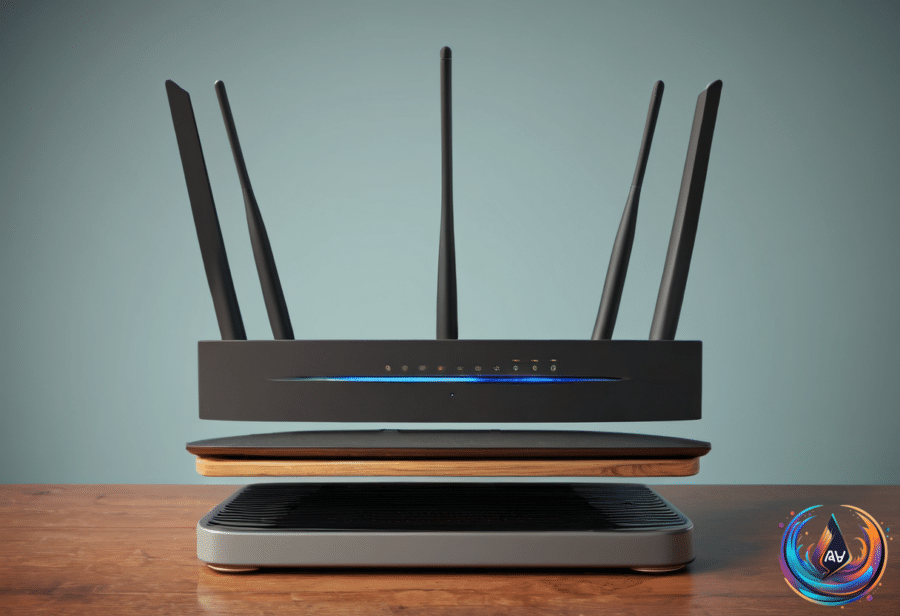
The best location depends on your building and the area you want to cover, but the starting point is simple: choose a central, elevated, open spot away from interference. A side table, desk or the top of a cabinet can work. If necessary, a stand can help raise the router into a better position.
Keep the router away from corners and avoid covering it with objects. A central location lets the signal spread across more of your home instead of wasting coverage outside. If your home has two stories, place the router closer to the ceiling when it sits on the ground floor, or closer to the floor when it sits on the second level.
Antenna position matters too. For a single floor or apartment, vertical antennas offer the best placement. In a building with multiple floors, angle at least one antenna to about 30 degrees and keep the others vertical.
Do not judge the new position by guesswork alone. Run a speed test before moving the router so you know how the current setup performs, then test again as you adjust its location. Comparing each position gives you a clear read on signal quality and internet speed.
Reduce Interference and Match Devices to Each Band
Other electronics can degrade Wi-Fi when they sit too close to the router. Keep it away from metal objects, thick walls, Bluetooth devices and microwaves. Microwaves interfere with the router’s 2.4GHz band, which can make placement even more important.
The 2.4GHz band reaches farther but delivers slower speeds, while the 5GHz band covers a shorter range with faster speeds. Connect desktop PCs and gaming consoles to 5GHz when speed and stability matter most. Devices that sit farther away, move around the home or need little speed can remain on 2.4GHz.
Home networks also carry more traffic than they once did. A household may connect PCs and game consoles alongside watches, lamps, smart speakers and other smart home gadgets. Roger Fingas describes the router as “a busy train station,” because understanding the traffic makes it easier to keep incoming and outgoing data moving.
Every router has an internal bandwidth cap and a limit on simultaneous connections. Wi-Fi 6 and Wi-Fi 6E routers top out at 9.6Gbps, while Wi-Fi 7 raises the ceiling to 46Gbps. Those figures cover total available bandwidth, including traffic between local devices, not just data moving to and from the internet.
Wi-Fi 5 may handle only 10 to 25 active devices before older connections get removed to make room for new ones. Wi-Fi 7 can help, but it cannot stop every band from becoming overloaded. Wi-Fi 6 uses 2.4 and 5GHz bands, while Wi-Fi 6E and Wi-Fi 7 add 6GHz. Since the 2.4GHz band has only three non-overlapping channels, low-power accessories can fill it quickly.
When One Router Cannot Cover the Building
Even a well-positioned router may leave dead zones in a large building or a home with three or more floors. A Wi-Fi booster, extender or repeater can capture the router’s signal and repeat it into nearby spaces, offering a cheap and easy setup for smaller coverage problems. The tradeoff can be halving your bandwidth, and finding the right extender position in a large space can become a challenge.
Mesh systems solve the same coverage problem with nodes placed in dead zones, while keeping devices on one network. Unlike extenders, mesh systems provide seamless transitions between units and avoid separate network IDs. Each satellite router acts as a repeater for the gateway router connected to the modem or fiber terminal.
The main advantage is range. In theory, an Eero 7 two-pack can cover up to 4,000 square feet, and adding another compatible router can expand coverage. Mesh systems fit larger buildings, multi-story homes and properties with several dead zones, including homes that need coverage in a backyard, detached shed or garage.
Tri-band mesh systems avoid the bandwidth loss linked to many extenders, but mesh costs more. With cheaper mesh products, the connection between routers may share the same bands used by devices, and performance can suffer. Some mesh systems support a wired Ethernet backhaul when interference continues.
Most apartments should have full coverage from a standalone router unless specific speed or range problems appear. Some smaller multi-floor homes can also use one router. In those cases, saving money or putting it toward a faster router may make more sense than buying mesh equipment.
New Standards Promise More Reliable Connections
Wi-Fi 7, released in 2024, can support faster connections, but speed is not the only measure of a better network. Wi-Fi 7 realistically caps out at about 23 Gbps, a level that few people will see in real-world use. Both the router and the connected device must support its features, and many devices still use Wi-Fi 6 or Wi-Fi 6E.
“Sometimes, better doesn’t mean faster,” Will Shanklin says. Wi-Fi 8 is still in development, with final approval expected in 2028. Its underlying standard, 802.11bn, carries the nickname “Ultra High Reliability” and focuses on weak signals, crowded buildings and mesh handoffs.
Wi-Fi 8 should target 25 percent better throughput for weak signals, 25 percent fewer dropped packets and 25 percent lower latency during the weakest moments. It is also designed to let compatible access points coordinate transmissions, a feature that fits mesh systems.
ASUS and TP-Link have announced early Wi-Fi 8 routers based on the draft specification, but those products are investments in the future. The first devices may not support every part of the final version, and the benefits require compatible routers and devices at both ends. For now, Wi-Fi 7 remains a reasonable choice for a new router, while moving an existing router to a central, unobscured position may deliver the biggest improvement.
Think Carefully Before Splitting Smart Home Devices
Separating smart home accessories onto another network can offer performance and security advantages, but it can also create technical problems. Moving accessories to a separate 2.4GHz network can improve range, which matters for outdoor locks, string lights and security cameras. A guest network can reduce the chance that a vulnerable accessory gives attackers an easy path toward a phone or laptop.
Yet devices on different networks may not communicate. Split networks can stop accessories from working with apps and automations, while guest networks are designed to block device communication. Mesh systems create another limit because they depend on unified network IDs and automatic band steering, so band splitting is not available.
Cheaper 2.4GHz-only accessories may also fail during setup when a phone or tablet uses 5 or 6GHz. Before separating devices, study the real setup and the controls you need. “Just because your devices live together doesn’t mean they should share everything,” but a complicated network can make dozens of accessories harder to configure.
The smartest upgrade path starts with placement: central, elevated, open and away from interference. If dead zones remain, choose between an extender and mesh based on building size, cost and bandwidth needs. New standards may bring stronger reliability, but the best connection today may begin with moving the router out of the corner.
Based on
- Where should you place your Wi-Fi router for the best internet? — engadget.com
- The Pros And Cons Of Using Mesh Wi-Fi — engadget.com
- Why Your Wi-Fi Slows Down When More Devices Connect — engadget.com
- Wi-Fi 8 Is An Attempt To Fix The Biggest Problem With Wireless Internet — engadget.com
- Should You Keep Your Smart Home Gadgets On A Separate Home Network? — engadget.com