Your iPhone may already have the fix for one of its most annoying problems: a cluttered Messages app. Apple gives you control over the iMessage app menu, but the setting is easy to miss, especially as new features keep arriving with each iOS update.
That same pattern appears across Apple’s devices. iPad widgets can now handle more tasks, Lockdown Mode can defend against sophisticated spyware, and CarPlay explains why familiar iPhone apps vanish from your vehicle’s display. The key is knowing where Apple placed the controls.
Put Your Favorite iMessage Apps Where They Belong
Apple’s iMessage has evolved over the years, adding satellite messaging that can reach an emergency contact from a remote location, customizable backgrounds and a growing collection of built-in apps. Since iOS 18, several apps have appeared in Messages by default, and iOS 27 includes 14 apps in the menu.
Those apps support location sharing, voice recordings, stickers, GIFs, music, photos and polls. Apps such as ESPN and Venmo expand the list, but the default arrangement can feel backward: apps you never use may sit at the top while your most-used tools remain buried at the bottom.
To rearrange them, first download the latest iOS. Open Messages, choose a conversation or tap the compose button—the pencil touching a white square at the bottom-right corner of the screen—then tap the Plus (+) button beside the message field.
You will see the full list of available iMessage apps. Hold the app you want to move until its icon shrinks, drag it to the desired position and let go. Your menu now follows the order you choose.
You can also add more apps through the App Store for iMessage. Open Messages, enter a conversation, tap Plus (+), then touch the circular blue App Store icon. Browse Apple’s popular applications or search for something specific, and tap Get beside an app’s name. If payment is required, the app’s price appears instead.
Swipe down or tap Close (X) to leave the store. Some free apps still require in-app purchases, so Family Sharing users can use iOS 27’s enhanced parental controls. The Ask To Buy feature can require children on the plan to receive confirmation before purchasing inside an app.
To manage installed iMessage apps, open Settings and choose Apps > Messages > iMessage Apps. From there, toggle an app on or off. You can also remove an app from the device’s homepage by holding its icon, then tapping the red Remove App option.
Apple also lets you adjust how the audio recording app works inside iMessage, switching between voice note and dictation functions. In August 2026, OpenAI added iMessage integration to its ChatGPT app for Mac, a move that some people found useful while others questioned its privacy and security.
Turn the iPad Home Screen Into a Control Center
With iPadOS 27, Apple brought extra-large widgets to Today View, giving apps more room to show useful information and controls. To explore them, touch and hold an empty spot on the Home Screen, tap Edit, then choose Add Widget. Depending on the app, you can select from different sizes before placing the widget where you want it.
You can also turn an existing app icon into a widget by holding it and choosing a size, though not every app supports the option. The choices now stretch far beyond basic information:
- Parcel tracks deliveries from up to 300 services, including UPS, USPS, FedEx, DHL and Amazon Logistics. Connecting an Amazon account adds orders automatically, while its barcode scanner avoids typing long tracking numbers. Parcel also offers map widgets, a native Mac app and web access. The free version tracks three deliveries at a time without push notifications; Premium costs $6.99 per year.
- Home provides interactive controls for lights, LED strips and smart plugs without opening the app. With a HomeKit-compatible controller, it can lock and unlock garage doors. You choose the accessories and scenes by holding the widget, tapping Edit Widget and selecting what should appear. Brightness, color and thermostat settings still require the app.
- (Not Boring) Weather displays temperature, conditions, precipitation, UV index and wind through interactive visuals on the Home Screen or Lock Screen. Its data can come from Apple, AccuWeather, Foreca and the National Weather Service, and it covers heat waves, storms, flood risk, hurricanes and blizzards. The app is free, while real-time weather requires a $14.99-per-year membership.
- Find My shows Apple devices, AirTags, third-party Find My items and trusted people, along with each item’s last known location. The Find My network can locate devices that are offline or powered off through nearby Apple devices that share locations anonymously and securely. Notify When Left Behind can alert you when a device stays in an unfamiliar place.
- Endel offers AI-powered soundscapes for focus, relaxation and sleep, adjusting them for circadian rhythm and working offline. Its free edition includes Focus, Sleep, Relax and Move, with each session capped at 10 minutes. Premium adds Colored Noise, Dynamic Focus, artist collaborations, Spatial Orbit and Focus Timer.
- Mail can show recent unread messages, a chosen mailbox or emails from VIP contacts. After opening a message, tapping the sender information, choosing the sender’s name, selecting View Contact Card and tapping Add to VIP places those messages in the VIP mailbox and widget.
- Widgetsmith creates custom date, time, weather, calendar, reminders and photo widgets, with controls for fonts, colors and layout. Scheduling can switch widgets during the day, while clear, frosted and photo-background styles change the look of the Home Screen and Lock Screen.
- Screen Time shows daily usage, app categories and, with iPadOS 27, Schedules and Time Allowances for Entertainment, Games and Social Media. These controls can help parents see whether cartoons have run long and cut off excess usage.
- Craft, a docs and planning app in the same vein as Notion, can pin a document, show Recent Documents, display tasks and provide Lock Screen shortcuts for creating documents or starting Quick Entry. Its Daily Note widget supports day planning.
Security and CarPlay Still Demand Tradeoffs
Apple’s Lockdown Mode has been available since 2022 for people who may face commercial spyware such as NSO’s Pegasus, including journalists, activists and politicians. Apple calls it an “extreme” layer of security, and anyone with an iPhone running iOS 16 or newer can try it. It also works on iPadOS 16, watchOS 10 and macOS 13 Ventura.
Open Settings, choose Privacy & Security, scroll to Lockdown Mode, tap Turn On & Restart and confirm with your passcode. The same location lets you disable it. The protection blocks most message attachments and link previews, restricts JavaScript in browsers, limits FaceTime calls to people you called recently and disables wired connections while the device is locked.
It also prevents automatic connections to unsecured wireless networks, disables 2G and 3G networks, blocks configuration profiles and stops iPhone call notifications from appearing on an Apple Watch. Home invitations, Game Center and photo sharing face restrictions as well.
The tradeoff is clear: loosening restrictions for selected contacts, websites or apps makes the device a little more vulnerable. In 2023, the Blastpass exploit used iMessage to install Pegasus, while researchers found devices in Lockdown Mode completely immune to that spyware. Apple’s Security Bounty program offers a 100 percent bonus on top of its regular reward for bypassing the feature.
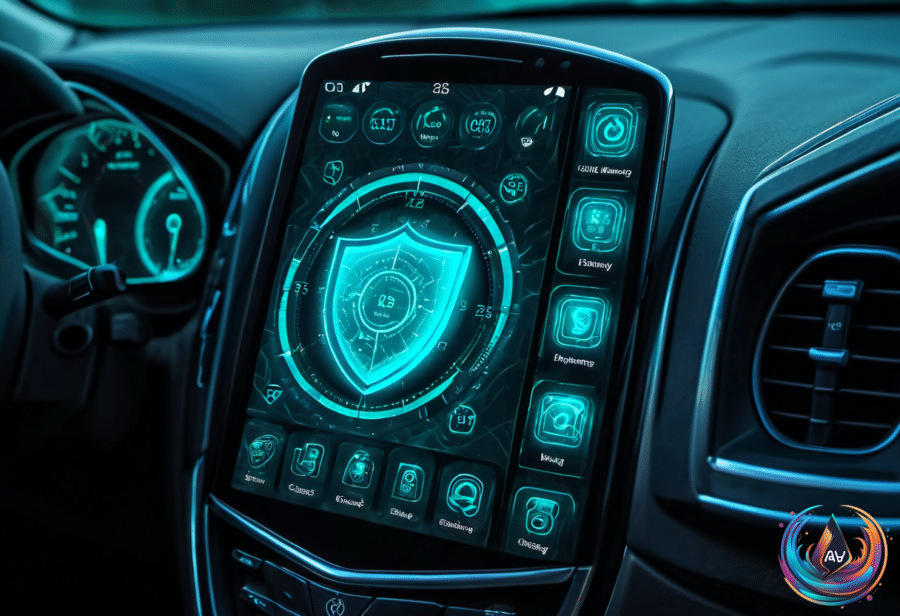
CarPlay follows a different kind of restriction. Most iPhone apps do not appear because developers must add CarPlay support and reformat their interfaces for a simplified dash display. Apple allows categories such as navigation, EV charging, parking, audio, communications, public safety and quick food ordering, while games and social media remain banned.
That explains why apps such as Gmail, Apple Fitness, Calculator and NYT Crossplay may not appear, and why you cannot play Wordle in CarPlay even though Cuphead is playable in a Tesla. Compatible apps must follow Apple’s rules, including restrictions against showing message content and lyrics.
To check the available choices, open Settings > General > CarPlay, tap your car’s name, choose Apps and scroll to the bottom. Tap Plus beside an app, then use the handles to put your most-used apps first. With iOS 27, CarPlay also supports AI voice assistants such as ChatGPT and Perplexity, along with a dedicated Siri AI app. Playback remains limited to when the vehicle is parked, and many infotainment systems cannot play video at all.
Apple’s controls can feel hidden, but they reveal a larger idea: your iPhone, iPad and car display are not fixed tools. Rearrange Messages, build a widget dashboard, protect sensitive conversations and tune CarPlay to the apps that fit your drive. The next useful feature may already be waiting behind one overlooked button.
Based on
- One annoying problem with the iPhone Messages app has an easy fix — engadget.com
- 10 iPad Widgets You Probably Didn’t Realize Existed — engadget.com
- iPhone Lockdown Mode: The Pros And Cons Of Enabling Apple’s Security Feature — engadget.com
- Why Some iPhone Apps Don’t Appear In Apple CarPlay — engadget.com