CarPlay still stops short of being a mechanic. Apple’s platform makes driving more convenient, but accurate car performance data requires an iPhone app, an OBD-II adapter and a willingness to connect the dots yourself.
In 2025, Apple finally rolled out CarPlay Ultra, its long-promised upgrade for compatible cars. Unlike standard CarPlay, which focuses on navigation and music, Ultra can monitor and adjust core car systems and customize the instrument cluster behind the steering wheel—provided that cluster uses an LCD or OLED display.
There is one awkward obstacle: compatibility. Aston Martin is the only automaker with vehicles on the road supporting CarPlay Ultra as of this writing, which makes the upgrade feel less like a platform and more like an exclusive demonstration. The potential is clear, but Apple cannot control a vehicle’s systems when automakers keep the doors closed.
Tracking performance takes more than CarPlay
When you launch the regular version of CarPlay, it is not running natively on the car’s dashboard. You are “projecting” apps from your iPhone, with limited integration into onboard systems such as Bluetooth or EV battery levels in Apple Maps.
For comprehensive data, an app compatible with an OBD-II scanner is the better route. OBD-II is government-mandated in regions like the US and Europe, and technicians use it when you bring a car in for service. iPhone-compatible adapters are easy to find for under $50.
WrenchTime Pro can display live gauges, record trips and flag serious problems, while Pelican combines OBD-II diagnostics with live navigation based on OpenStreetMap. Fuelio tracks fill-ups to show fuel efficiency and costs, and Trip Logbook works as an advanced odometer that records trips manually or automatically, with Siri voice commands through a premade shortcut.
EV drivers get a different kind of useful data from PlugShare. It can plan trips around the requirements of a specific car and locate compatible chargers that are available, an important detail when an EV may occupy a fast charger for anywhere from 20 minutes to an hour.
Automakers have reasons to limit this access. They often prefer drivers to use integrated apps tied to subscription services, while handing data to an iPhone puts it outside the automaker’s control—apart from the raw information OBD-II is meant to share. BMW once tried charging people for CarPlay, and that backfired; still, letting an iPhone dictate a vehicle’s look, feel and functions is a much larger concession than supporting navigation.
CarPlay does more than navigation
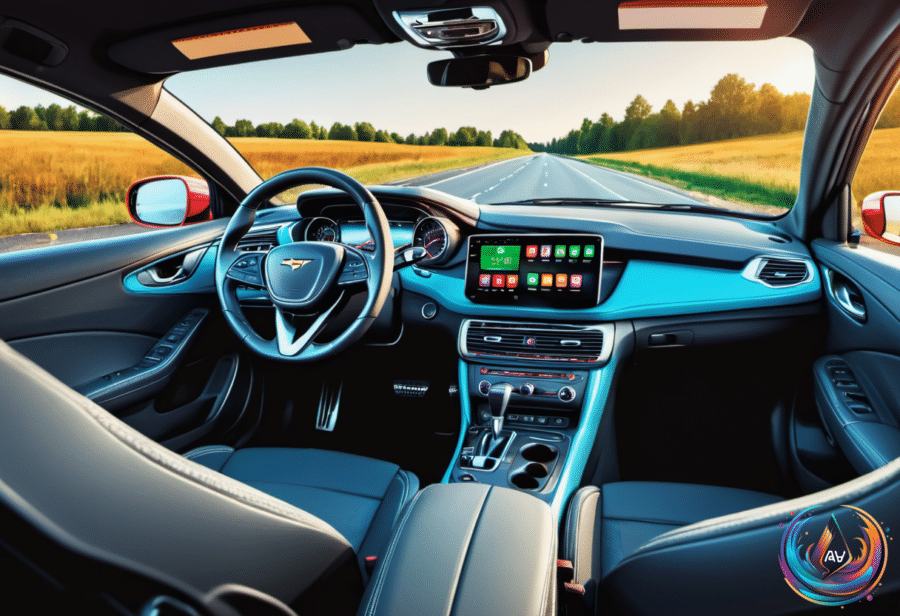
CarPlay supports Maps, Music, Spotify and Waze, along with features that remove small annoyances from driving. It can remember where you parked, plan routes with EV charging stations and let you order from CarPlay-compatible apps such as Dunkin’, Panera and Domino’s without picking up your phone.
SharePlay has been available in CarPlay since iOS 17. Once the driver starts playing something through Apple Music, passengers can join from their phones and control the music; Android users can participate through a browser. The driver needs an Apple Music subscription, while everyone else needs Bluetooth and the latest software.
Siri AI works in CarPlay with an Apple Intelligence-compatible iPhone and handles requests such as finding an address someone sent or playing a song a friend suggested. You can activate it by holding the Home button on the CarPlay screen or saying “Hey Siri” in supported vehicles.
Starting with iOS 26.4 and improved with iOS 27, other AI assistant apps can appear on the CarPlay Home Screen, including ChatGPT and Gemini. They are voice-only, cannot control other apps, cannot play songs or make calls, and cannot replace Siri when you press the steering-wheel voice button. Progress, in other words, remains carefully supervised.
CarPlay can also support gas payments through participating apps. The feature has been available since iOS 16, with Chevron and Texaco among the US chains that support it. Drivers must install the station’s iPhone app, create an account, add a payment method, select the pump in CarPlay and follow the app’s instructions.
Charging station apps work in CarPlay, although mobile payments are not supported by all of them. Parking apps add another convenience: SpotHero covers more than 400 cities across the US and Canada, while EasyPark offers a similar experience in Europe. Apple Pay is not supported inside these CarPlay apps, so payment methods stay on the iPhone.
Updates and Apple Watch support matter
CarPlay runs from the iPhone, so updating iOS is how you update CarPlay. iOS 27, released September 14, added an audio mini-player, a Now Playing progress bar, route sharing with the car’s own screens and video apps for supported cars when parked. Apple also says it improves wireless reliability, navigation heading and GPS accuracy.
iOS 27.2 arrived October 26 with a Podcasts Home tab showing New Episodes and Continue Playing instead of Up Next, while Siri gained the ability to recall past conversations. That upgrade requires an iPhone 15 Pro or later. The latest version listed at the time of writing is iOS 27.2.1 from November 9; iOS 27 requires an iPhone 11 or later or the second-generation iPhone SE.
If CarPlay misbehaves, update the iPhone, restart the phone and car, then go to Settings > General > CarPlay, select the car, tap “Forget This Car” and set it up again. Updating the car’s stereo firmware is Apple’s final troubleshooting step.
An Apple Watch can make navigation harder to miss through haptic feedback. It taps your wrist when a turn is imminent, matches CarPlay’s audio and visual alerts, and can use different vibration patterns for left and right turns. The setting lives in the Watch app under My Watch > Apps > Maps.
The watch cannot run CarPlay by itself—not even Apple Watch Ultra 4. watchOS can provide Apple Maps directions, audio guidance and haptics, but offline maps require downloads or an active cellular plan; Google Maps directions still need an iPhone.
The rest of the useful setup is less glamorous but more practical: phone mounts, braided charging cables, sunglass holders, seat-gap fillers, trunk organizers, dash cams, blind-spot mirrors, emergency kits, jump starters and portable air compressors. Aftermarket Apple CarPlay and Android Auto screens can also modernize older cars, while HEPA-filter air purifiers and sun shades improve the cabin without pretending to transform the vehicle.
Based on
- Monitoring your car’s performance with CarPlay is easier than you think — engadget.com
- 5 Cool Things CarPlay Could Be Useful For — engadget.com
- Why Updating Your iPhone Can Improve Your CarPlay Experience — engadget.com
- This Helpful Apple Watch Feature Works Seamlessly With Apple CarPlay — engadget.com
- 5 Different Types Of Gadgets And Accessories You’ll Want In Your Car — engadget.com