One of the best things about USB is that you rarely need to think about it. Plug in a cable, connect a device, and expect power or data to move—but cable length, port color, wire design, and outdoor exposure can all change what happens next.
The USB Implementers Forum (USB-IF), which defines USB standards, has outlined maximum lengths for different types of USB cables. These limits are guides to best practices, not laws, because the Forum is an industry group rather than a regulatory body. Manufacturers can make longer cables, but exceeding the specifications can hamper performance.
USB Speed Shrinks as Cable Length Grows
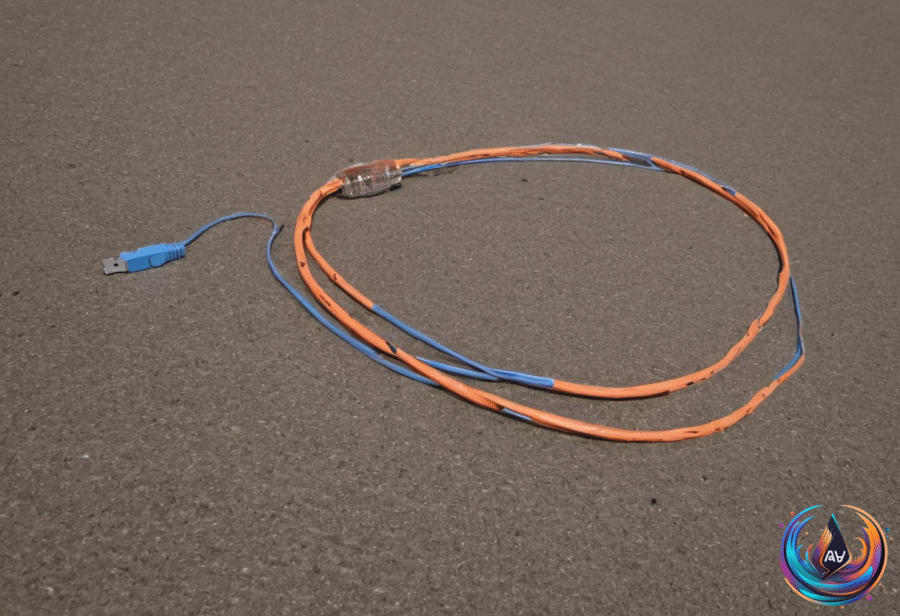
USB transfer speeds suffer with longer cables because a signal degrades as it travels through electrical resistance. Longer cables also face more chances of damage, and that damage can slow transfers even more. The faster the connection or the greater the power delivery, the easier it is to notice the difference.
- USB 1.0 and 2.0: The recommended maximum length is 16.4 feet.
- USB 3.0 through 3.2: The recommended maximum drops to 9.8 feet.
- USB 4: The maximum recommended length is just 2.6 feet.
Whether the cable uses USB-A or USB-C does not change these maximum lengths. A cable that is too long will not suddenly stop working. Instead, it may perform worse than a cable within specification, transferring data more slowly or delivering less power to connected devices.
If possible, reposition the devices so you do not need to exceed the recommended length. When that cannot work, an active USB cable or active USB extender can extend the signal range with built-in components. The tradeoff is clear: active cables cost more, draw extra power from the USB port, and might not work with older ports.
A powered USB hub offers another route. Use the longest supported cable between the hub and computer, then connect devices to the hub. Plugging too many devices into one hub can slow them down, but staying within the USB port’s bandwidth should avoid a noticeable performance difference. Powered hubs are preferable because an unpowered hub can draw power only from the USB port, which can be unreliable.
Orange USB Ports Need a Closer Look
An orange USB port can signal a special feature, but its meaning is not fixed by industry standardization. There is no electronics rule that says orange guarantees phone charging after the computer or other host device turns off. The orange plastic insert usually appears inside a rectangular USB-A socket, yet the color alone cannot promise a charging wattage or a particular data speed.
Some manufacturers describe orange ports as “always-on,” and some of those ports also support fast USB data transfers. Orange ports are often associated with USB 3.0 and speeds up to 5 Gbps, while USB-IF lists orange as the recommended color for SuperSpeed USB 3.0, 5 Gbps USB-A connectors. Even so, each port needs an individual specification check.
Intel and Advantech show why the color cannot answer the whole question. On some NUC PCs, Intel uses orange for an enhanced charging connection that provides up to 1.5 amps, compared with 900 milliamps from the blue ports on those models. Advantech uses orange for high-retention USB connectors, where the withdrawal force is 50 percent greater than a conventional USB connector.
In many color chart comparisons, orange and blue ports both use USB 3.0, supporting data transfer rates up to 5.0 Gbps. But the connected device and cable matter too: not every accessory can match a port’s advertised maximum, and the cable must support those capabilities. Check the specifications when fast charging matters, and check again when fast transfers matter—especially with non-standard colors such as purple.
Why Ethernet Wires Twist—and When Outdoor Cable Matters
Twisted pair wires are not a new technology. The concept is credited to Alexander Graham Bell, and its use began in the 1880s with the first telephone lines in the United States. Many decades later, twisted pair became the industry standard for Ethernet.
Electric current creates a magnetic field around a wire. When two wires sit beside each other in parallel, one field can impede the other signal. Twisting the wires creates an opposing magnetic field that reduces those impediments and helps signals travel at peak speeds.
Most modern Ethernet cables contain four twisted pairs of copper wires. Depending on the amount of information transmitted, not every pair needs to be active, but gigabit internet uses all four. A foil coating around the bundle helps block outside interference, while the different twist rates prevent the pairs from creating new interference among themselves. That interference between wires in the same bundle is called cross-talk.
Twisted pair is already standard in contemporary Ethernet cables, so it is not something most people need to seek out when replacing indoor lines. Outdoor installation demands more attention. Standard indoor cables use flexible PVC jackets that sunlight can fade and crack, exposing internal components and degrading the connection. Rain and temperature changes accelerate the damage, while copper lacks proper protection from lightning strikes and other elements.
For an underground run across a yard, choose a direct-burial-rated cable and confirm that rating on the cable jacket. Outdoor Ethernet cables typically use weather-resistant polyethylene materials such as LLDPE or PE instead of PVC, helping resist ultraviolet exposure, moisture, and temperature swings. Direct-burial cables also handle long-term moisture and soil pressure, and some use water-blocking tape, powder, or gel.
A short exterior run to an outdoor access point can use Cat6 outdoor-rated Ethernet cable. Secure exterior runs with cable clips, avoid sharp bends, and look for markings such as “CMX,” “OSP,” “UV-resistant,” “sunlight-resistant,” or “outdoor.” PE, HDPE, or LLDPE jacket material can help confirm the intended use, while color and category labels alone cannot.
The National Electrical Code requires communications cables installed in buildings to be listed and marked. UL guidance says outdoor-rated cable is marked “outdoor” or “outdoor use,” and its documentation should state whether it is approved for direct burial or wet locations. An unlisted outdoor cable generally cannot run more than 50 feet inside before transitioning to an indoor-rated cable.
Install surge protection at both ends of an exterior cable, check local rules for conduit, depth, and permitted cable types, or avoid outdoor copper risks with outdoor-rated fiber optic cable. The connected equipment still needs protection from the elements, but the right cable markings and a shorter run can prevent a small connection problem from becoming a much bigger one.
Based on