In 2001, moving a file between computers could feel like packing for a trip. If the file was bigger than 1.44MB, the 3.5-inch floppy disk was out. An entry-level PC had a hard drive holding about 10GB, and that storage cost less than $60, or around $6 per gigabyte.
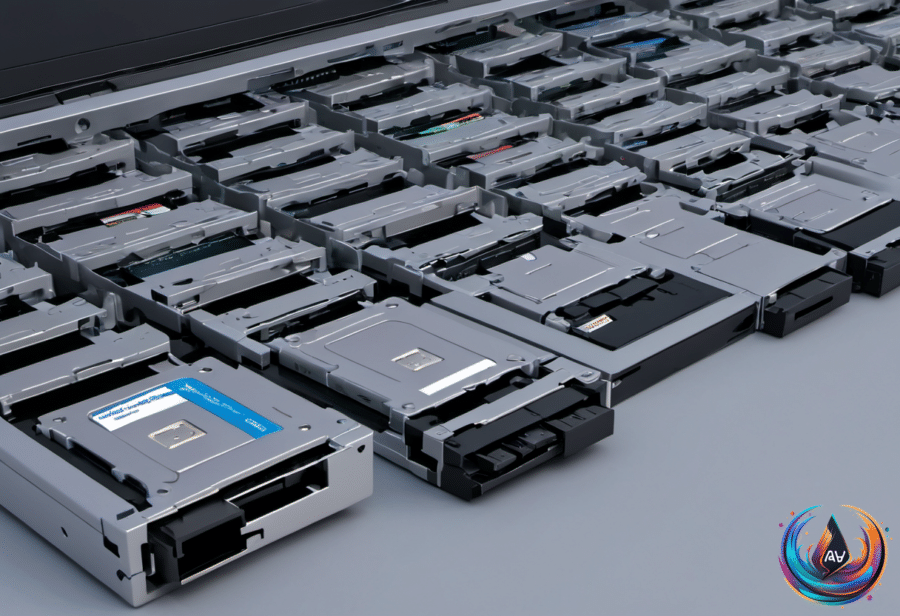
Today, Seagate produces 44TB hard drives at volume. That is 4,400 times the size of a 10GB drive from 2000. Consumer hard drives reach around 24TB to 30TB, consumer SSDs reach around 8TB, and commercial hard drives go as high as 44TB. Much of the data people use now sits on commercial drives in data centers they will never see.
When storage lived in drawers
Floppies ruled portable storage in the early 2000s, even though the format had already begun to fade. Apple removed the floppy drive from the iMac in 1998, but Sony was still selling tens of millions of disks per year in 2002. The format remained familiar enough that the floppy symbol still serves as the save icon in many programs, and one YouTuber even created a floppy from scratch.
Mass-market floppy production ended in 2011, when Sony, the last major manufacturer, stopped making them. They still serve some industries, including air traffic control, though the Federal Aviation Administration has said it will phase them out by 2028.
For people who needed more space, Iomega’s Zip drive offered an upgrade. It launched in 1995 at $199 and used 100MB disks costing about $20 each. A drive defect could make the mechanism click over and over while trying to read a damaged disk, creating the infamous “click of death.” Iomega faced a class action lawsuit over the problem in 1998.
CDs, with about 700MB of capacity, helped finish off both floppies and Zip disks. CD-ROMs were taking over, and in 2001 a Pioneer DVR-A03 burner retailed for close to $1,000. Then flash storage changed the meaning of portable files.
The flash drive and the cloud
Singapore’s Trek called its small USB device the ThumbDrive, while IBM sold a DiskOnKey designed by Israel’s M-Systems. Early flash drives held only 8MB, roughly five floppies’ worth of space, but they hung from a keyring and plugged straight into a USB port without a driver or burning software. They used flash memory, which made carrying files far simpler.
By February 2003, Dell had stopped including floppy drives as standard in its Dimension desktops and offered a 16MB USB key for $20 instead. A Dell spokesperson told eWeek, “There’s a percentage of our user base that can’t remember the last time they’ve used [floppy drives].” The flash drive still had one weakness: you could lose it or leave it plugged into a computer for someone else to find.
Amazon’s S3 offered a different answer in 2006 by renting server space for 15 cents per gigabyte per month. It targeted developers at first, but Dropbox used the same infrastructure when it launched in 2008 with 2GB of free space. A folder could copy itself to every computer you owned, removing the need to burn, carry, label, and lose physical media.
Cloud storage remains convenient, but local storage still has clear advantages. External hard drives and USB flash drives do not need an internet connection or time for uploads. Cloud services such as iCloud and Google Drive can sync photos, videos, contacts, and other files across devices, while services such as Google Docs let people collaborate and leave comments in real time.
Cloud providers keep copies across multiple servers and data centers, and accounts can use passwords and two-factor authentication. But an outage, slow connection, or provider problem can block access when you need a file. Cloud storage also comes with recurring fees: Apple charges $9.99 per month in the United States for 2TB of iCloud+, which comes to nearly $240 over two years. A 2TB SSD costs around $290 and does not require more payments, though it can be lost or damaged.
More storage, faster connections, familiar ports
USB-A is still common, but the letter does not describe speed or charging power. It simply identifies a Type-A connector. USB stands for Universal Serial Bus, and the USB Implementers Forum uses A, B, and C to distinguish physical connections and power or data delivery. A USB 2.0 connection tops out at 480 Mbps, while faster USB-A versions support 5 Gbps or 10 Gbps.
A USB-A cable might handle charging only, or it might transfer data and charge devices. Check the markings beside the port or the computer manual before connecting an external SSD. A teal port often signals a faster connection, though port colors are not universal. USB-C is taking the lead because its connector is reversible, smaller for laptops, and ready for USB4 capabilities, but there is no reason to replace a USB-A keyboard, mouse, or flash drive that still works.
Home internet also changed the storage experience. In 2001, about half of American households had internet access. Unlimited dial-up cost $21.95 per month from AT&T WorldNet and EarthLink, while AOL raised its fee from $21.95 to $23.90 in May. Dial-up reached 56 kbps. Cable broadband averaged $39.40 per month, and DSL averaged $47.18 in January before rising to $44.22 and $51.67 by the end of the year.
In 2026, average American home internet costs $81.16 per month, with a median download speed of 116.34 Mbps. Ziply Fiber starts at 2 Gbps and reaches 50 Gbps in some areas, though the 50 Gbps service costs $900 per month plus a $600 installation fee. Measured against buying power, the $51.67 DSL bill from 2001 equals about $100 today, so modern networks deliver far more speed for the money.
Even computer timekeeping carries old limits. Unix counts seconds from January 1, 1970 at midnight UTC, which is why that date can appear in file metadata, apps, and error screens. Traditional Unix time reaches its limit on January 19, 2038 at 3:14:07 AM UTC, when older 32-bit systems may show December 13, 1901. Modern 64-bit systems can count for 292 billion years, while NTP corrects clock drift through internet time servers.
The journey from a 1.44MB floppy to a 44TB hard drive is not just a story about bigger numbers. It is a shift from carrying storage to accessing it, with faster ports, better networks, and cloud accounts changing where our files live.
Based on
- What data storage looked like in the early 2000s vs. today — engadget.com
- What’s The Meaning Of The “A” On Your USB-A Ports? — engadget.com
- The Pros And Cons Of Using Cloud Storage Over Local Storage — engadget.com
- How Much Did Home Internet Cost In 2001 Vs 2026? — engadget.com
- Your New Tech Is Still Stuck In The Year 1970 — Here’s Why — engadget.com