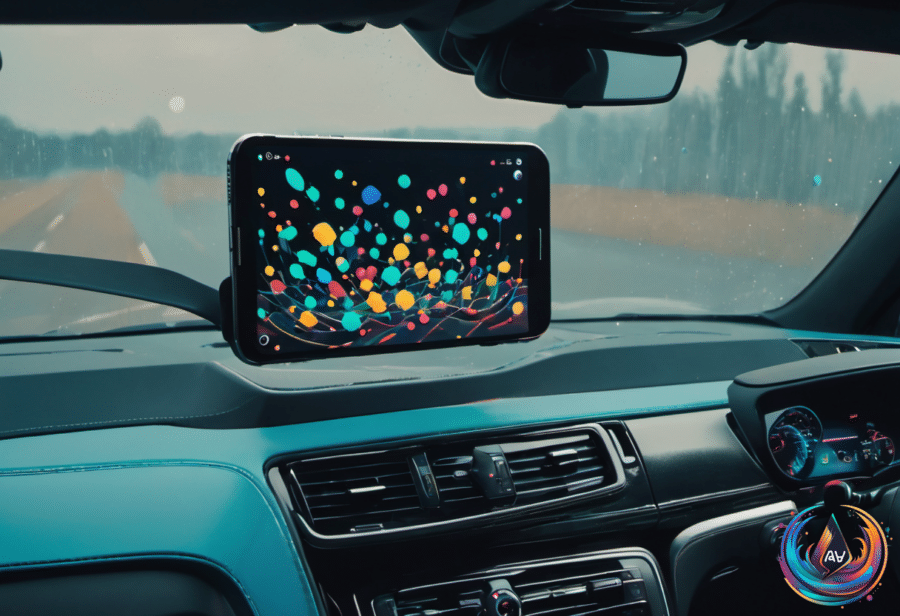
Car sickness can turn a simple journey into an uncomfortable challenge, but Google has launched a feature designed to help passengers feel more in sync with the movement around them. Motion Assist uses an Android device’s sensors to place visual cues on the screen, giving your eyes movement that matches what your body feels inside a moving vehicle.
The idea is simple, but the experience could change how passengers handle motion sickness. As a car turns, accelerates, or moves through the road, shapes on the phone screen shift with those maneuvers. Google says Motion Assist helps “your brain synchronize what your eyes see with what your body feels.”
How Motion Assist Connects Screen Movement With The Road
Motion sickness can happen when what your eyes see does not match what your body senses. Motion Assist addresses that mismatch by using the device’s motion sensors to move shapes across the screen based on the car’s maneuvers. The visual cues give passengers another signal that follows the vehicle’s movement.
This feature is built for people riding in a vehicle, not the person controlling it. Google asserts that Motion Assist is meant for passengers, so do not try to use it if you are the one driving. That distinction matters because the feature places moving shapes on the display and requires attention from the person using the phone.
Google has been rolling out some interesting new features — and one of them is called Motion Assist. The feature is available on Android devices running Android 17 or higher with updated Google Play Services.
Samsung phones have one more requirement: they must run One UI 9 to use Motion Assist. The feature also appears in the device settings, giving eligible users a direct way to turn it on and adjust its behavior.
How To Turn On Motion Assist
Activating Motion Assist takes a trip through the phone’s settings. Users can open Settings, choose All services, and then find the option in the Personal & device safety menu. From there, they can toggle Motion Assist on.
Users can also set Motion Assist to start automatically when the device detects that it is in a moving vehicle. That option removes the need to search through settings before every ride, giving passengers a way to prepare the feature before motion sickness begins.
Google recommends adding Motion Assist to Quick Settings for easier access. With the feature placed there, passengers can reach the control without moving through the full settings path each time.
- Open Settings.
- Select All services.
- Open the Personal & device safety menu.
- Toggle Motion Assist on.
- Add it to Quick Settings for easier access.
Customize The Visual Cues For Every Ride
Motion Assist does not lock users into one visual setup. The Customize menu lets users change the colors, opacity, and shapes of the visual cues shown on the screen.
That control gives passengers a way to choose the display that works best for them. Users can make the cues easier to see by changing their colors or opacity, or they can select different shapes for the moving signals.
There is also a Randomization option. When enabled, it changes the colors and shapes as they are used, adding variation to the visual cues instead of keeping the same combination on every ride.
Motion Assist arrives as Google brings a sensor-based answer to a problem that has also drawn attention from Apple, which unveiled Vehicle Motion Cues in 2024. Google’s approach places its visual movement feature inside Android settings and connects it to compatible devices running Android 17 or higher.
The result is a feature passengers can activate, customize, and place within easy reach before a journey begins. With Motion Assist, a phone becomes more than a screen to watch during a ride: it becomes a visual link between the road’s movement and the body’s sense of motion.