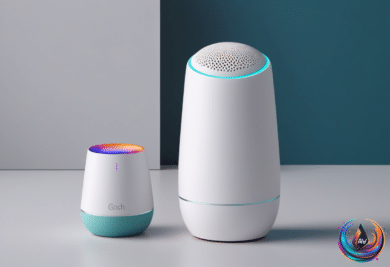
Apple is giving the lights on top of its HomePod speakers something new to do. With Sound Glow, the top of a compatible HomePod displays colorful animations that move with music, podcasts, and Apple’s ambient sounds.
The feature arrives with HomePod Software 27.2 and debuted following the launch of the HomePod mini 2. It is not limited to that newest model, though. Sound Glow also works with the original HomePod mini and the HomePod 2, giving those speakers a new visual feature without adding a traditional display.
What Sound Glow does
HomePod has always had lights on top, but they have had a limited job. The lights glow when Siri is listening or when something is playing, while the touch-sensitive surface gives users quick controls such as volume and play/pause.
Sound Glow uses that same top panel in a more playful way. When you play a song, the speaker pulls colors from the album artwork and pulses them in time with the beat. Apple says the animation reacts in real time to the song’s bass and treble, so two songs from the same album can produce different patterns and colors.
The examples make the idea easy to picture. Taylor Swift’s The Life of a Showgirl produces mostly green and orange lights, while Miley Cyrus’s Endless Summer Vacation turns the HomePod blue. The effect follows the music instead of showing one fixed color.
Sound Glow is not limited to songs. It also works with podcasts and Apple’s ambient sounds. The Rain soundscape uses an animation with a gentle pitter-patter effect, matching the sound with moving light.
Songs without artwork or videos return to the HomePod’s standard white light. Once the feature is enabled, the changes happen automatically as you listen, so there is no need to choose colors or adjust the animation for every track.
There is one practical limit: Sound Glow will not light up an entire living room. The lights are not bright enough for that unless the room is completely dark. This is a small visual addition to the speaker, not a replacement for room lighting.
Which HomePods support Sound Glow?
Sound Glow works with the HomePod mini 2, the original HomePod mini, and the HomePod 2. The original HomePod released in 2018 does not support the feature, even though it can update to the latest HomePod software.
You also need an Apple Intelligence-enabled device paired with your HomePods. That means an iPhone 15 Pro or newer, an M1 Mac or newer, or one of the latest iPads. An Apple TV running tvOS 27 can also enable Sound Glow on your HomePods.
The software must be current across the devices. HomePod Software 27.2 or later is required on the speakers, while an iPhone or iPad needs iOS 27.2. HomePods usually update on their own after a while, but you can check their status in the Home app from another Apple device.
How to turn Sound Glow on
Start by checking for updates in the Home app. Tap the three-dot button, choose Home Settings, and then look for the Software Update menu. This is also worth doing with a brand-new HomePod mini 2, since it may still need an update before Sound Glow appears.
After everything is up to date, return to the Home app’s main screen and tap the HomePod you want to configure. Go to Settings, scroll down until you find the Sound Glow toggle, and flip it on.
You must repeat those steps for each HomePod individually. Enabling the feature on one speaker does not turn it on for every HomePod in the home.
To test it, ask Siri to play a song or use AirPlay on an iPhone. The top of the speaker should begin showing colors and movement that match the audio. Podcasts and Apple’s ambient sounds can also show the feature, including the rain-style animation from the Rain soundscape.
Turning Sound Glow off uses nearly the same process. Open the Home app, select the HomePod, go to Settings, find the toggle, and switch it off.
Sound Glow is not a game-changing feature, but it gives the HomePod’s underused lighting a clear purpose. The top panel already showed when Siri was listening or audio was playing; now it can also respond to the sound itself, adding a small burst of color to music and ambient audio.
Based on
- What is Sound Glow on HomePods, and how do you get it on your Apple speaker? — engadget.com
- Apple HomePod Mini 2 Review: A Necessary, But Underwhelming Update — engadget.com
- How To Set Up Surround Sound With Apple TV 4K And HomePods — engadget.com
- Setting Up An Apple HomeView Is Ridiculously Easy Thanks To Your iPhone — engadget.com
- Apple HomeView audio review: Good sound, weird CarPlay apps | The Verge — theverge.com