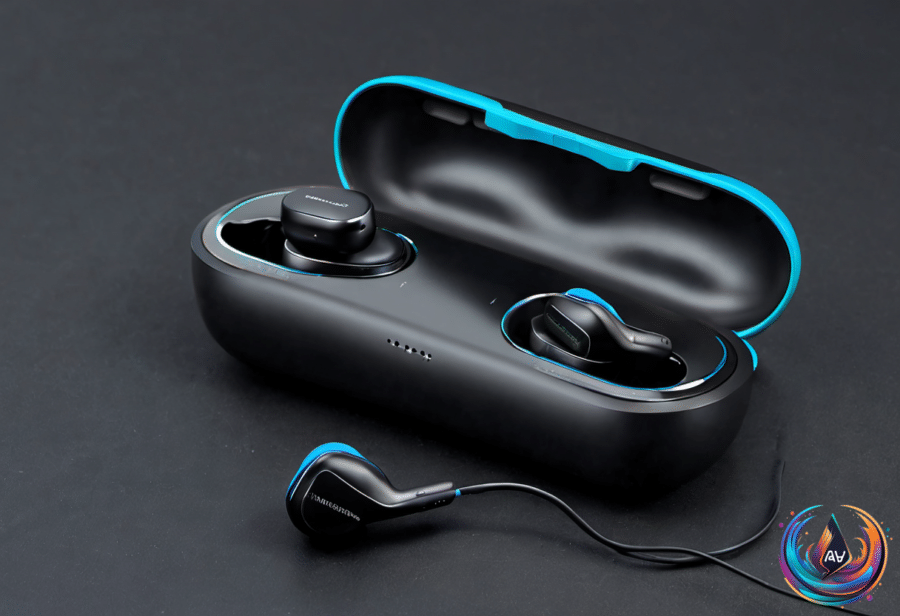
Your headphones may be excellent, but they are only one part of the sound you hear. Android sends audio through a chain of software and hardware, and every layer can reshape the signal before it reaches your ears.
The good news is that Android gives you several ways to improve audio quality, whether you use wired headphones, Bluetooth earbuds, old speakers with a TV, or AirPods connected to a Samsung Galaxy phone. The best setup depends on what you want to preserve: sound quality, convenience, features, or all three.
Why Android Audio Changes Before You Hear It
Digital audio is deceptively complex. Your phone turns sound waves into code, processes that code, and then turns it back into sound waves through wired or Bluetooth playback devices, or the phone’s speakers.
The signal starts with the app playing your media and moves into Android, where a service called AudioFlinger passes it through layers such as the mixer. AudioFlinger also samples and downmixes the audio. The signal then reaches the interface, technically known as the hardware abstraction layer, or HAL, which sends it to the final hardware.
By default, Android processes audio in 32-bit floating point, then outputs it at 48kHz with either 16 or 24 bits of depth. Since most lossless audio available to consumers tops out at 24-bit and human hearing sits below a 48kHz threshold, most people will be satisfied with this standard path.
Still, the Android system is almost always making adjustments. Mathematical precision in audio is known as bit perfection, and bit-perfect audio remains untouched by mixing, resampling, or other changes along the audio chain. If the file you hear is mathematically identical to the one in your player, it is bit-perfect.
The Easiest Route to Cleaner Phone Audio
Start by turning off extra processing. Disable any EQ in your device settings, Dolby or other spatial enhancements, and anything else that may affect the audio signal. EQing your headphones changes the signal before it reaches your ears, so every added effect becomes part of the final sound.
Wired headphones offer the easiest path when you want to avoid Bluetooth codec concerns. Bluetooth headphones and earbuds must handle wireless audio codecs, while wired headphones do not need to bother with finicky Bluetooth codecs.
Starting in Android 14, an app can address the mixer directly and tell it whether audio should pass through the mixer as usual or go through the audio framework directly to the HAL. That does not guarantee bit-perfect playback, because every layer must support the process.
- The phone maker must implement lossless USB audio.
- The player app must support the same process.
- The DAC must natively support the sample rate of the files.
That is why a great pair of headphones or in-ear monitors alone is not enough. The phone, operating system, player app, DAC, and playback device all take part in the result.
Earbuds, Headphones, Speakers, and AirPods
Earbuds are smaller and less complex to build than headphones, which translates into a smaller price tag. Their drivers create the sound, and larger drivers cost more, while headphones tend to use larger drivers. Headphones also need adjustable headbands and padding around the earcups, adding materials that can raise the price.
Portability drives the appeal of earbuds. True-wireless stereo earbuds accounted for 68.2% of revenue in the earbud and headphone market in 2025, with lightweight designs, improved battery life, and spatial-audio rendering helping push demand. Earbuds can be easier to lose, but some people prefer headphones for longer listening sessions or a better fit.
Noise cancellation adds another difference. Active noise-cancelling earbuds exist, but their performance can depend on how well they fit. ANC removes ambient outside noise, while noise isolation uses a secure seal in or over your ears and does not need power.
Old speakers can also transform a TV setup for little money, but the connection depends on the speaker type. Active speakers have a built-in amplifier, while passive speakers need an amplifier matched to the rating printed on the speaker.
Check the TV for an output labeled “audio out,” “line out,” or “headphone.” A 3.5mm-to-RCA cable or adapter handles mismatched connectors, while an optical output needs a digital-to-analog converter. If the TV uses HDMI ARC, a streaming amplifier with an HDMI ARC input can receive the digital signal and power passive speakers in one box. The WiiM Amp Ultra is one example, though it handles stereo PCM and Dolby Digital but not DTS.
USB-powered PC speakers need separate power and audio connections. A standard USB 2.0 port supplies 5V at 500mA, or 2.5W, enough for small desktop speakers at modest volume. Some TV ports provide just under 1A, or 900mA. If speakers cut out when the volume rises, the port may not provide enough power.
AirPods work with Android as Bluetooth earbuds, but most of their smart features remain tied to Apple devices. On a Samsung Galaxy phone, you must connect them manually through Bluetooth settings. As Apple puts it, “you can’t use Siri, but you can listen and talk.”
Automatic device switching, ear detection, Spatial Audio head tracking, the Ear Tip Fit Test, Live Translation, hearing health tools, firmware updates, and Find My depend on an iPhone, iPad, or Mac. You also cannot customize AirPods settings without an Apple device, including the press-and-hold action, automatic ear detection, Adaptive Audio, Conversation Awareness, and Personalized Volume.
AirPods Pro 3 cost $249, the same as Samsung’s Galaxy Buds 4 Pro. A Galaxy phone paired with the Galaxy Buds 4 Pro can use Auto Switch between Samsung devices, 360 Audio, and 24-bit/96kHz audio over Samsung’s Seamless Codec, which requires One UI 6.1.1 or later.
That makes the choice clear: AirPods remain usable on a Galaxy phone, but they become a pair of good Bluetooth earbuds rather than the full product they are on an iPhone. For Android listeners, the strongest upgrade starts with disabling unwanted processing, choosing wired audio when possible, and matching every part of the signal chain to the sound you want.
Based on
- How to improve audio quality on your Android phone with Bluetooth or wired headphones — engadget.com
- Why Are Earbuds Usually Cheaper Than Headphones? — engadget.com
- Don’t Throw Away Your Old Speakers — Use Them For Your TV Instead — engadget.com
- What Features Do You Lose If You Use Apple AirPods With A Samsung Galaxy Phone? — engadget.com