Your phone can do much more than make calls, display apps, and play videos. It can handle documents, connect with other devices, protect itself from threats, and help bring order to a contact list that has grown out of control.
The trick is knowing which features match the way you use your phone. A dedicated PDF reader may be unnecessary for a restaurant menu, while it can save time if you sign forms or add notes. A clamshell foldable may suit someone who wants a compact phone, while a book-style model makes more sense for videos, games, and work. Samsung users also have tools for sharing controls, audio, and files across devices, while a few contact-list changes can make driving and daily calls less distracting.
When a Dedicated PDF Reader Makes Sense
PDF stands for Portable Document Format. Adobe developed the file type in the 1990s to share documents across different hardware and software platforms, and PDFs are now maintained under the auspices of the International Organization for Standardization.
Most smartphones can display PDFs with software that came pre-loaded by the company. A PDF reader is a more specialized program that offers tools beyond opening and displaying a file, so you do not need one just to read a document.
If you are checking a restaurant menu, your gym’s class schedule, or a work document, the phone’s default option may be enough. A specialized reader can offer better ways to resize and view pages on a small screen, though. That can matter if you have vision issues, get headaches from reading on a screen, or dislike the default viewer.
The strongest reason to install a PDF reader is wanting to do more than read. Filling out forms, adding signatures, and marking a document with notes or highlights are tasks that suit a dedicated program. Paid software can add more tools for editing and creating PDFs, and setting it as the default can save time when those tasks are part of your personal or professional phone use.
Security still matters. PDFs and PDF readers can become targets for hackers, so trust the source before downloading software or opening a document. A reader from a reputable developer should be safe when you avoid files that contain malware. A small amount of care can keep unwanted software away from your phone.
Choosing Between Foldable Phone Designs
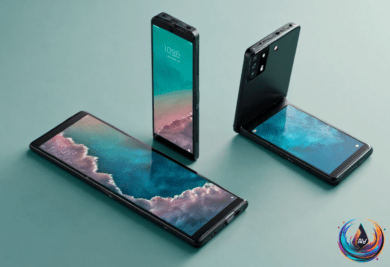
Foldable phones come in two main forms: clamshell phones and book-style phones. Neither is better for everyone. The right choice depends on what you want the phone to do.
Clamshell designs recall early flip phones. They are compact, square devices that open from bottom to top and reveal a traditional bar-style phone. Newer models add a front screen for glanceable information, unlike the small monochrome screens found on some flip phones in the early 2000s.
That outer screen can show incoming messages and calls, the time and date, weather, calendar details, and, on some models, more apps. You can check what you need without opening the phone, which helps reduce distractions. The smaller design also makes a clamshell easier to operate with one hand.
Book-style foldables resemble a traditional bar phone when closed, though they are thicker. An outer screen handles basics such as messaging, notifications, and apps. Open the device from right to left like a book, and a larger, tablet-sized screen appears.
That larger display suits videos, books, games, web browsing, and work. Widescreen and split-screen views support productivity on the go, including drag-and-drop actions. Book-style foldables can feel more premium, but they are larger and bulkier, with more complex mechanical designs that require extra care. A good case should protect the hinge.
Both designs offer special advantages from having two screens. They can support two-sided live translations and let the outer camera preview photos. They can also act as their own stands in an upright or tented position for photos, video calls, and other uses.
Book-style foldables are becoming more popular, and research indicates they may surpass clamshell shipments in 2026. Premium devices with more memory are attracting buyers during the memory shortage, and one device that works as both a phone and a tablet is appealing. The tradeoff is battery use: book-style models must power two large screens. Clamshell phones are smaller, but they offer less power and less screen space.
Samsung Tools for Connected Devices and Security
Samsung’s Galaxy smartphones are the world’s most popular Android smartphones, and One UI adds features that are not available elsewhere. One UI 9 is the most recent version of Samsung’s skin built on Android 17. The features described here were tested on One UI 9 and One UI 8.5, though not every Samsung phone will receive those versions. The features are also available on One UI 8, which some older devices support.
Multi Control lets you connect a mouse and keyboard to one device and use them across Galaxy devices and a Windows PC. You can move the pointer between devices, type into text boxes, and drag files between them. It can also share a mouse and keyboard between a phone and tablet without a PC. Until recently, PC support was limited to Samsung computers such as Galaxy Books, but the feature now works with any PC.
Samsung also includes several audio tools. Separate App Sound lets you route specific apps to chosen outputs. Open Settings > Sounds and vibration > Separate app sound, choose an app, and select its output device.
Good Lock, available through the Galaxy Store, is Samsung’s customization suite. It contains downloadable plugins—23 at the time of writing—that each provide a bundle of settings. Its Sound Assistant module includes Multi sound, which lets selected apps play audio at the same time as other apps. Choosing “All apps” prevents apps from pausing other audio across the system.
Music Share lets other devices use your phone’s Bluetooth connection after you connect a Galaxy device to a Bluetooth speaker and enable Music Share from the Quick Panel. The speaker appears on another phone as “[speaker name] via [your name].” By default, only contacts can send pairing requests, and you must approve them. Music Share disconnects a device after 10 minutes without audio, but you can change that to five minutes, 30 minutes, or never.
For protection, Auto Blocker prevents app installations from outside the Play Store and blocks USB commands from reaching the phone. It can turn itself back on after you disable it, including after a temporary change to install an APK. Maximum Restrictions blocks device admin apps that can execute commands remotely, prevents USB connections beyond charging, blocks automatic connections to insecure Wi-Fi networks, and blocks 2G connections that can be spoofed by law enforcement tools such as Stingrays.
A Cleaner Contact List Is Safer and Easier
Phone contacts can grow messy over time. On an iPhone, contacts sync to iCloud by default. On Android, they sync to a Google account. Adding accounts such as Yahoo or Outlook gives you the option to pull in contacts from those services too.
Some Android phones let you save contacts on the device, but that means manual backups and a risk of losing them if the phone breaks. Google Contacts offers cross-device syncing and automatic management tools, including alerts for duplicate entries and a Merge & fix tool. iCloud contacts also support grouping people into categories such as work, family, and businesses.
Create a Favorites group for the people closest to you so they receive priority in the Phone app and can bypass Do Not Disturb or Focus modes. If you are unsure about a contact, place that person in a group called “Archive” or a similar name instead of leaving the entry in your main view.
Add last names when several contacts share a first name. This matters with Apple CarPlay and Android Auto, where an uncertain name can force you to confirm it and create another distraction. Profile photos can help too, while birthdays, addresses, custom ringtones, text tones, and notes add useful detail. Addresses can open in Apple Maps or Google Maps by entering the person’s name.
After handling the biggest changes, you can tidy the rest over time. Export the cleaned-up contacts and save the file somewhere safe as a backup.
Based on
- What is a PDF reader and do you really need a dedicated one on your phone? — engadget.com
- Book Vs Clamshell Foldable Phones: Which Is Better For Your Everyday Needs? — engadget.com
- 5 Samsung One UI Features You Won’t Get With Other Android Phones — engadget.com
- How To Declutter Your Phone’s Address Book And Remove Unnecessary Contacts — engadget.com