“Just because your devices live together doesn’t mean they should share everything.” That idea sits at the center of smart home networking, but separating gadgets is not always the clean fix it sounds like. A smart home can become more reliable and safer with the right network setup, yet the wrong split can make accessories disappear from apps and automations.
Setting up an ideal smart home experience can be tricky because every accessory has to communicate with the internet, other devices, or both at some point. Even accessories that work offline still need a dependable local connection. If the network is poorly configured, devices can drop out, routines can fail, and security risks can grow.
Separate networks offer protection, with real tradeoffs
One option is to place smart home devices on their own network. A guest login can help prevent hackers from using a vulnerable accessory to reach more sensitive devices, such as a phone or laptop. Smart home products can have serious weaknesses, along with risks such as strangers spying on a home, so the security benefit is clear.
But guest networks are designed to keep devices apart. That can stop a smart lock, camera, phone, or controller from talking to the device it needs. If you want to configure an accessory manually, you may have to move your phone or tablet away from its normal network. Reconfiguring dozens of accessories can become a serious hassle, especially as AI and smart home technology connect more devices.
Splitting wireless bands creates another possible solution. Moving accessories to a separate 2.4 GHz network can help with range because 2.4 GHz reaches farther than 5 and 6 GHz. That extra reach matters more than speed for outdoor devices such as locks, string lights, and security cameras, where a stable connection translates into better reliability.
Still, do not separate networks automatically. If connections work well, moving everything to 2.4 GHz is busywork. Devices on separate 2.4 and 5 GHz names should communicate in theory, but router settings can prevent that. Some accessories also require 5 GHz, which makes band splitting unworkable.
Mesh Wi-Fi solves coverage, but complicates setup
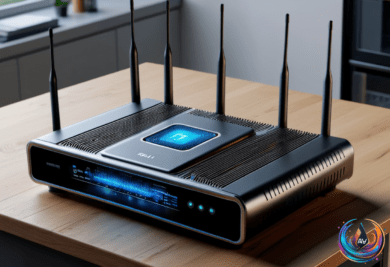
Mesh Wi-Fi is the better answer when dead zones cause the trouble. Each satellite router repeats the gateway router’s signal, and a two-pack such as Eero 7 can cover up to 4,000 square feet in theory. You can add another compatible router when more coverage is needed, making mesh useful in multi-floor homes or places with a backyard, detached shed, or garage.
Mesh systems also hand devices from one unit to another without separate network names. That avoids manual network selection and keeps connections steady as devices move around. A standalone router has a fixed coverage radius unless you add an extender, while metal and concrete can create slow or dead zones.
The catch is that mesh depends on one unified network name with automatic band steering. You cannot assign separate names to each frequency band, and cheaper 2.4 GHz-only accessories may not be detected by a phone or tablet connected through 5 or 6 GHz. Mesh can also suffer when the router-to-router backhaul shares the same bands used by connected devices. If you cannot afford a tri-band or quad-band system, mesh may make little sense unless filling dead zones is the main goal.
Most apartments should be covered by a standalone router unless specific speed or range problems say otherwise. Place it near the center of the home and keep it unobscured. A small multi-floor home may also need only one router, so saving the money for a faster model can be the smarter choice.
Smart home platforms add another layer
Using one brand sounds simple, but an all-in-one brand setup is usually impossible. Companies often focus on one product category, so a smart lamp maker may not produce robot vacuums too. Amazon Alexa, Google Home, and Apple Home are designed for multi-brand pairing, while Home Assistant can unite many platforms under one open-source system.
Home Assistant suits more tech-savvy users, including people comfortable installing a hub on a Raspberry Pi. Matter offers another path: an accessory that supports it can connect to Amazon Alexa, Google Home, or Apple Home through a Matter controller, often a hub, smart speaker, or smart display. The tradeoff is that Matter pairing may provide generic features instead of every function offered by a brand’s own platform.
Zigbee, Z-Wave, and Thread hubs can also connect products from different brands, but compatibility is not guaranteed. The Philips Hue Bridge, for example, pairs only select third-party Zigbee bulbs and may not provide every feature. Alexa and Google Home work on iOS and Android, while HomeKit is exclusive to Apple devices. Picking one platform and staying with it is usually easier.
When the network itself is the problem
Ethernet is supposed to be two or three times faster than Wi-Fi, but a wired connection can still lose to a fast wireless one. Old cables, damaged contacts, incorrect wire twists, outdated drivers, power settings, malware, or an ISP speed cap can all limit performance. Use at least Cat5 cable, avoid copper-clad aluminum, and choose pure copper from a reputable brand.
Try another cable, router port, and device, then run speed tests over Ethernet and Wi-Fi. Check for a green connection light, compare the result with the speed promised by the ISP, and update the router and network adapter drivers. Windows users can inspect link speed in Network and Internet settings, while Apple users can check the Network page. Energy-Efficient Ethernet and Windows power management can also affect speed.
Wi-Fi may also pause because of radar protection. “That’s Dynamic Frequency Selection, or DFS, in action.” DFS makes a router share parts of the 5 GHz band with military radar, satellite communication, and weather radar. In the United States, a router must listen for 60 seconds before transmitting, stop within 10 seconds after detection, and remain off the channel for 30 minutes.
The FAA operates 45 Terminal Doppler Weather Radar systems protecting 46 airports, including JFK, O’Hare, Dallas, and Denver. These systems transmit between 5600 and 5650 MHz, and the radar has protected airports from wind shear since 1994. In August 2019, the FCC proposed $25,000 fines against Boom Solutions, Integra Wireless, and WinPR after equipment interfered with radar at San Juan International Airport; WinPR’s penalty was confirmed that November and Boom Solutions’ in early 2020.
DFS channels are legal and enabled by default, but homes near airports or military bases may see interruptions. Channels 36 to 48 and 149 to 165 are radar-free in the United States. Turning DFS off can improve stability, but it removes access to the fastest 5 GHz connections, including 160 MHz channels. The best network is not the most complicated one. It is the setup that gives every device enough range, access, and protection to do its job.
Based on
- Should you keep your smart home gadgets on a separate home network? — engadget.com
- The Pros And Cons Of Using Mesh Wi-Fi — engadget.com
- Building A Smart Home Across Different Brands? Here’s What You Should Know — engadget.com
- The Weird Reasons Why Your Ethernet Cable Might Be Slower Than Your Wi-Fi — engadget.com
- Military Radar Can Make Your Router Switch Wi-Fi Channels – Here’s Why — engadget.com