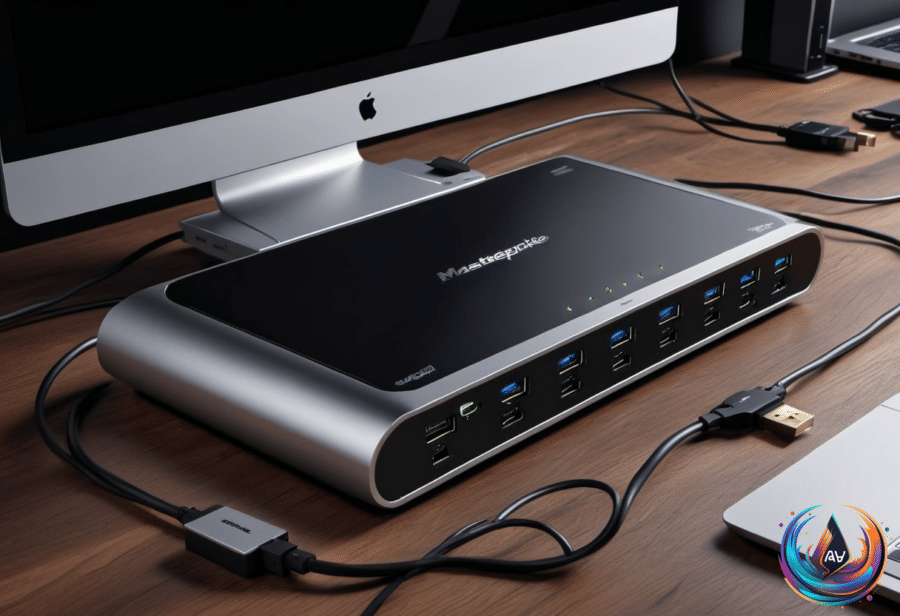
Keychron is pushing beyond keyboards and mice, and its next desk peripheral has arrived with serious ambitions. The Thunderbolt 5 Dock packs 14 connections, high-speed data transfer, multi-display support, and enough power delivery to make a crowded desk feel far more capable.
That combination makes this much more than a basic port expander. At $350, the dock targets people who need one central connection for a PC or laptop, multiple displays, storage devices, networking, and accessories.
A Bigger Move Beyond Keyboards
“Keychron is best known for its mechanical keyboards that democratized higher-end customization and functionality,” James Trew writes. The company expanded that philosophy into mice with similar success, and now its attention has moved to another important desk peripheral.
“The next desk peripheral in the company’s crosshairs is the PC/laptop dock,” Trew writes. The Thunderbolt 5 Dock shows that Keychron is not treating this category as an afterthought. Its feature set reaches far beyond what its utilitarian name suggests, with Intel’s Thunderbolt 5 technology at the center.
“Yes, it’s a dock and it delivers comprehensive connectivity, with a focus on Intel’s powerful alternative to the dominant USB 3 interface,” Trew writes. That focus gives the dock its headline performance figures: it supports 80Gbps data transfers, with a 120Gbps boost mode, dual 8K monitor support, and 140W upstream power delivery.
Fourteen Connections Across Two Sides
The front of the Thunderbolt 5 Dock concentrates the ports many people reach for during a workday. Three USB 3.2 (Gen 2) ports support 10Gbps data transfer, with two Type-A connections and one Type-C connection.
Two SD card slots sit alongside those USB ports, giving users both a full-size SD slot and a MicroSD slot. A 3.5mm jack completes the front panel, supporting inline microphones for calls and basic audio input.
Turn the dock around and the larger connectivity system comes into view. Three Thunderbolt 5 ports sit on the rear, with one upstream connection and two downstream connections. The back also includes two more USB 3.2 (Gen 2) Type-A ports, a 2.5Gb Ethernet port, and a Kensington security lock.
Two HDMI output ports support multi-display setups, adding another path for connecting screens. Thunderbolt Dock 5 can support up to four displays simultaneously over HDMI and Thunderbolt, though the details of that setup depend on the computer operating system and connection choices.
Strong Displays, With a Mac Catch
Windows supports dual-HDMI setups more flexibly, but macOS places a clear limit on how those outputs work. macOS does not natively support multiple displays over HDMI hubs or splitters.
That means connecting two monitors to the dock’s HDMI ports and then linking the dock to a Mac will mirror the screens instead of creating two separate displays. Mac users can still build a true multi-display setup by using one HDMI output, another display connection from the Mac itself, and any of the Thunderbolt ports.
The HDMI outputs reach a maximum of 4K at 60Hz regardless of configuration. The dock also supports dual 8K monitor setups through its wider Thunderbolt 5 capabilities, giving the system a much higher ceiling when the right display connections are available.
This makes the dock powerful, but not automatic. The operating system, the computer’s own ports, and the chosen display connections all shape what the final setup can do.
Performance That Holds Up Under Load
The dock recognized every storage device plugged into it during testing. Data transfers reached maximum or near-maximum speeds, even when files moved from multiple sources at the same time.
That result matters because a dock earns its place on a desk through everyday reliability, not only through impressive specifications. Fast ports mean little if storage devices fail to appear or transfers slow down when several connections are active. Here, the Thunderbolt 5 Dock handled those tasks without losing its footing.
Physical stability also matters when a dock sits at the center of a workspace. “The Thunderbolt 5 Dock is steady enough that I can ‘click’ a microSD card into it with one finger and the dock doesn’t slide around on the desk,” Trew writes.
That small detail captures the dock’s practical appeal. Its performance numbers attract attention, but its steady design and broad port selection make the device easier to use every day.
A High-End Hub With Room To Grow
The Keychron Thunderbolt 5 Dock brings a rare mix of speed, display support, charging capability, and connection variety to one device. Its 80Gbps transfers, 120Gbps boost mode, 140W upstream power delivery, 2.5Gb Ethernet, two HDMI outputs, and three Thunderbolt 5 ports give it the range to serve demanding desk setups.
Mac users need to plan around mirrored HDMI displays, while Windows users get more flexibility from the dual-HDMI setup. HDMI also tops out at 4K/60Hz, so the Thunderbolt connections carry much of the dock’s display potential.
At $350, this is a serious investment in a central desk connection. But with 14 total connections, support for up to four displays, dependable storage performance, and a design that stays put, Keychron has turned its first dock into a strong extension of its customization-focused hardware strategy.