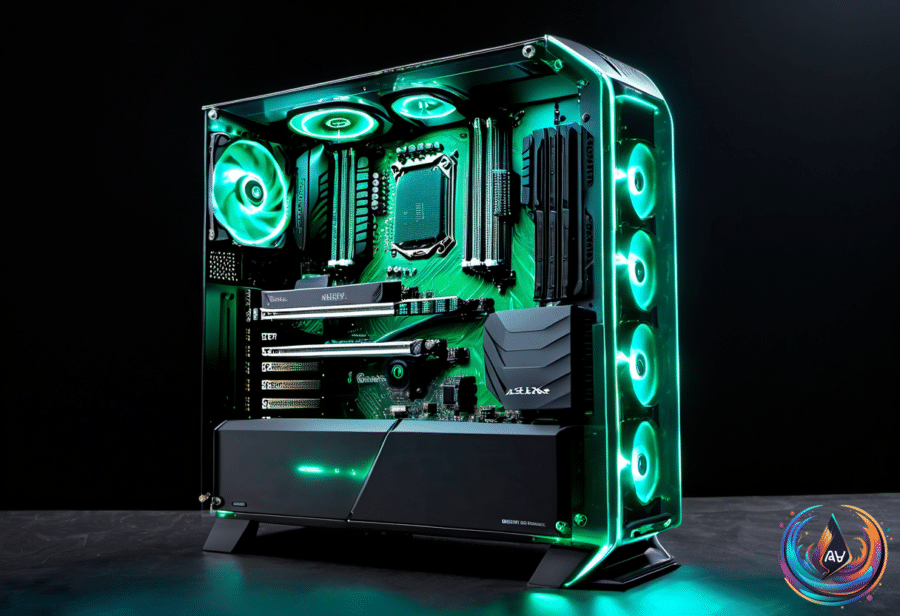
Open a gaming PC and the graphics card immediately grabs your attention: a slab the size of a hardback book, slotted into the motherboard with fans bolted to it. Open a PlayStation 5 or Xbox Series X, and you will see nothing like that. Beneath the heatsink sits an AMD chip doing the work of both processor and graphics card.
That difference shapes everything from memory access to game design. Both platforms use the same underlying AMD Radeon technology, but console hardware shares more with the CPU, while a PC gives its GPU a separate card and its own memory. So which one wins? The answer depends on the game, the hardware around the GPU, and how carefully developers build for each machine.
One Chip, One Pool of Memory
A console GPU is a bespoke component built to order for Sony or Microsoft. It shares one piece of silicon and one pool of memory with the CPU, creating a tightly controlled system designed around a fixed target. Every game is written for that exact hardware, giving studios a clear set of limits and opportunities.
Microsoft’s Xbox Series X spec sheet lists an eight-core CPU and a GPU with 52 compute units on a single 360.45 square millimeter piece of silicon. That combined processor is called an Accelerated Processing Unit, or APU, and it is also known as a system on a chip, or SoC. Compute units are the GPU’s processing blocks, and graphics power scales up as you add more of them.
The Series X includes 16GB of memory shared by the CPU and GPU. The operating system keeps 2.5GB, leaving games with 13.5GB for graphics and everything else. Developers decide how much of that shared pool goes to textures and other graphics data, instead of working with a separate VRAM capacity.
A gaming PC splits those jobs between a processor and a separate GPU. Valve’s Steam Machine shows what that approach looks like in a console-sized PC: it has 16GB of system RAM plus 8GB of VRAM attached to its graphics chip. That separation gives graphics workloads their own memory stock, though the 8GB limit can restrict 4K gaming with ray tracing switched on.
When a PC game needs more VRAM than the graphics card has available, extra data spills into RAM. The GPU reaches that memory far more slowly, which can create stutter and texture delays. A console game avoids that exact split, but the shared pool still has a fixed size and must serve the whole system.
Why Matching Specs Do Not Guarantee Matching Results
The closest PC card to the PS5 is arguably AMD’s Radeon RX 6700, but hardware comparisons never tell the whole story. Testing found the RX 6700 up to 44 percent faster than the PS5 in Hitman 3, while the console led by 45 percent in Cyberpunk 2077 with ray tracing switched on. Near-identical hardware produced opposite results because each game was built differently.
Console developers know the exact GPU inside every standard PS5. They can prepare shaders before a game launches, which helps avoid the first-launch compilation delays common on PC. PC games must account for different GPUs and drivers, so they compile shaders on first launch or during a game, creating long loading screens and stutter.
Mark Cerny called the PS5 Pro’s graphics design RDNA 2.x, a chip with no twin in AMD’s PC catalog. It builds on the RDNA 2 architecture used in the 2020 PS5, borrows features from RDNA 3, adds ray tracing features that AMD cards lacked at the time, and includes 67 percent more compute units than the standard PS5.
Sony kept an RDNA 2 base because using RDNA 3 alone would have broken compatibility. Games ship with shaders compiled for the PS5’s exact GPU, and RDNA 3 runs those programs differently. With the RDNA 2 base, PS5 games can run on the PS5 Pro without being rebuilt.
A high-end PC still out-draws any console, but a well-tailored console game can get considerably more from a mid-range chip. Microsoft is copying part of that approach on Windows with Advanced Shader Delivery, which downloads precompiled shaders with the game. Forza Horizon 6 loads in four seconds with the feature, compared with almost a minute and a half without it.
When Dedicated Graphics Hardware Makes Sense
A discrete graphics card is often the most expensive part of a gaming desktop, and it also needs a compatible power supply. If your computer use stops at web browsing, media streaming, and casual games, a dedicated GPU may not be necessary. Modern integrated graphics can handle light productivity, media encoding and decoding, and casual gaming.
The AMD Radeon 780M, for example, has 12 compute units. The Radeon Graphics inside the Ryzen 7 9800X3D has only two compute units, even though that processor is faster for CPU workloads. The Ryzen 7 8700G can therefore be much stronger in GPU-heavy tasks despite its weaker CPU performance.
Dedicated cards become more useful for high-resolution video and photo editing, local LLMs, 3D graphics, and high-fidelity games. Their dedicated VRAM creates a separate, higher-bandwidth memory pool, while an iGPU depends on system RAM speed, configuration, and capacity. Switching from DDR5-6400 to DDR5-5200 caused performance drops on the Ryzen 7 8700G across several games.
That upgrade path is one of the PC’s biggest advantages. If your needs grow, you can add a more powerful graphics card, but you must check power supply capacity, PCIe compatibility, and case clearance first. A console owner cannot upgrade the GPU.
The Laptop and Storage Trade-Offs
An external GPU can bring desktop-class graphics to a laptop, but the connection creates a new bottleneck. Thunderbolt 4 offers 40 Gbps of overall bandwidth and requires 32 Gbps of PCIe data throughput. Thunderbolt 5 raises the base speed to 80 Gbps and doubles that PCIe requirement to 64 Gbps, with a 120 Gbps Bandwidth Boost mode.
Even then, an eGPU must share the limits of the cable, enclosure, drivers, GPU, and power system. Using the laptop’s built-in display can add another penalty because rendered frames may need to travel back through the same connection. A direct connection to an external monitor can deliver better performance.
The cost adds up. Razer’s Thunderbolt 5 Core X V2 supports full-size NVIDIA and AMD desktop cards up to four slots wide and includes a 120mm cooling fan, but it does not include a GPU or ATX power supply. The enclosure costs approximately $350 before those extra purchases.
Console buyers face a different limit: storage. Most Xbox Series X models start with 1TB, but the system may leave only 802GB or less for games and apps. The PlayStation 5 Slim has 825GB, while Nintendo’s Switch 2 has 256GB. Games now pass 100GB with ease, including Call of Duty: Modern Warfare 4 at about 137GB and Grand Theft Auto 6 at 225GB.
A 2TB console can be worth the extra cost for players who keep many games installed. Series X owners need an Xbox-compatible NVMe expansion card to run newer games from added storage, and a 1TB Seagate card costs at least $200. The right choice is not just about GPU horsepower; it is about memory, upgrade freedom, connection limits, and how the entire machine is built to work together.
Based on
- Gaming PC GPUs vs. console GPUs: What’s the difference between them? — engadget.com
- Which NVIDIA GPU Is Closest To The PS5? The Answer Isn’t So Simple — engadget.com
- Here’s When A Dedicated Graphics Card Is Worth It — engadget.com
- What Are The Limitations Of eGPUs Vs Onboard Graphics Cards For Laptops? — engadget.com
- Is 1TB Enough Storage For Your Xbox Series X? Here’s What Gamers Should Know — engadget.com