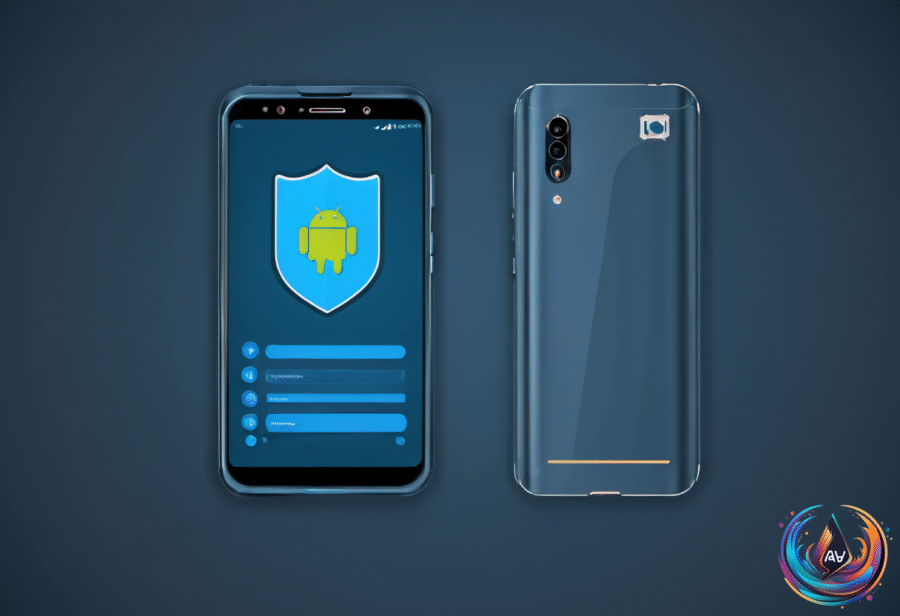
Your Android phone can do more than display ads, messages, and notifications. A few settings can block unwanted advertising, filter scam texts, check whether your connection uses a VPN, and help restore Gmail when messages stop syncing.
That matters because online threats now reach your phone through many paths. Intrusive ads can drain battery life or redirect you to malicious websites, while scam texts and fake social media stores can turn a single tap into a costly mistake.
Cut Down Ads Across Android
Online ads help many apps and websites offer content for free, but a subset has become intrusive and malicious. Researchers have identified spyware triggered by online advertising, and some ads consume performance resources with poorly optimized animations, drain your phone’s battery, or send you to malicious websites without consent.
Chrome is the default browser on most Android phones, but it does not support extensions like its desktop counterpart. Google still includes settings that block especially problematic ads. Chrome can block ads on sites known to show intrusive or misleading ads and stop unwanted pop-ups, although banners and less intrusive advertising will remain.
For stronger browser filtering, Firefox lets you open the Extensions menu and install uBlock Origin. Samsung phones and tablets may already include Samsung Browser; open its three-dot menu, tap Ad blockers, and choose a service such as ABP or Adblock Fast. Brave also blocks ads out of the box and includes privacy and security features designed to stop sites from tracking you.
When ads appear inside other apps, Android’s Private DNS setting can filter them across the system. DNS lookups turn domain names into IP addresses, and a filtering DNS service can refuse requests to known advertising or malicious domains while resolving other domains as usual.
Open Settings > Network & internet > Private DNS, then select Private DNS provider hostname. For protection against known malware-infested domains, enter security.cloudflare-dns.com. To block advertising domains and trackers, enter dns.adguard-dns.com, then tap Save.
System-wide ad blocking can break features in some ad-supported games and apps, so the wider filter comes with a trade-off. Still, Android’s privacy and security features give you several ways to decide how much advertising your phone accepts.
Stop Spam Texts Before They Become Scams
“Spam text messages are rampant.” Consumers reported losing about $470 million in scams that began with texts in 2024, and no setting can stop every unwanted message. Filtering tools can reduce the flood, while reporting suspicious texts helps carriers spot and block those messages.
On an iPhone, turn on Screen Unknown Senders to filter messages from people you do not know while allowing notifications for time-sensitive texts such as verification codes. You can also enable Filter Spam, which hides notifications and moves those messages into a Spam list. Apple says options can vary by country and region.
Business alerts offer another path for unwanted messages. Go to Settings > Apps and Messages, where you may find RCS Business Messages and the option to turn them off. You may also see Apple Messages for Business; open it and switch off Business Updates. To limit messages to contacts during screen time, go to Settings > Screen Time > Communication Limits > During Screen Time.
Google Messages users can open the profile photo in the top-right corner, select Message Settings > Protection and Safety, and turn on Spam protection. Google has also outlined an optional Enhanced protection mode that uses Gemini to detect scams and double-check links.
Never click links or reply to a suspicious text. Forward it to 7726 (SPAM), a reporting service available in the US and UK, or report major fraud to the Federal Trade Commission. Unverified third-party filtering apps can contain malware, so the built-in options are the safer starting point.
Understand the VPN Key and Fix Gmail
The key icon in Android’s status bar means your internet connection is encrypted through a VPN. Modern Android versions support VPNs at the operating-system level, and the icon appears when a VPN is active. On a Samsung Galaxy phone, you can hide it through the Good Lock customization suite from the Galaxy Store, using the QuickStar module.
On a Pixel or another close-to-stock Android device, open Quick Settings, tap the number beside the profile icon, find active background apps, and tap Stop beside the VPN. To identify the service, open Settings > Network & internet > VPN. Samsung Galaxy users can go to Settings > Connections > More connection settings > VPN. A running service shows “Connected”; tap it and choose Disconnect.
A VPN hides your IP address from networks, internet service providers, and websites, but it does not fully anonymize you. Facebook and Google can still recognize logged-in users, while cookies and device fingerprinting can reveal activity. VPN connections can also trigger CAPTCHAs, block some websites, or help access geofenced content such as shows offered through Netflix in other countries.
If Gmail stops syncing, start with the basics. Update Gmail through the Play Store, confirm your internet connection, and check Google’s Workspace Status Dashboard for an outage. An exclamation mark indicates a service disruption, while a red X marks a full outage.
Inside Gmail, confirm that Sync Gmail is checked. Then open the Google Account sync settings and make sure Gmail is enabled alongside Contacts, Keep Notes, and Calendar. For POP or IMAP accounts, review the incoming and outgoing server settings.
To clear a damaged local cache, go to Settings > Apps > Gmail > Storage and tap Clear cache. This removes temporary files without deleting emails, drafts, or account data. Return to the Gmail app info screen, tap Force Stop, and relaunch the app. A nearly full phone can also prevent Gmail from syncing new data.
Spot and Report Scam Ads
Convincing fake stores and AI-generated celebrity endorsements are making scam ads harder to recognize. People reported losing over $95 million from such purchases in 2025, while reported losses from all scams that began on social media reached $2.1 billion that year.
In February 2026, Meta sued a Vietnam-based advertiser over products advertised at reduced prices, including Longchamp products. Shoppers completed a survey before reaching a site that requested credit card details; products were not delivered, and unauthorized recurring charges followed.
Use the reporting tools on Facebook, Instagram, WhatsApp, and TikTok when an ad looks fraudulent. Fraud can also be reported to the Federal Trade Commission at ReportFraud.ftc.gov. With ad filters, message protection, connection checks, and reporting tools working together, your phone becomes much harder for malicious advertising and scams to exploit.
Based on
- How to block bad ads on your Android phone with an ad blocker — engadget.com
- How To Block Spam Texts On iPhone And Android — engadget.com
- What The Tiny Key Icon Means On Your Android Device — engadget.com
- What You Should Check If Gmail Isn’t Working On Your Android Phone — engadget.com
- How You Can Spot And Avoid Scam Ads On Social Media — engadget.com