That old laptop may feel finished when Windows 11 leaves it behind and Windows 10 struggles to run, but a working computer still has plenty of life left. Why toss out a notebook that can become a fast Linux machine, a home media server, or a storage hub?
The same idea reaches beyond laptops. An aging Kindle can keep serving as a reader, clock, calendar, or dashboard, while a crowded Windows drive may recover useful space with the right cleanup tools. These five paths turn aging hardware into something practical instead of wasteful.
1. Give the laptop a lighter operating system
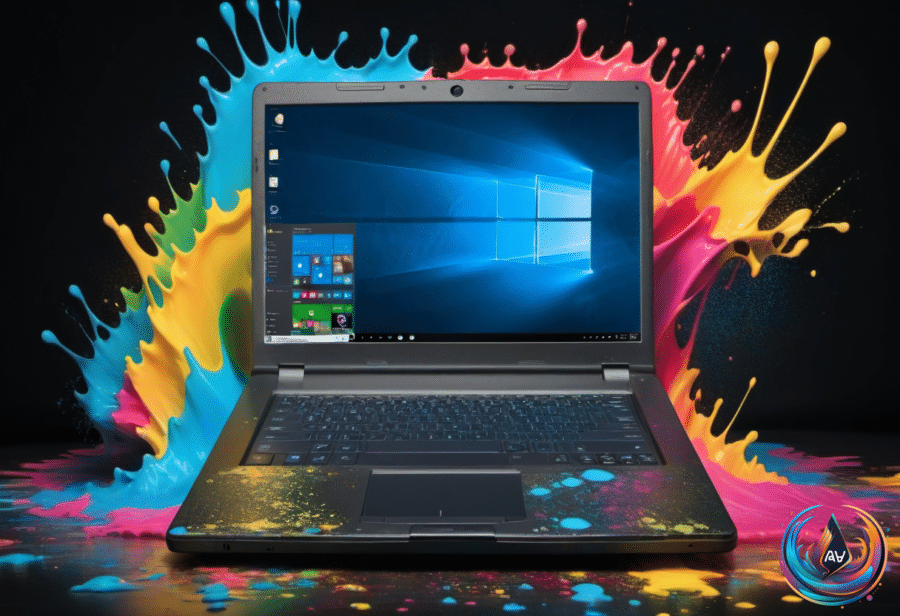
A laptop built around a 2016 Intel Core i7 processor, 16GB of RAM, and a 4K display may still feel capable even when it is no longer eligible for Windows 11. Windows 10 did not run smoothly on the described laptop, so a new operating system became the first route to a second life.
ChromeOS Flex, Google’s free version of ChromeOS for non-Chromebook laptops, was one option. The installation took fewer than 15 minutes, and the laptop performed well. Its limit was clear, though: ChromeOS Flex focused on web apps, which broke the workflow and blocked local, open-source apps.
Fedora Linux opened a different door. A thumb drive was flashed with Fedora Linux, plugged into the laptop, and used to boot the computer. A couple of loading screens later, the GNOME desktop was ready, and the first impression was speed.
Linux has become more user-friendly over the years, and it can offer an easier experience than Windows. Most Linux distributions include repositories that work like an app store, making apps easy to install. That gives an aging laptop a useful role without forcing it back into demanding daily productivity, entertainment, or gaming work.
2. Turn it into a media server
An old laptop can also become the computer that serves media across your home. Plex, Jellyfin, and Emby can stream your shows and movies to capable devices, including TVs and smartphones, once the setup is complete.
The work may take a few hours, but the payoff is a custom media machine that can reach every device connected to your home network. The laptop already has several advantages: it is compact, may include decent storage, and offers USB ports for expansion when needed. Its built-in battery supplies backup power, while its lower energy use makes it cheaper and greener to run 24/7 than a desktop computer.
Run the laptop with its lid open but its screen off. That supports airflow and reduces resource load. A 60% battery charge limit and a cooling pad may help the notebook handle its new job.
You can run a media server on any desktop operating system. Organize the media, launch the software’s setup wizard, and access the collection from devices on the home network. Remote streaming takes more work: Plex may require payment, while Jellyfin and Emby require network configuration.
3. Build a home server for media and storage
A home server pushes the idea beyond streaming. An old computer can become a custom media machine, helping cut the number of streaming services and the bills attached to them. Plex, Jellyfin, and other alternatives let you populate the server with your own shows and movies.
The same machine can double as mass storage for a large file collection or important documents. Cloud storage and data backup services can add up over the year, while a home server can replace those elements. Need more space later? Buying and installing more hard drives is a snap.
Resurrecting an old PC as a home server can save a large chunk of cash on storage and home entertainment needs. Building one is both painless and affordable, especially when the computer is already sitting unused.
4. Give an unsupported Kindle a fresh purpose
Amazon ended software support starting May 20 for Kindle devices released before 2013. Models released in 2012 or earlier, including the first Kindle, Kindle 2, Kindle DX, Kindle Keyboard, Kindle 4, Kindle Touch, Kindle 5, and the first Kindle Paperwhite, can no longer buy, borrow, or download new books through Amazon.
The Kindle debuted in 2007, and these models received support for at least 14 years, with some supported for as long as 18 years. Amazon said technology had come a long way, and the change affected about 3 percent of active users.
The device is not immediately bricked. Books already downloaded remain readable as long as the owner stays logged in, but deregistering or resetting the Kindle locks the owner out. New content can still reach the device through sideloading, using a USB data cable instead of the “Send to Kindle” feature.
Calibre is an open-source tool for formatting and transferring ebooks, personal documents, and PDFs. Free PDFs are available through Internet Archive’s Open Library and Project Gutenberg, and keeping backup copies on a computer protects against losing access to files stored on the Kindle.
That slow-power display also suits electronic clocks, calendars, and dashboards. A Raspberry Pi can run a companion script downloaded for free on GitHub, format data into a grayscale image, and send it over Wi-Fi. The Kindle wakes on a timer, downloads the fresh image, and displays it.
5. Clean the software on a crowded Windows computer
Old hardware does not always need a new role. Sometimes it needs space. A scan-only test of Disk Cleanup, Storage Sense, and Microsoft PC Manager on the same 1TB C: drive found a wide gap between the tools. Nothing was cleaned or deleted during the test.
The drive had only about 4 percent free space. Disk Cleanup offered 1.66GB of junk, and Storage Sense offered the same 1.66GB. Microsoft PC Manager listed 26GB and covered about 90 percent of the actual junk files.
- A 9.25GB NVIDIA shader cache went unnoticed by both Windows tools.
- Chrome cache across four profiles occupied about 5GB.
- App crash dumps used 2.2GB.
- PC Manager also found caches left by Python and Node.js.
Storage Sense lives in Settings > System > Storage and is designed to empty the Recycle Bin, clear Downloads, and remove temporary files on a schedule. Yet Windows reported “0 bytes” cleaned in the past month because the default trigger is low free disk space, and Windows did not count 3.9 percent free as low. Items from six months ago still sat in the Recycle Bin.
Change Run Storage Sense from During low free disk space to every day, week, or month. Recycle Bin and Downloads thresholds can range from 0 to 60 days. PC Manager preticked 8.9GB as safe to remove, but left the 9GB NVIDIA cache and 2.7GB Python cache unticked, leaving that choice with the user.
PC Manager also found 238GB of files larger than 10MB, giving users a way to decide what belongs on the drive. Revo Uninstaller Free handles removed apps better by running each program’s uninstaller, then finding leftover files, folders, and registry entries. Skip CCleaner: Avast’s Piriform pulled version 5.45 in 2018 after it collected more usage data than users expected.
Set Storage Sense to run weekly or monthly, perform a PC Manager deep cleanup once a month, and use Revo Uninstaller when removing apps. Still, deleting junk moved free space from about 4 percent to only about 6 or 7 percent, so video games, video files, photo libraries, and other large files remain the real targets.
When an old device still works, its next chapter may be more useful than its first. A laptop can power a home network, a Kindle can become a dashboard, and a crowded computer can reveal where its storage disappeared. Before disposal, wipe a device with a factory reset, check local e-waste options, or ship it back to Amazon; the better first move is to ask what job it can still do.
Based on