Liquid cooling is not a universal upgrade. Both liquid and air coolers perform the same function: they move heat away from a PC’s CPU, but they suit different builds, budgets, and performance targets.
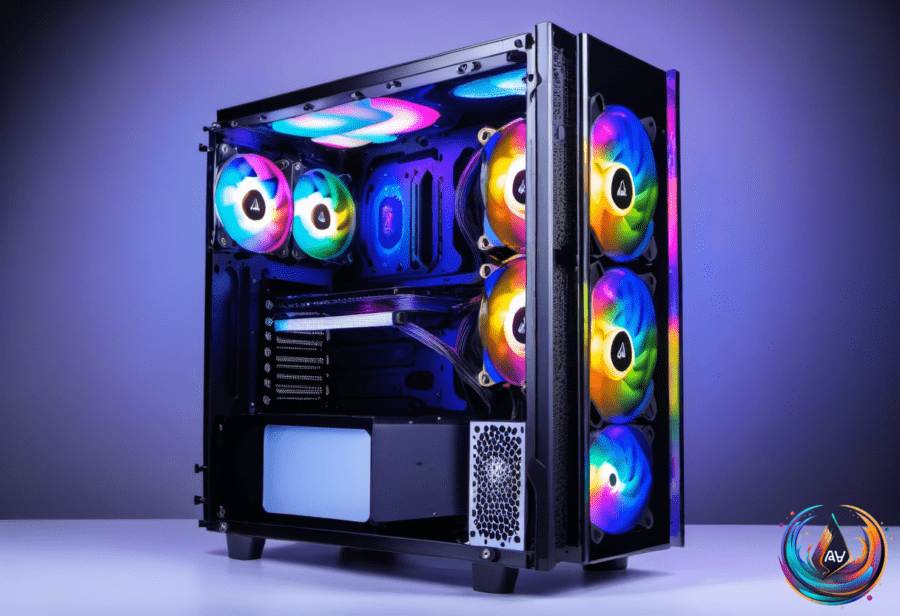
A liquid cooling system can become one of the star components in a custom-built gaming PC. AIO systems often look flashy, offer RGB lighting options, and can give a high-end machine the visual treatment its owner expects. They can also be tricky to install, because impressive hardware rarely arrives with a personality disorder diagnosis.
The price gap is harder to ignore. Liquid cooling systems are usually a lot more expensive than traditional air coolers, with high-end models costing upwards of $200. Cheaper liquid coolers can also get noisy, which makes the premium less appealing when the performance target does not demand it.
How Air and Liquid Cooling Work
Air coolers use a heatsink and pipes to regulate a processor’s temperature. Their makeup is simple: a cold plate, pipes, a fan, and a heatsink. That lower part count makes air cooling a practical choice for budget and mid-range PCs.
Liquid coolers use a different heat-transfer path. Their components include a plate, pump, tubing, coolant, a radiator, and accompanying fans. A liquid cooler regulates CPU heat by directing it away from the processor through a water block, cooling pump, and radiator.
The process begins with thermal paste applied to the top of the CPU chip. The paste helps transfer heat into the water block’s copper plate, which passes that heat into the liquid. The pump then directs the liquid toward the radiator, where its fans dissipate the heat.
After that, cooled liquid returns to the water block, and the cycle repeats while the PC is running. A large radiator gives the system more capacity to dissipate heat, allowing liquid cooling to outperform air cooling when the target is 120FPS gameplay in Ultra HD.
When Liquid Cooling Makes Sense
AIO systems are a strong fit for high-end gaming PCs where 4K output at console-beating frame rates is the priority. Models with 280 and 360mm radiators can dissipate more heat than air coolers, making them suitable for cutting-edge PC builds.
The case becomes stronger with a top gaming CPU such as the AMD Ryzen 7 9800X3D, where a liquid cooler is recommended. A high-end 360mm AIO can combine performance targets, customization, and RGB lighting options in one unit.
The added thermal headroom from liquid cooling can let a custom-built PC run the best and most demanding PC titles at 4K/120FPS without overheating. That is a clear advantage for a system built around maximum gaming performance rather than a controlled budget.
Liquid coolers can also deliver a different acoustic and visual balance. The NZXT Kraken 360 can run at whisper-quiet levels and look sharper than fans, although that experience does not apply to every model. Cheaper liquid coolers can get a little noisy, so the cooling method alone does not guarantee silence.
Custom loop cooling takes the concept further by letting builders choose every part of the system, including the water block, radiator, tubing, fans, and reservoir. The reservoir stores coolant and feeds the pump, while custom loops can cool more than the CPU, including the GPU.
That flexibility also brings a more involved build. AIO systems package the main parts into one cooler, while custom loops require choices across the water block, radiator, tubing, fans, reservoir, and coolant. The reward is control; the cost is a system that demands more decisions than an air cooler.
For a budget or mid-range PC, an air cooler remains the sensible option. It performs the same core job with a simpler design, while liquid cooling adds cost and installation complexity that the build may not need.
For a high-end gaming PC targeting 4K output, 120FPS Ultra HD gameplay, or a top gaming CPU, liquid cooling earns its place. It is not automatically better for every computer—just better matched to machines that can use the extra thermal headroom.