NVIDIA has released PAIR, a free, open-source tool that lets people connect idle computers and use them for AI computing tasks. The system can distribute AI workloads across local PCs running Windows, Linux, or macOS.
The NVIDIA PAIR beta is available today, Sept. 3, 2026. The tool is designed to connect compatible devices on a network, prepare them for AI workflows, and adjust as computers join or leave that network. That gives a household a way to combine several machines instead of treating each computer as a separate system.
Making use of computers that sit idle
NVIDIA says more than half of US households have two or more PCs. “More than half of US households have two or more PCs,” NVIDIA writes in its announcement, “and apparently, they mostly sit idle throughout the day.” PAIR uses those in-home systems when they are idle, which helps avoid interfering with other tasks on the computers.
NVIDIA estimates that a household with multiple computers could have about 165 teraflops of underutilized compute. That figure represents processing capacity already present in the home but not being used at a given time. Seth Schneider, an Nvidia product manager, described it as “a treasure trove of free tokens just sitting in homes today.”
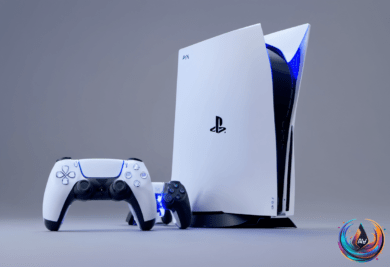
The setup NVIDIA envisions is simple in scale: most PAIR users will have one MacBook or Windows laptop and one gaming PC. PAIR can link those systems across a network, allowing compatible hardware to contribute to AI workloads while the devices remain available for their regular tasks.
Which computers can use PAIR?
PAIR supports NVIDIA GeForce RTX 20 Series GPUs and newer models, along with NVIDIA RTX PRO workstation GPUs using Turing architecture and newer. It also works with NVIDIA DGX Spark systems and Apple’s M4 chips or newer.
That makes the compatible devices a mix of NVIDIA GeForce GPUs, RTX 20-series cards and newer, RTX Pro GPUs, DGX Spark systems, and Apple computers with M4 or newer chips. The tool works across Windows, Linux, and macOS, so connected devices do not need to use the same operating system.
PAIR also handles changes in the group of connected computers. As devices join or leave the network, the tool can adapt to those changes. A computer can contribute when it is idle, then leave the shared workload when it needs to return to other tasks.
Security and local AI agent support
NVIDIA says PAIR secures communication by pairing every device through a six-digit code. After pairing, the channel is secured through mTLS. This gives the connected computers a defined setup process before they share AI workloads across the network.
The tool is also tied to a group of AI agent apps that will offer a simpler local setup with NVIDIA GPUs on Windows. Perplexity Portable Computer, Hermes Agent, and OpenClaw will support that setup, giving users three ways to work with local AI agents through compatible hardware.
Those apps are part of PAIR’s focus on using computers already found in a home. Instead of requiring every AI task to run on one machine, the tool can prepare multiple compatible systems and distribute the work among them. The available processing power depends on which devices are connected and idle.
PAIR’s release puts the emphasis on local computing, open-source software, and hardware that users already own. Its beta now gives households with compatible PCs, GPUs, Macs, or DGX Spark systems a way to test shared AI workloads across their own network.
Based on