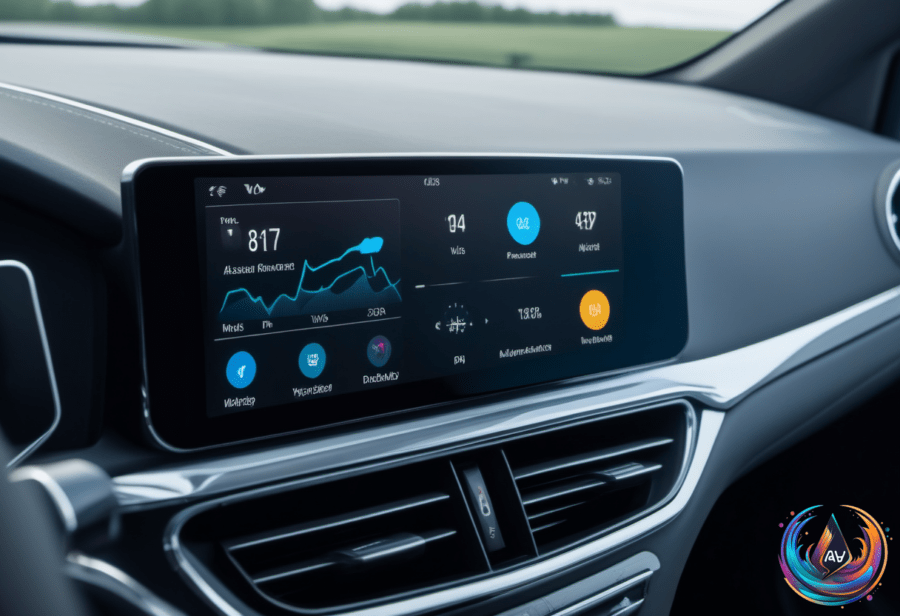
Siri problems in CarPlay can turn a simple voice command into a frustrating guessing game. The trouble may come from the iPhone, the CarPlay connection, or the car’s infotainment system, so the best fix depends on where the failure starts.
There is another limitation for drivers using Android Auto: YouTube supports audio streaming while driving, but full video support is planned for a future update. Together, these issues show how much the phone, car, software settings, and subscription can affect the experience behind the wheel.
What to check when Siri stops working
Start by testing how Siri responds inside CarPlay. You can activate it by holding the car’s voice-command button or by pressing and holding the CarPlay Home button on the display. Some cars also support “Hey Siri” for voice activation, but that feature depends on the vehicle.
If the button wakes Siri but the wake phrase does not, the car may not support voice activation. As Husain Parvez put it, “Screaming “HEY SIRI!” even louder isn’t fixing the problem, surprisingly.” Turning Siri or “Hey Siri” off and on, then repeating the voice-recognition setup, can resolve problems with activation.
The iPhone also has settings that can block Siri or CarPlay. Siri can be disabled when the iPhone is locked, and CarPlay can be turned off under Settings > Screen Time > Content & Privacy Restrictions > Allowed Apps. Checking both settings can rule out a simple restriction before you start changing the connection.
Siri needs an internet connection to work in CarPlay, and VPN profiles may stop it from functioning. Disconnecting CarPlay and testing Siri directly on the iPhone helps narrow down the cause. If Siri works on the phone but not in CarPlay, the connection becomes the main suspect.
CarPlay connection and sound fixes
Wired CarPlay users can try a different USB cable or another USB port. A cable or port problem can interrupt the link even when the phone appears to connect. Wireless CarPlay needs both Bluetooth and Wi-Fi, and Auto-Join must be turned on for the connection to work as expected.
Basic restarts can also clear connection trouble. Restart the iPhone and the vehicle, then forget the car under Settings > General > CarPlay and pair it again. If the problem remains, check with the vehicle manufacturer for infotainment firmware updates.
Sometimes Siri is working, but its response cannot be heard. In that case, adjust the volume while Siri speaks or turn on “Prefer Spoken Responses.” This is an easy detail to miss because a silent answer can look like a failed voice request.
Why YouTube works differently on Android Auto
Android Auto handles YouTube with a different set of limits. Most Android Auto users can stream only audio from YouTube while driving, while full video support is planned for a future update. Antony Terence described the service as “a curious middle child on Android Auto,” a fitting summary of its restricted role in the car.
Some manufacturers, including GM, have unlocked full YouTube compatibility and streaming services such as Disney+ while the vehicle is stationary. That does not remove the driving limits for most users, though. YouTube media controls on Android Auto require a YouTube Premium or Premium Lite subscription for full functionality.
Google has an update scheduled for 2026 that will add native YouTube support for Android Auto. The update will allow HD videos while parked and audio-only playback while driving. Listening to YouTube videos while driving is exclusive to YouTube Premium users, so access will still depend on the subscription as well as the vehicle and software setup.
What these limits mean for drivers
CarPlay Siri troubleshooting starts with the basics: confirm Siri and CarPlay are allowed, check the internet connection, test the phone outside the car, and then inspect the wired or wireless connection. Restarting and pairing again come after those checks, followed by a search for infotainment firmware updates.
Android Auto’s YouTube rules are less about fixing a broken feature and more about understanding what the system allows. Audio is available while driving, video is reserved for when the vehicle is parked, and Premium access controls some media features. For both platforms, the dashboard experience depends on more than the phone alone.
Based on