CarPlay does not live inside your car by itself. It runs straight from your iPhone, which means the next useful dashboard feature, compatibility fix, or navigation improvement may begin with an iOS update.
CarPlay will keep working if you skip updates, but your experience stays frozen with the features already available. Updating your iPhone can unlock new tools, repair bugs, improve wireless connections, and help CarPlay work with newer software in your car.
Why iOS Updates Matter for CarPlay
There is usually no separate “update CarPlay” button in your car. To update CarPlay, you need to update iOS. On your iPhone, open Settings > General > Software Update and check the version installed on your device.
The latest version at the time of writing is iOS 27.2.1, released on November 9. Phones still running iOS 26 will see a smaller iOS 26 update and the larger iOS 27 upgrade as separate options, so you can choose which path to take.
iOS 27 arrived on September 14 with an audio mini-player, a progress bar in Now Playing, route sharing with the car’s own screens, and apps for watching videos while the car is parked. The video apps and route-sharing feature only work when the automaker has added support.
Apple says iOS 27 also improves wireless CarPlay reliability, navigation heading accuracy, and GPS accuracy. Then iOS 27.2 arrived on October 26 with a Podcasts Home tab, placing New Episodes and Continue Playing where Up Next appeared before. Siri also gained the ability to recall past conversations, but that feature needs an iPhone 15 Pro or later.
iOS 27 requires an iPhone 11 or later, or the second-generation iPhone SE. Apple lists CarPlay as compatible with much older iPhones, but those devices do not receive the new iOS 27 features.
CarPlay Offers More Than Music and Maps
Apple CarPlay makes iPhone apps easier to use from your car’s dashboard, including Apple’s Maps and Music alongside third-party apps such as Spotify and Waze. It can remember where you parked, plan routes that include EV charging stations, and bring Siri AI into the drive.
Starting with iOS 26.4, and improved with iOS 27, other AI assistant apps can appear in CarPlay. Apps such as ChatGPT and Gemini mirror the AI apps already installed on your iPhone, and they should appear on the CarPlay Home Screen automatically.
These AI apps are voice-only, so you cannot type or enter commands as you would on your phone. They also cannot control other apps, play songs, or make calls, and they cannot replace Siri as the default voice assistant. Pressing the voice command button on your steering wheel still triggers Siri.
- SharePlay has been available in CarPlay since iOS 17 and works with Apple Music, though only the driver needs a subscription.
- Android users can join SharePlay through a browser, and other passengers need Bluetooth turned on with the latest software.
- Gas payment from the car’s screen has been available since iOS 16, with support from chains such as Chevron and Texaco in the United States.
- CarPlay-compatible pickup apps include Dunkin’, Panera, and Domino’s.
- SpotHero can show available parking and works in more than 400 cities across the United States and Canada, while EasyPark offers a similar experience in Europe.
Gas payment requires the station’s iPhone app. At the pump, open the app in CarPlay, select your pump, and fill up when the app tells you to. The payment method comes from your iPhone, because Apple does not support Apple Pay in CarPlay apps like this one.
If an app installed on your iPhone does not appear on the car’s screen, open Settings > General > CarPlay, select your car, and make sure the app appears in the Include list.
When an Update Creates a CarPlay Problem
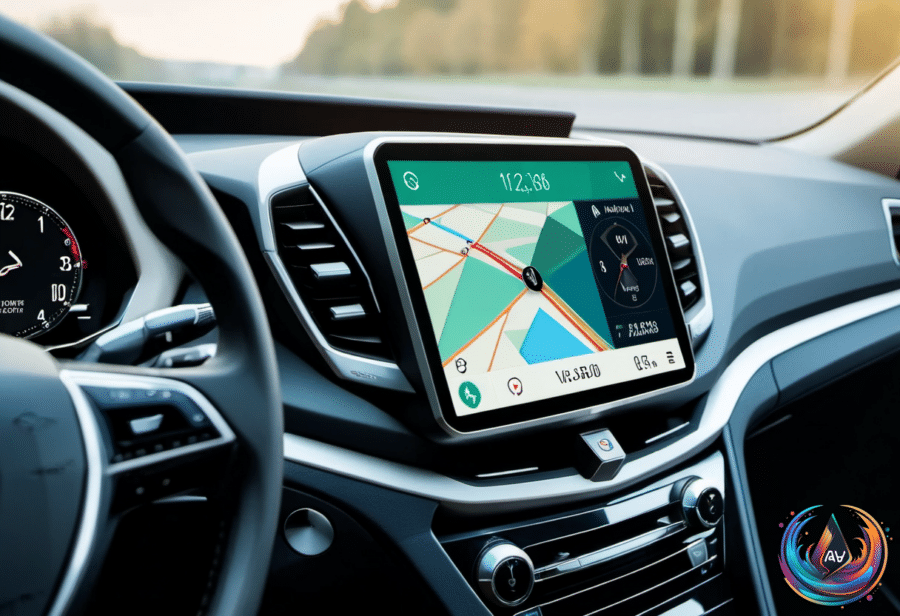
Updates can add useful features, but iOS 27 also brought a serious problem for some drivers using Google Maps or Waze. Guidance banners can overlap the map, making turn-by-turn navigation difficult to follow, especially on compact multimedia screens.
iOS 27 redesigned the template that third-party navigation apps use in CarPlay. Google Maps and Waze send navigation information to iOS, which renders the next-turn and estimated-arrival cards in the car. The map should move aside when those cards appear, but that safe-area reporting appears to fail after the update.
Apple Maps does not have the same problem because Apple’s native apps use their own CarPlay interface. Updating Google Maps or Waze, reinstalling them, or re-pairing the car probably will not fix a problem caused by iOS.
There is one workaround to try. On the CarPlay screen, open Settings > Display and turn off Smart Display Zoom. This does not work for every vehicle, but some drivers say it makes the banners smaller. The bug still appears in the first iOS 27.3 beta available to developers, so voice guidance, your iPhone’s screen, or Apple Maps may be the safer choice until Apple fixes it.
If CarPlay stops working or apps disappear, update your iPhone first. Then restart the phone and car, open Settings > General > CarPlay, select the car, tap Forget This Car, and set it up again. If that fails, update the car’s stereo firmware; Apple lists the car manual as the final place to find instructions.
Your Car’s Software Matters Too
Modern cars contain electronic control units that run the infotainment system, engine, battery management, and driver-assistance systems. Car software updates can clear glitches, false warnings, connection problems, and security holes, while some updates add features or change how the car drives.
In 2018, Tesla sent an update that shortened the braking distance of the original Model 3 after Consumer Reports found braking problems. Over-the-air updates also fix recalls. Tesla’s recall of more than 2 million cars over Autopilot safety controls received a free wireless update, while Ford, GM, Mercedes-Benz, Porsche, and others have used updates for recall repairs.
Skipping an update means keeping the bugs it was meant to fix. In 2015, hackers remotely took control of Chrysler vehicles and shut them down, forcing Chrysler to recall 1.4 million cars and deliver the patch on a USB stick. GM’s 2025 and 2026 warranty booklets require owners to install over-the-air updates within 45 days, and say damage caused by skipping them is not covered.
Before installing a car update, read the release notes and choose a time when you will not need the vehicle. Some updates take a few minutes, while others take up to 90, and many lock the car so it cannot be driven. Electric cars may need a charged battery, while some gas cars must stay running.
CarPlay’s future depends on two systems working together: the iPhone in your hand and the software inside your car. Keeping both updated can open new features and protect against old problems, but it also makes troubleshooting more important when a new release changes the dashboard experience.
Based on
- Why updating your iPhone can improve your CarPlay experience — engadget.com
- 5 Cool Things CarPlay Could Be Useful For — engadget.com
- iOS 27 Could Be Messing Up Your CarPlay Experience With Google Maps And Waze — engadget.com
- This Helpful Apple Watch Feature Works Seamlessly With Apple CarPlay — engadget.com
- The Reasons Why You Should Never Ignore Your Car’s Software Updates — engadget.com